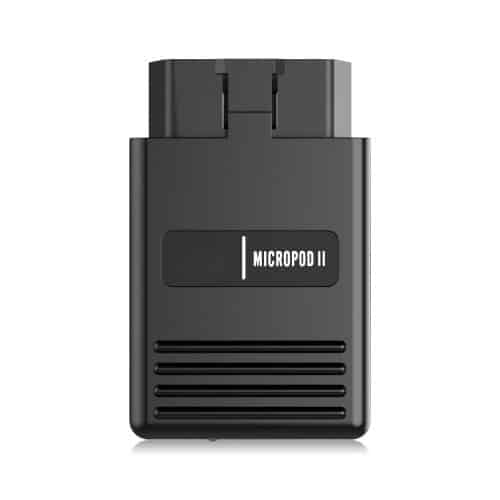
How to Perform ECU Reprogramming with wiTECH Micropod II

TechRoute66 Team2 min read

Updated on June 13, 2026

Share
How to Perform ECU Reprogramming with wiTECH Micropod II

Electronic Control Units (ECUs) are responsible for controlling various systems within modern vehicles, including the engine, transmission, and brakes. Over time, software updates may be released to improve the performance or efficiency of these systems. With the wiTECH Micropod II, mechanics and dealerships can perform ECU reprogramming quickly and easily.

Here is a step-by-step guide to reprogramming a vehicle’s ECU with the wiTECH Micropod II:

1
Obtain a TechAuthority Subscription: To access the necessary software for ECU reprogramming, you will need a TechAuthority subscription. This can be purchased through the TechAuthority website.
2
Connect the Micropod II to a Laptop: Connect the Micropod II to a laptop using the provided USB cable or optional wireless access point. Ensure that the laptop is running the latest version of the wiTECH software.
3
Launch the wiTECH Software: Once the Micropod II is connected to the laptop, launch the wiTECH software. You will be prompted to enter your TechAuthority username and password.
4
Select the ECU to Reprogram: From the main menu, select the ECU that you wish to reprogram. The software will display any available updates.
5
Follow the On-Screen Instructions: The software will guide you through the process of reprogramming the ECU. Follow the on-screen instructions carefully, and ensure that the vehicle’s battery is fully charged and the ignition is in the “on” position.
6
Troubleshoot Any Issues: If any errors or issues arise during the reprogramming process, the software will provide guidance on how to resolve them. Check for any diagnostic trouble codes (DTCs) and follow the recommended troubleshooting steps.

By following these steps, mechanics and dealerships can perform ECU reprogramming quickly and easily with the wiTECH Micropod II. It is important to note that ECU reprogramming should only be performed by trained professionals with the necessary tools and expertise.

Read also: Toyota TIS Account: Programming a Blank ECU

Need expert help with your setup?

Our team is ready to help you choose the right tools and get you up and running.

Contact Support

Worldwide Shipping

Fast delivery to your door

Expert Support

Real people, real solutions

Secure & Reliable

Trusted products and services

Workshop Ready

Built for professional use