
How to Import and Handle Certificates on PIWIS Tester III
Updated on June 13, 2026
The PIWIS Tester III is an indispensable diagnostic tool for Porsche technicians, enabling them to perform a wide range of diagnostic and programming tasks. One crucial aspect of using the PIWIS Tester III effectively is managing certificates. Certificates are essential for accessing various Porsche Partner Network (PPN) applications and ensuring secure communication between the tester and the vehicle. In this blog post, we will provide step-by-step instructions for importing and handling certificates on the PIWIS Tester III.
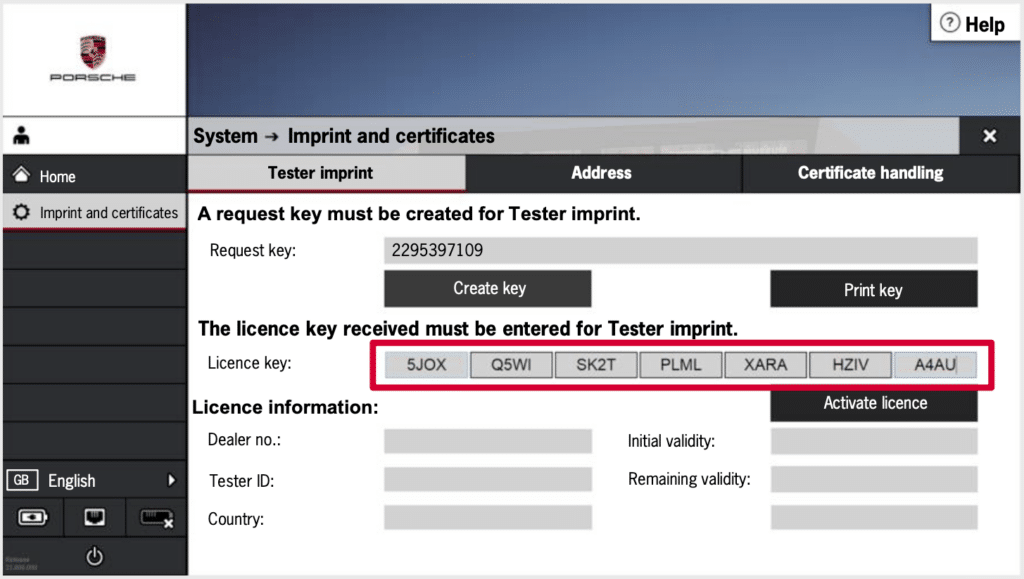
Why Certificates are Important
Certificates play a vital role in the functionality of the PIWIS Tester III. They are required for accessing PPN applications such as the PIWIS information system, Porsche Academy, and PiRS. These certificates ensure that only authorized users can access sensitive information and perform critical diagnostic tasks.
Step-by-Step Guide to Importing and Handling Certificates
Step 1: Access the Certificate Handling Menu
Step 2: Import the Certificate
Step 3: Verify the Certificate
Step 4: Delete an Expired Certificate
Step 5: Use the Certificate for PPN Applications
Step 6: Maintain Certificate Security
Conclusion
Managing certificates on the PIWIS Tester III is a critical task that ensures secure and efficient access to Porsche’s diagnostic and information systems. By following these step-by-step instructions, you can import, verify, and handle certificates with ease. Proper certificate management not only enhances the functionality of your PIWIS Tester III but also ensures that you can perform diagnostic tasks accurately and securely.
For more tutorials and tips on using the PIWIS Tester III, stay tuned to our blog. Happy diagnosing!
Related blogs:
Need expert help with your setup?
Our team is ready to help you choose the right tools and get you up and running.