
Best Jaguar Land Rover Diagnostic Tools – 2025 Guide
Updated on August 22, 2026
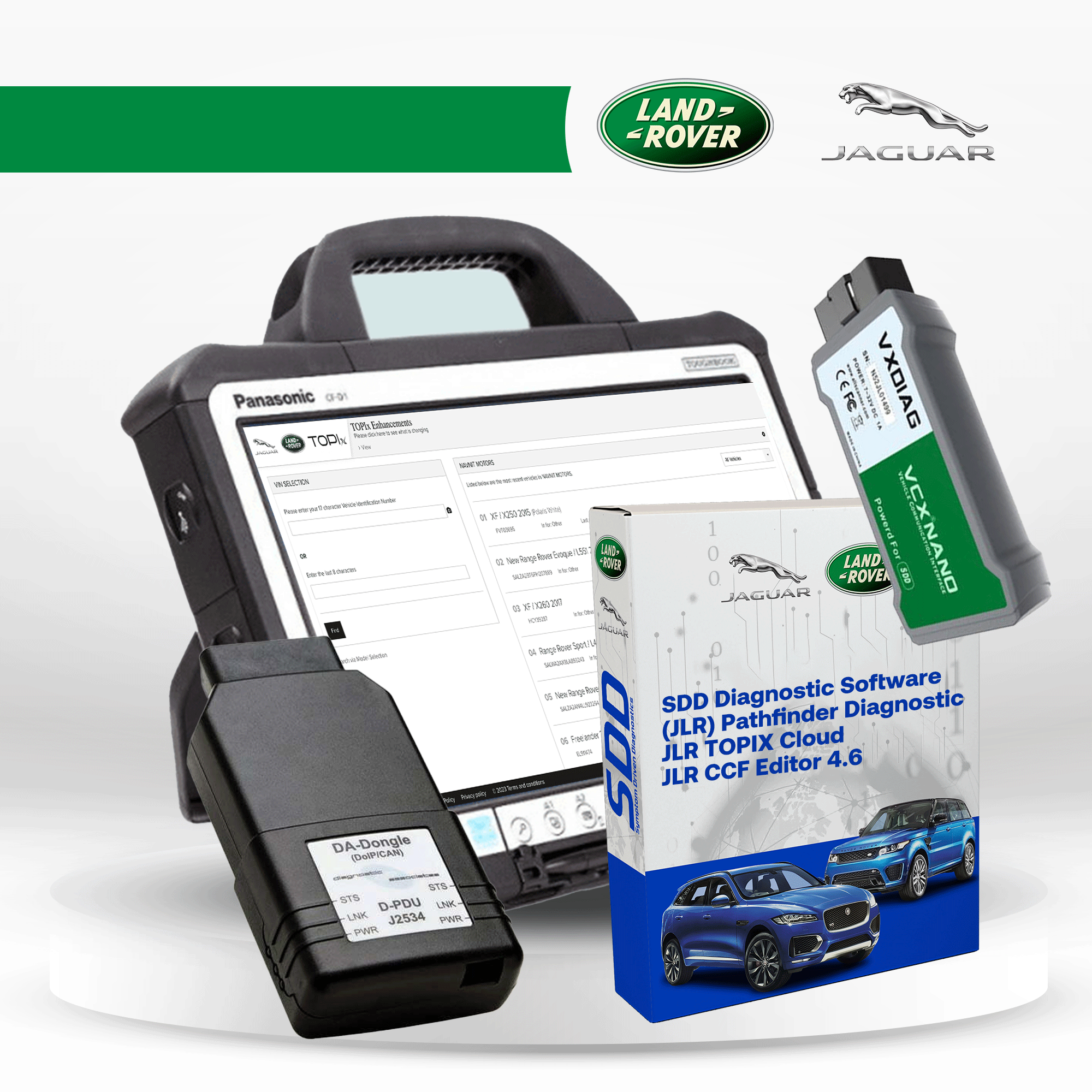
When it comes to keeping your Jaguar or Land Rover in top shape, having the right diagnostic tools is a game-changer. Whether you’re a professional mechanic or a dedicated owner, the right software and hardware can help you troubleshoot issues, clear fault codes, and optimize vehicle performance. In this guide, we’ll walk you through the must-have diagnostic tools for JLR vehicles in 2025.
1. JLR SDD (Symptom Driven Diagnostics)
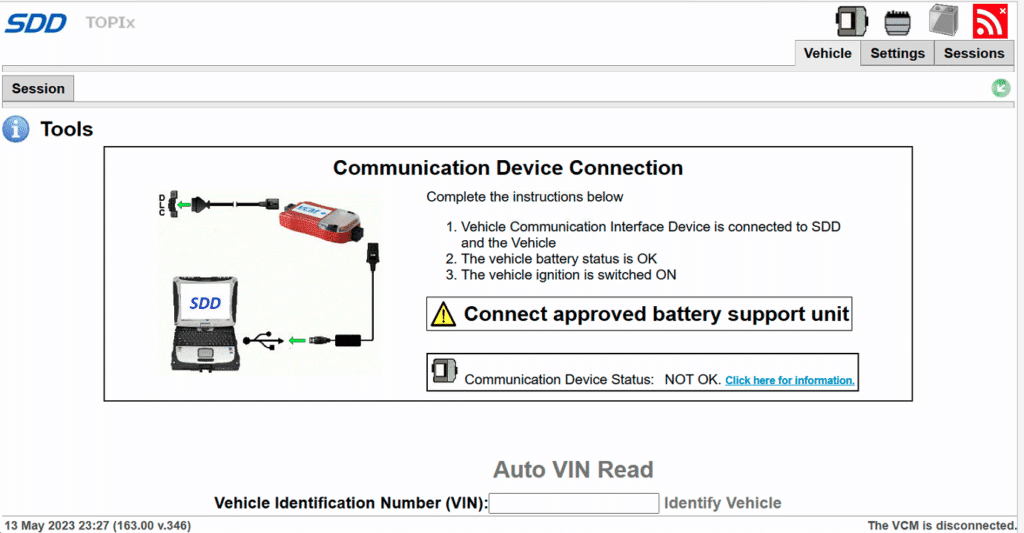
Designed for Jaguar and Land Rover models from 2005 to 2016, JLR SDD is a powerful diagnostic software that allows you to:
- Run in-depth diagnostics
- Read and clear fault codes
- Monitor real-time vehicle data
- Program control units
To unlock the engineering mode in SDD, you’ll need Seed Keys—these are special codes that grant advanced system access. You may want to consider the JLR SDD with NGI Calibration Files for full engineering mode.
2. JLR Pathfinder – Advanced Diagnostics for 2017+ Models
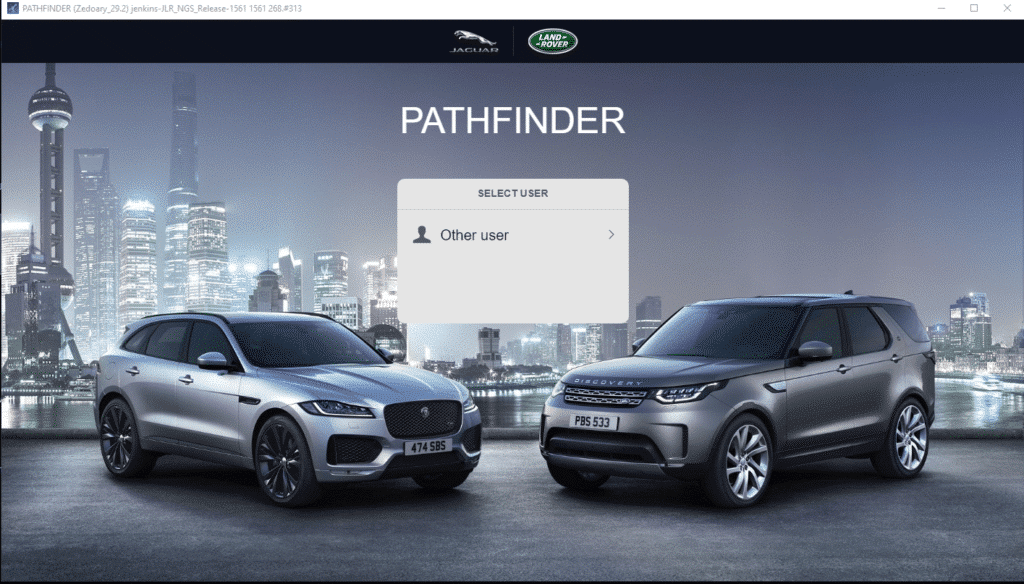
JLR Pathfinder Software
For newer Jaguar and Land Rover vehicles (2017-2023), JLR Pathfinder is the go-to software. It provides:
- Fault code reading and clearing
- Live data analysis
- ECU programming
- System calibration
If you need to modify vehicle configurations, Pathfinder requires the CCF Editor, a tool that lets you fine-tune settings and enable hidden features.
3. CCF Editor – Customization & Configuration
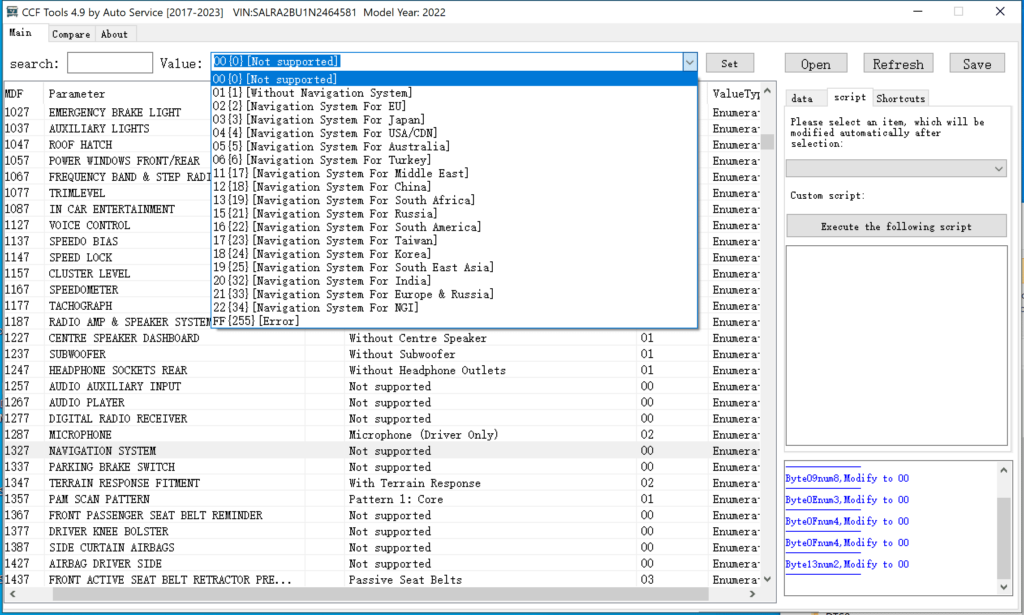
The Configuration and Calibration File (CCF) Editor is an essential tool for JLR Pathfinder users. It enables you to:
- Adjust module settings
- Unlock hidden vehicle features
- Customize settings to match your preferences
With this tool, you get greater control over your Jaguar or Land Rover’s performance and functionality.
4. Seed Key Calculator – Unlocking Advanced Functions
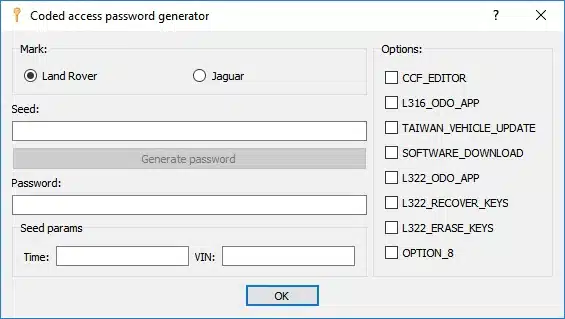
Land Rover JLR Seed Keys
The Seed Key Calculator is a critical utility for JLR SDD users. It generates the Seed Keys needed to access advanced engineering functions, allowing for:
- In-depth diagnostics
- Secure system access
- Advanced programming options
Having this tool ensures you’re fully equipped to make precise vehicle modifications.
5. VCX Nano for JLR – Compact & Versatile Diagnostic Interface
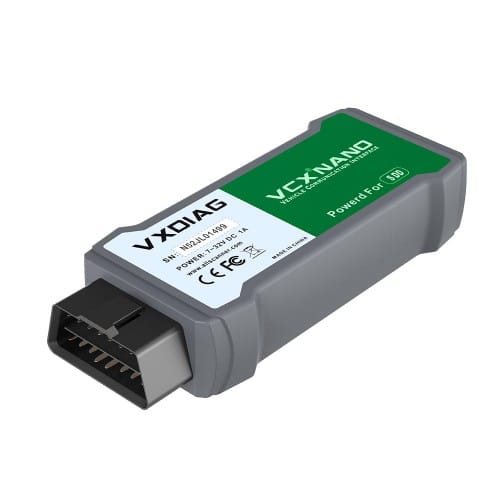
The VCX Nano for JLR is a compact, high-performance diagnostic interface compatible with both JLR SDD and Pathfinder. It provides a cost-effective solution for professionals and enthusiasts looking to perform:
- Comprehensive vehicle diagnostics
- ECU programming
- Fault code clearing
- System calibrations
Thanks to its DoIP (Diagnostics over Internet Protocol) compatibility, it works seamlessly with modern JLR vehicles, ensuring stable and reliable performance.
6. DA DoIP VCI – Premium Interface for JLR Pathfinder & TOPIx
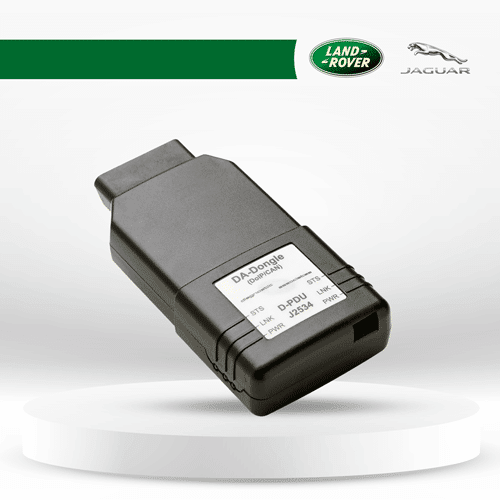
The DA DoIP VCI is an officially supported diagnostic interface for JLR Pathfinder and TOPIx Cloud Dealer Subscription. This high-end interface offers:
- Direct connection to JLR’s dealer-level diagnostic environment
- Full compatibility with Pathfinder and Cloud TOPIx
- Support for in-depth diagnostics, programming, and ECU updates
- Reliable DoIP connection for stable performance
If you’re looking for OEM-level diagnostics, the DA DoIP VCI is a must-have tool.
7. Cloud TOPIx Dealer Subscription – Access JLR’s Official Online Platform
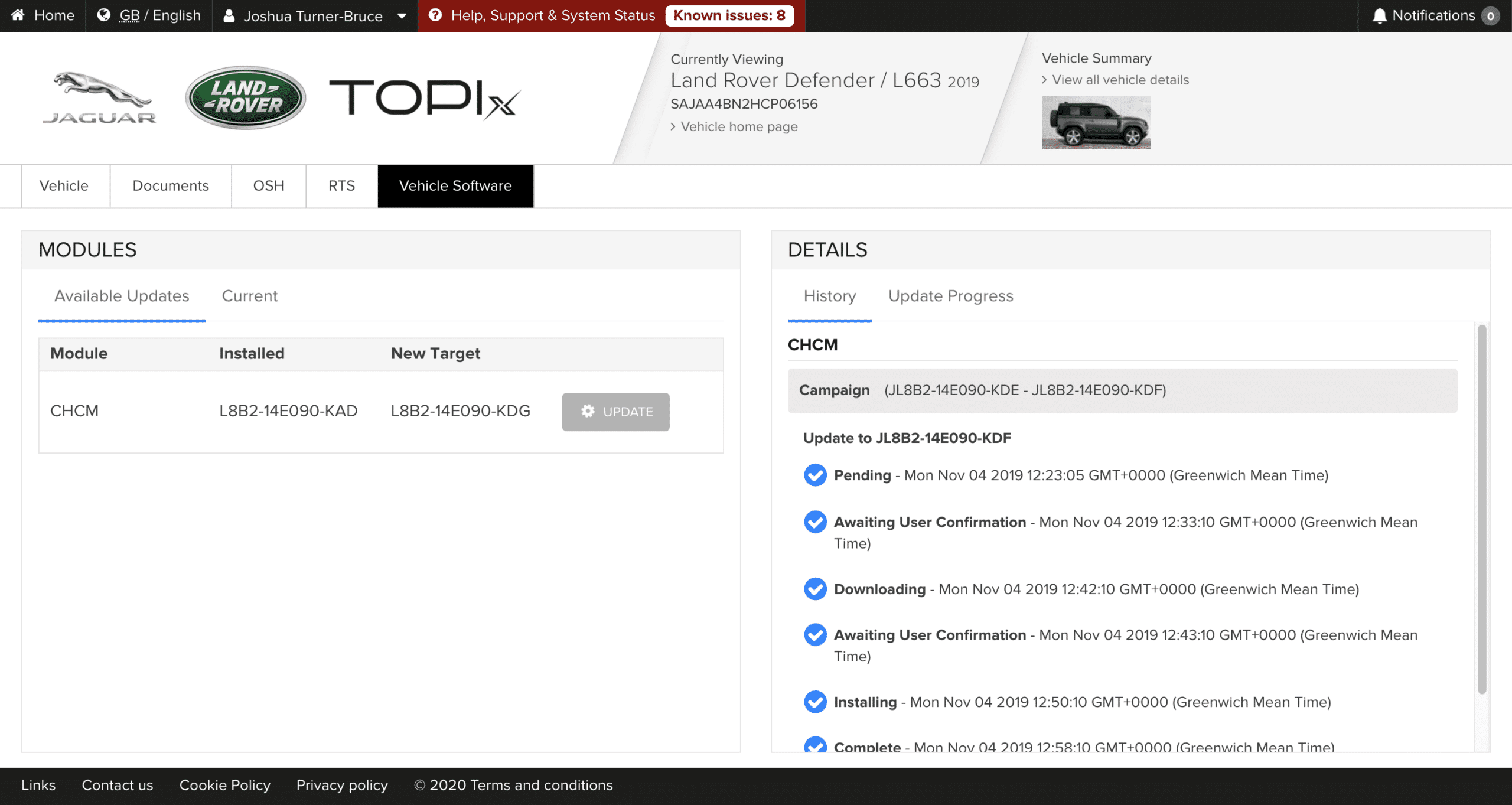
TOPIx Cloud is Jaguar Land Rover’s official online diagnostic and service platform, offering real-time access to:
- Factory repair manuals
- Software updates and ECU programming
- Vehicle history and service records
- Online coding and configuration
A dealer-level subscription to JLR Cloud TOPIx ensures that you always have the latest data and tools needed for professional vehicle maintenance.
Complete JLR Dealer Kit – The Ultimate Solution
For those who need a fully-equipped, dealer-level diagnostic setup, we offer the Full JLR Dealer Kit, which includes:
✅ Grade A used Panasonic Toughbook – Preloaded with all necessary software
✅ 1-Month Dealer Subscription to Cloud TOPIx – Full access to JLR’s online system
✅ DA DoIP VCI – The official JLR DoIP interface
✅ VCX Nano for JLR – Compact and reliable diagnostic interface
With this all-in-one solution, you’ll have everything needed to diagnose, program, and maintain Jaguar and Land Rover vehicles like a professional.
Conclusion:
Investing in the right diagnostic tools is essential for effective maintenance and repair of Jaguar and Land Rover vehicles. Whether you need to diagnose issues, clear fault codes, program control units, or access the vehicle engineering mode, the combination of JLR SDD, JLR Pathfinder, CCF Editor, Seed Key Calculator, JLR Mongoose Pro, and JLR DoIP VCI interface is a must-have for any JLR owner or professional. Ensure the longevity and optima

For comprehensive vehicle diagnostics, consider exploring What Is AllData? Pricing, Plans & the Best Alternatives to understand how AllData can complement your Jaguar Land Rover tools.
Which JLR diagnostic platform do you need? (by vehicle era)
- Jaguar / Land Rover model years 2005–2016: use JLR SDD (Symptom Driven Diagnostics) for diagnostics, fault codes, live data and control-unit programming.
- Model years 2017–2023: use JLR Pathfinder for fault reading/clearing, live data, ECU programming and system calibration; verify boundary vehicles by VIN/platform.
- Dealer-level online access: TOPIx Cloud is JLR's official online platform for factory data, software updates/ECU programming and online coding/configuration via a dealer subscription.
Some model years sit near the SDD–Pathfinder boundary. Confirm the correct platform for your exact vehicle by VIN/platform before you buy.
SDD vs Pathfinder vs TOPIx
| Platform | Vehicle era | Primary use | Access model |
|---|---|---|---|
| JLR SDD | 2005–2016 | Diagnostics, fault codes, live data, control-unit programming (engineering mode needs seed keys) | Verify access model for the exact job |
| JLR Pathfinder | 2017–2023 | Fault read/clear, live data, ECU programming, calibration; CCF Editor for configuration | Software (dealer online access for full functions) |
| TOPIx Cloud | Current dealer platform | Factory manuals, software updates, ECU programming, online coding/configuration | Online dealer subscription |
For a deeper head-to-head see JLR Pathfinder vs SDD.
DoIP, VCI and account requirements
- Interface (VCI): a DoIP-capable VCI is required for modern JLR vehicles. Owner-verified options include the VCX Nano for JLR (works with SDD and Pathfinder, DoIP-capable) and the DA DoIP VCI (officially supported interface for Pathfinder and TOPIx Cloud).
- DoIP: Diagnostics over Internet Protocol is used by newer JLR vehicles; verify your VCI is DoIP-capable for the target vehicle.
- Account/subscription: full Pathfinder/TOPIx online functions and updates require a JLR dealer online account/subscription (TOPIx Cloud).
Setting up a DoIP VCI? See How to set up a JLR DoIP VCI for SDD and Pathfinder.
Offline vs online function boundaries
Pathfinder's full programming/update functions and TOPIx factory data, software updates and online coding require an active dealer online subscription. Confirm which functions your job needs online before purchase.
Choose the right product for your task
- Diagnose/program a 2005–2016 JLR: JLR dealer diagnostic software (SDD).
- Diagnose/program a 2017–2023 JLR: JLR Pathfinder software; verify boundary vehicles by VIN/platform.
- Need official online dealer access: JLR TOPIx Cloud dealer account (12 months).
Technician FAQ
My JLR is a 2016/2017 model — SDD or Pathfinder?
Model years around the changeover can go either way depending on platform. Verify by VIN/platform rather than model year alone before buying.
Do I need DoIP?
Newer JLR vehicles use DoIP; make sure your VCI is DoIP-capable for the target vehicle.
Can I do everything offline?
No — full Pathfinder/TOPIx online functions and updates require a JLR dealer online subscription.
Need expert help with your setup?
Our team is ready to help you choose the right tools and get you up and running.