
How to Set Up and Pair Your VCI with PIWIS Tester III
Updated on January 31, 2026
If you own a Porsche or work in a Porsche service center, you know the importance of having the right diagnostic tools. The PIWIS Tester III is an essential tool for diagnosing and troubleshooting Porsche vehicles. One of the critical components of this system is the Vehicle Communication Interface (VCI). In this tutorial, we will walk you through the process of setting up and pairing your VCI with the PIWIS Tester III, ensuring you can perform diagnostics efficiently and accurately. What is the PIWIS Tester III and VCI? The PIWIS Tester III (PT3) is a sophisticated diagnostic tool designed specifically for Porsche vehicles. It allows technicians to perform a wide range of diagnostic tasks, from reading and clearing fault codes to programming and coding vehicle modules. The VCI is the hardware component that facilitates communication between the PT3 and the vehicle’s onboard systems. Why Pairing Your VCI is Important Pairing your VCI with the PIWIS Tester III is crucial because it ensures that the diagnostic tool can communicate effectively with the vehicle. Without proper pairing, you may encounter connectivity issues, leading to incomplete or inaccurate diagnostics. Step-by-Step Guide to Setting Up and Pairing Your VCI Step 1: Gather Your Equipment Before you begin, make sure you have the following items: Step 2: Connect the VCI to the PT3 Step 3: Access the VCI Configuration Menu Step 4: Perform the Pairing Process Step 5: Set Up the Warning Buzzer (Optional) Step 6: Configure WLAN (Optional) Conclusion Setting up and pairing your VCI with the PIWIS Tester III is a straightforward process that ensures your diagnostic sessions are efficient and accurate. By following this step-by-step guide, you can avoid common connectivity issues and make the most of your diagnostic tool. Whether you are a professional technician or a Porsche enthusiast, mastering the pairing process will enhance your ability to diagnose and troubleshoot your vehicle effectively. For more tips and tutorials on using the PIWIS Tester III, stay tuned to our blog. Happy diagnosing!
If you own a Porsche or work in a Porsche service center, you know the importance of having the right diagnostic tools. The PIWIS Tester III is an essential tool for diagnosing and troubleshooting Porsche vehicles. One of the critical components of this system is the Vehicle Communication Interface (VCI). In this tutorial, we will walk you through the process of setting up and pairing your VCI with the PIWIS Tester III, ensuring you can perform diagnostics efficiently and accurately.
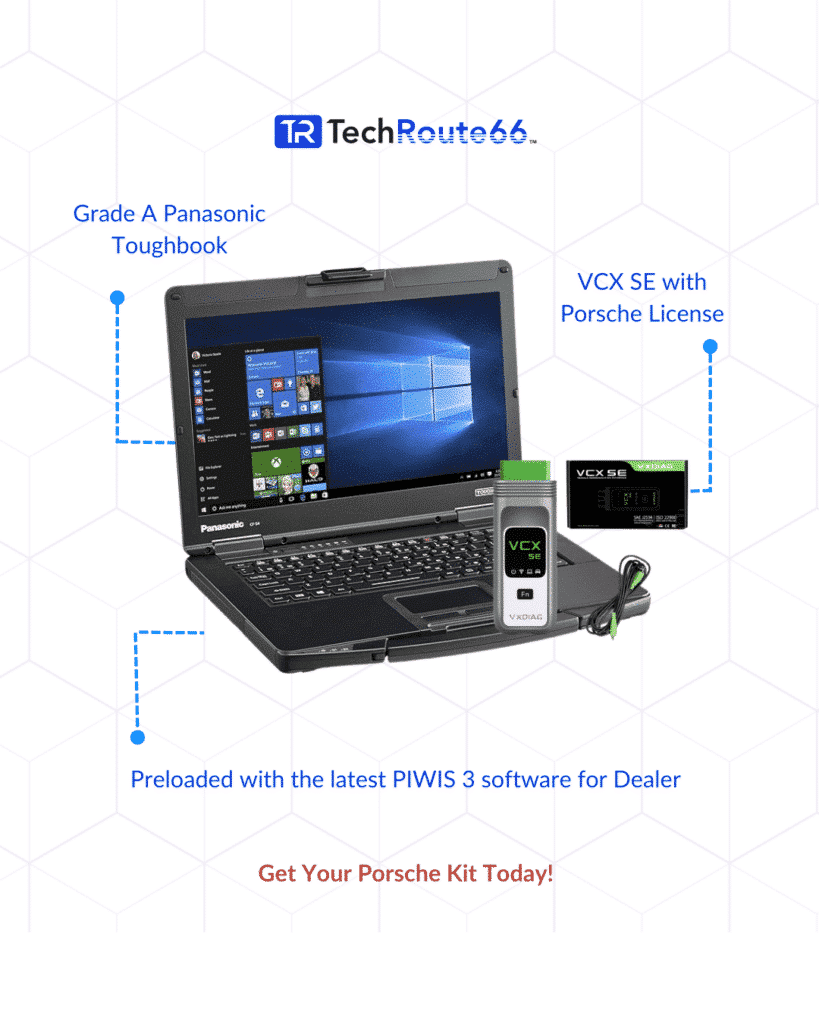
What is the PIWIS Tester III and VCI?
The PIWIS Tester III (PT3) is a sophisticated diagnostic tool designed specifically for Porsche vehicles. It allows technicians to perform a wide range of diagnostic tasks, from reading and clearing fault codes to programming and coding vehicle modules. The VCI is the hardware component that facilitates communication between the PT3 and the vehicle’s onboard systems.
Why Pairing Your VCI is Important
Pairing your VCI with the PIWIS Tester III is crucial because it ensures that the diagnostic tool can communicate effectively with the vehicle. Without proper pairing, you may encounter connectivity issues, leading to incomplete or inaccurate diagnostics.
Step-by-Step Guide to Setting Up and Pairing Your VCI
Step 1: Gather Your Equipment
Before you begin, make sure you have the following items:
- PIWIS Tester III (PT3)
- Vehicle Communication Interface (VCI)
- Y-shaped USB cable (supplied in the white case)
- Power supply for the VCI
Step 2: Connect the VCI to the PT3
Step 3: Access the VCI Configuration Menu
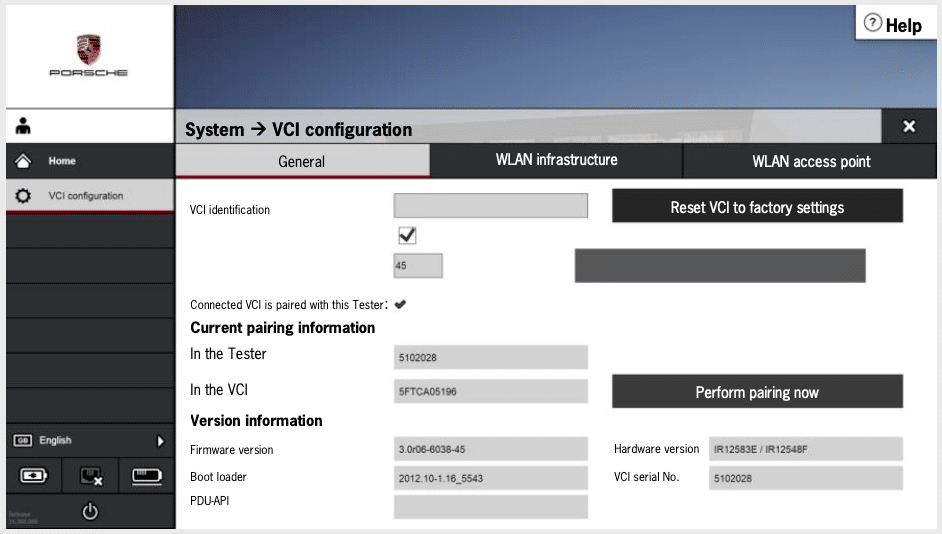
Step 4: Perform the Pairing Process
Step 5: Set Up the Warning Buzzer (Optional)
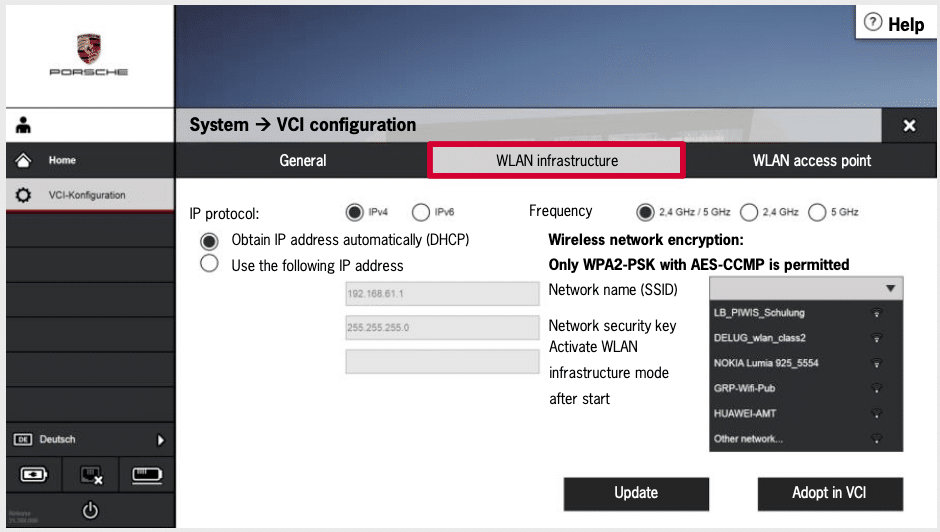
Step 6: Configure WLAN (Optional)
Conclusion
Setting up and pairing your VCI with the PIWIS Tester III is a straightforward process that ensures your diagnostic sessions are efficient and accurate. By following this step-by-step guide, you can avoid common connectivity issues and make the most of your diagnostic tool. Whether you are a professional technician or a Porsche enthusiast, mastering the pairing process will enhance your ability to diagnose and troubleshoot your vehicle effectively.
For more tips and tutorials on using the PIWIS Tester III, stay tuned to our blog. Happy diagnosing!
Need expert help with your setup?
Our team is ready to help you choose the right tools and get you up and running.