
Master BMW Coding with E-SYS: Complete Beginner’s Guide
Updated on January 31, 2026
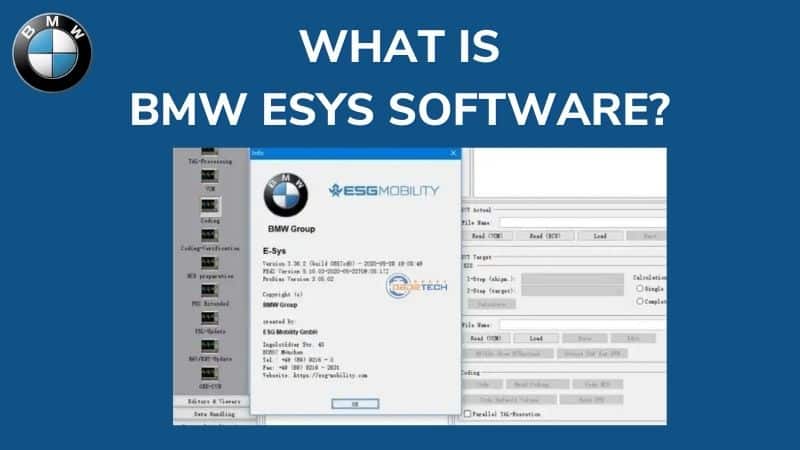
Table of contentWhat is BMW E-SYS Software?FeaturesCompatible VCIPC RequirementsTips and tricks BMW vehicles are known for their high performance and advanced technology. As a result, the repair process for these vehicles requires highly specialized tools and software. One such software is the BMW E-SYS, which is used for programming and coding BMW F series vehicles. However, for beginners, using this software can be a daunting task, as there are many functions and features that may not be immediately apparent. What is BMW E-SYS Software? E-SYS software is a specialized programming and coding software used for BMW F series vehicles. It is a powerful tool that allows technicians to perform various coding and programming functions, such as FDL encoding, reading, downloading, saving, and editing files of FDL encoding projects on BMW F-series vehicles. In addition, this software also enables users to turn on and off some features of the F series vehicle. The history of E-SYS software dates back to the early 2000s when BMW introduced the iDrive system in its vehicles. This system was designed to control various functions of the vehicle through a central display screen. However, the system was not very user-friendly, and BMW quickly realized the need for a more intuitive system. This led to the development of E-SYS software, which was initially designed to help technicians diagnose and repair issues with the iDrive system. Over time, the software evolved and became more powerful, allowing technicians to perform various coding and programming functions. Today, there are different versions of E-SYS software available, with the latest version being E-SYS 3.33. However, for beginners, it is recommended to use E-SYS 3.23, as it is more user-friendly and easier to navigate. E-SYS software is an essential tool for any technician working on BMW F series vehicles. Its evolution over the years has made it a powerful coding and programming software, and understanding its capabilities is crucial for anyone who wants to perform advanced repairs on BMW vehicles. Features of BMW E-SYS Coding E-SYS coding allows BMW technicians to perform various coding tasks on their F-series vehicles. Below are some of the features that beginners can perform using E-SYS coding: Compatible Connectors for E-SYS Software To connect E-SYS software to your BMW vehicle, you need a compatible connector. There are two types of connectors that are compatible with E-SYS software, and each has its advantages and disadvantages. ICOM NEXT The ICOM NEXT is a highly recommended connector for BMW vehicles. It is an advanced programming and diagnostic device that supports BMW vehicles through the MOST diagnostic protocols, D-CAN, and K-CAN. Some advantages of using ICOM NEXT include: However, one disadvantage of using ICOM NEXT is that it is more expensive than other connectors. ICOM A2 The ICOM A2 is a less expensive connector that is also compatible with E-SYS software. It supports BMW vehicles through the same protocols as the ICOM NEXT. Some advantages of using ICOM A2 include: However, one disadvantage of using ICOM A2 is that it does not support wireless connection through Wi-Fi, which can be an inconvenience for some users. When it comes to choosing a connector for E-SYS software, ICOM NEXT is the best option for beginners because of its stability and wireless capabilities. However, if you are on a tight budget, ICOM A2 is a great alternative that still offers compatibility with E-SYS software. In conclusion, having a compatible connector is essential when using E-SYS software for BMW vehicles. Whether you choose ICOM NEXT or ICOM A2, make sure to select the one that suits your needs and budget. Read also: FDRS – Ford Diagnostic & Repair System – Complete Guide How to Install and Use E-SYS Software Now that you have an understanding of what E-SYS software is, its features, and compatible connectors, let’s dive into how to install and use the software. Follow the step-by-step guide below to install and use E-SYS software on your computer. Step 1: Minimum System Requirements Before we begin, ensure your computer meets the minimum system requirements to run E-SYS software. The minimum system requirements are: Step 2: Download E-SYS Software Once you confirm that your computer meets the minimum system requirements, you can proceed to download E-SYS software. There are various sources to download E-SYS software, but we recommend downloading from a trusted source like Techroute66. Step 3: Install E-SYS Software After downloading the E-SYS software, extract the files from the compressed folder to your desired location on your computer. Open the folder and run the setup file to start the installation process. Follow the on-screen prompts to complete the installation process. During the installation process, you’ll be prompted to select a destination folder where the software will be installed. Ensure you choose a location that has sufficient disk space. Step 4: Connect Your Vehicle Now that you have successfully installed the E-SYS software on your computer, you need to connect your vehicle to your computer using a compatible connector. Refer to Section 3 of this guide to learn more about compatible connectors. Step 5: Launch E-SYS Software Once your vehicle is connected, launch the E-SYS software on your computer. You’ll be prompted to enter a password, which is “token.” After entering the password, click “Connect” to connect the E-SYS software to your vehicle. Step 6: Perform Coding and Programming Functions You can now perform various coding and programming functions using E-SYS software. Refer to Section 2 of this guide to learn more about the different features of E-SYS coding that beginners can perform. Troubleshooting Common Issues In case you encounter issues during the installation or usage of E-SYS software, here are some common BMW E-Sys issues and how to resolve them: E-SYS software is a valuable tool for BMW technicians to perform various coding and programming functions. By following the steps outlined in this guide, beginners can easily install and use E-SYS software to enhance their repair processes. Remember to always use a compatible connector and ensure your computer meets the minimum system requirements to […]
Table of content
What is BMW E-SYS Software?
Features
Compatible VCI
PC Requirements
Tips and tricks
BMW vehicles are known for their high performance and advanced technology. As a result, the repair process for these vehicles requires highly specialized tools and software. One such software is the BMW E-SYS, which is used for programming and coding BMW F series vehicles. However, for beginners, using this software can be a daunting task, as there are many functions and features that may not be immediately apparent.
What is BMW E-SYS Software?
E-SYS software is a specialized programming and coding software used for BMW F series vehicles. It is a powerful tool that allows technicians to perform various coding and programming functions, such as FDL encoding, reading, downloading, saving, and editing files of FDL encoding projects on BMW F-series vehicles. In addition, this software also enables users to turn on and off some features of the F series vehicle.
The history of E-SYS software dates back to the early 2000s when BMW introduced the iDrive system in its vehicles. This system was designed to control various functions of the vehicle through a central display screen. However, the system was not very user-friendly, and BMW quickly realized the need for a more intuitive system.
This led to the development of E-SYS software, which was initially designed to help technicians diagnose and repair issues with the iDrive system. Over time, the software evolved and became more powerful, allowing technicians to perform various coding and programming functions.
Today, there are different versions of E-SYS software available, with the latest version being E-SYS 3.33. However, for beginners, it is recommended to use E-SYS 3.23, as it is more user-friendly and easier to navigate.
E-SYS software is an essential tool for any technician working on BMW F series vehicles. Its evolution over the years has made it a powerful coding and programming software, and understanding its capabilities is crucial for anyone who wants to perform advanced repairs on BMW vehicles.
Features of BMW E-SYS Coding
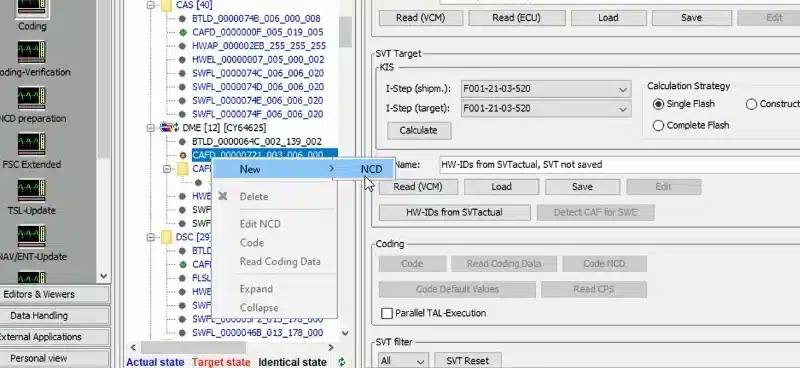
E-SYS coding allows BMW technicians to perform various coding tasks on their F-series vehicles. Below are some of the features that beginners can perform using E-SYS coding:
Compatible Connectors for E-SYS Software
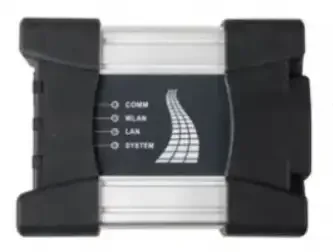
To connect E-SYS software to your BMW vehicle, you need a compatible connector. There are two types of connectors that are compatible with E-SYS software, and each has its advantages and disadvantages.
ICOM NEXT
The ICOM NEXT is a highly recommended connector for BMW vehicles. It is an advanced programming and diagnostic device that supports BMW vehicles through the MOST diagnostic protocols, D-CAN, and K-CAN. Some advantages of using ICOM NEXT include:
- More stable in programming and diagnostic functions
- Faster startup time and high throughput
- Supports wireless connection through Wi-Fi
- Compatible with both the latest and older BMW vehicles
- Can handle complex diagnostic functions
However, one disadvantage of using ICOM NEXT is that it is more expensive than other connectors.
ICOM A2
The ICOM A2 is a less expensive connector that is also compatible with E-SYS software. It supports BMW vehicles through the same protocols as the ICOM NEXT. Some advantages of using ICOM A2 include:
- More affordable than ICOM NEXT
- Compatible with both the latest and older BMW vehicles
- Supports USB connection
However, one disadvantage of using ICOM A2 is that it does not support wireless connection through Wi-Fi, which can be an inconvenience for some users.
When it comes to choosing a connector for E-SYS software, ICOM NEXT is the best option for beginners because of its stability and wireless capabilities. However, if you are on a tight budget, ICOM A2 is a great alternative that still offers compatibility with E-SYS software.
In conclusion, having a compatible connector is essential when using E-SYS software for BMW vehicles. Whether you choose ICOM NEXT or ICOM A2, make sure to select the one that suits your needs and budget.
Read also: FDRS – Ford Diagnostic & Repair System – Complete Guide
How to Install and Use E-SYS Software
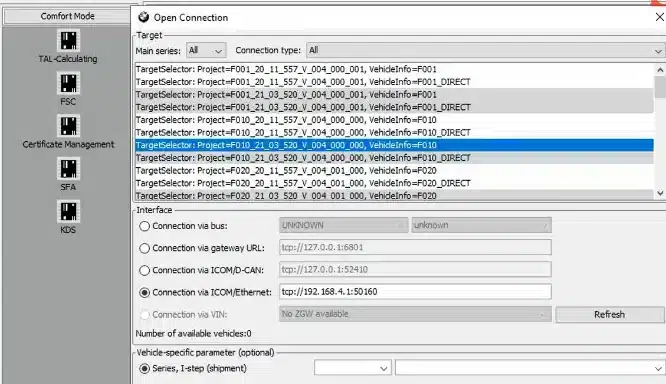
Now that you have an understanding of what E-SYS software is, its features, and compatible connectors, let’s dive into how to install and use the software. Follow the step-by-step guide below to install and use E-SYS software on your computer.
Step 1: Minimum System Requirements
Before we begin, ensure your computer meets the minimum system requirements to run E-SYS software. The minimum system requirements are:
- Windows 10 (64-bit)
- Core i5 processor
- At least 4GB of RAM
- SSD Hard Drive with at least 200GB of free space
Step 2: Download E-SYS Software
Once you confirm that your computer meets the minimum system requirements, you can proceed to download E-SYS software. There are various sources to download E-SYS software, but we recommend downloading from a trusted source like Techroute66.
Step 3: Install E-SYS Software
After downloading the E-SYS software, extract the files from the compressed folder to your desired location on your computer. Open the folder and run the setup file to start the installation process.
Follow the on-screen prompts to complete the installation process. During the installation process, you’ll be prompted to select a destination folder where the software will be installed. Ensure you choose a location that has sufficient disk space.
Step 4: Connect Your Vehicle
Now that you have successfully installed the E-SYS software on your computer, you need to connect your vehicle to your computer using a compatible connector. Refer to Section 3 of this guide to learn more about compatible connectors.
Step 5: Launch E-SYS Software
Once your vehicle is connected, launch the E-SYS software on your computer. You’ll be prompted to enter a password, which is “token.” After entering the password, click “Connect” to connect the E-SYS software to your vehicle.
Step 6: Perform Coding and Programming Functions
You can now perform various coding and programming functions using E-SYS software. Refer to Section 2 of this guide to learn more about the different features of E-SYS coding that beginners can perform.
Troubleshooting Common Issues
In case you encounter issues during the installation or usage of E-SYS software, here are some common BMW E-Sys issues and how to resolve them:
- E-SYS software won’t launch: Ensure your computer meets the minimum system requirements and the software is installed correctly. Also, ensure that your vehicle is connected to the computer using a compatible connector.
- Error connecting to the vehicle: Ensure that the connector is connected to the OBD port of your vehicle and that the vehicle’s ignition is turned on. You may also need to check the connector’s settings in the E-SYS software to ensure it’s set up correctly.
- Token password not working: Ensure that you are entering the correct password, which is “token.” If the issue persists, try restarting the software or computer.
E-SYS software is a valuable tool for BMW technicians to perform various coding and programming functions. By following the steps outlined in this guide, beginners can easily install and use E-SYS software to enhance their repair processes. Remember to always use a compatible connector and ensure your computer meets the minimum system requirements to run the software. With E-SYS software, you can take your BMW F series vehicle repair to the next level.
Tips and Tricks for E-SYS Beginners
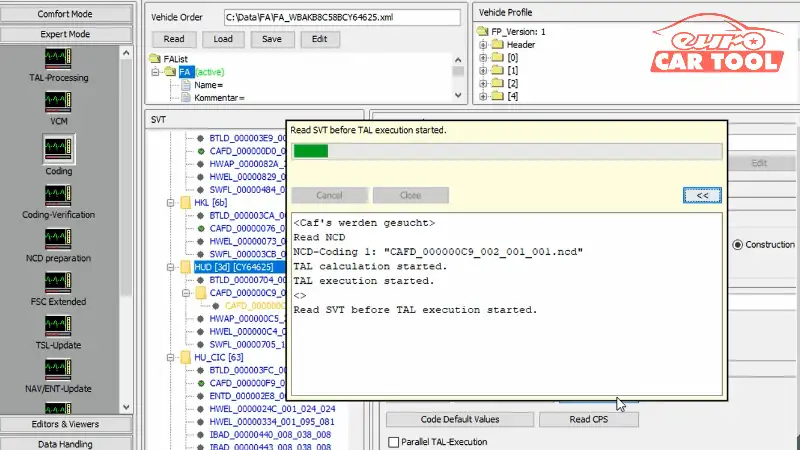
If you’re a beginner to E-SYS software, there are several tips and tricks that can help you become proficient in using this specialized programming and coding software for BMW F series vehicles. Here are some tips to get you started:
Conclusion
In conclusion, BMW E-SYS software is a powerful tool for coding and programming BMW vehicles. We have explored the history of the software, its features, compatible connectors, installation process, and tips for beginners. E-SYS software provides a comprehensive coding list that includes various features that can be performed by beginners. We have also discussed the advantages and disadvantages of different connectors compatible with E-SYS software.
By following the step-by-step guide provided, anyone can easily install and use E-SYS software on their computer. However, it is important to keep in mind the tips and tricks to avoid common mistakes and perform coding and programming functions like a pro.
Overall, for anyone working with BMW F series vehicles, E-SYS software is an essential tool to have in their arsenal. Our expert team is always available to provide online support and assist with any questions or concerns. We encourage readers to contact us and take advantage of our expertise in E-SYS software.
Need expert help with your setup?
Our team is ready to help you choose the right tools and get you up and running.