
Mona ElSherif
Helpful compact adapter
The EEPROM clip adapter is easy to store with the programmer and adds useful flexibility for compatible professional bench applications.
2026-08-01
Trusted by Professional Workshops Worldwide
See what customers say about TechRoute66 diagnostic tools, software access, VCI interfaces, laptop kits, and online support for professional repair shops.
Based on 2353 reviews
Product Reviews
206
Support Reviews
0
Shipping Reviews
0
Setup Reviews
1125
The EEPROM clip adapter is easy to store with the programmer and adds useful flexibility for compatible professional bench applications.
Keeping this Mini VCI with a Toyota diagnostic workstation makes it easy to have the correct interface ready for regular supported service jobs.
For a workshop already using a compatible VVDI Mini Key Tool, keeping Super Chips available in bulk makes day-to-day key service work easier to organize.
The guide is useful when reviewing live engine and vehicle parameters. It helps connect the displayed data with the troubleshooting process instead of relying only on stored fault codes.
I needed something dedicated to JLR diagnostics and this package has been a good fit. The ThinkPad is sturdy enough for normal workshop use.
The kit is useful for more than reading and clearing faults. Having supported service functions and system-specific diagnostics available in the same environment makes it a practical workshop tool.
I wanted a dedicated JLR workstation instead of using a normal laptop. The rugged Toughbook feels much better suited to the garage environment.
The handbook works well beside the software during engineering sessions. Software navigation, vehicle communication and control-unit functions are easier to manage with a reference available.
The VCI Configuration Service provides practical setup assistance for supported diagnostic interfaces, helping prepare a clean and organized professional workstation.
The ST512 is useful as part of a broader JLR workshop setup. I use the full software for detailed diagnosis and the handheld device when a supported CAN-based service task can be completed more quickly.
The WiFi setup lets me keep the tablet on the workbench while working around the vehicle. That is very convenient during live-data checks and active tests where I need to move between different areas of the car.
This works well as a companion while using Xentry on Mercedes-Benz vehicles. Vehicle scans, fault memory, control-unit data and guided tests are easier to follow with the manual available.
I like how quickly INPA opens compared with some larger diagnostic packages. For checking faults and live values on supported BMW models, it is a very practical tool to keep on the workshop laptop.
The IM608 Pro II is best suited to experienced technicians handling authorized key and immobilizer service work across supported vehicle brands.
Vediamo is much more technical than standard diagnostic software, so having a dedicated handbook is useful. It helped me understand the basic connection process and the structure of the software.
This works well as a companion while using PIWIS III on Porsche vehicles. Vehicle scans, fault information and control-unit diagnostics are easier to follow with the manual available.
Support for both Ford and Mazda makes the interface convenient for workshops that want one dedicated communication device for supported diagnostic sessions.
The scanner is compact enough to keep near the service area and does not need a full computer setup. That makes it convenient for quick diagnostic checks during normal maintenance work.
This package is best suited to technicians already familiar with ECU electronics and programming. The combination of VVDI PROG and the Bosch adapter provides a practical dedicated workstation setup.
The no-token-limitation setup is convenient for a busy workshop because technicians can focus on supported service jobs without managing a separate token balance.
The TechRoute66 team communicated well, understood our daily technician workflow, and built a solution that fit the way we actually work.
I wanted a separate diagnostic laptop for Mitsubishi work and this kit made the setup straightforward. It covers the main diagnostic functions I need without relying on several unrelated programs.
The TOPDON ArtiDiag 800 BT is a practical all-system scanner for workshops that need broad diagnostic coverage and useful service functions in a portable platform.
Initial setup takes some attention, but once configured the interface is straightforward to use. ECU communication, vehicle scans and diagnostic sessions have been reliable in normal workshop use.
This is more specialized than a normal scan tool, so it makes the most sense for technicians already familiar with JLR diagnostics. For supported coding and programming work, it is a useful addition.
Having diagnostic functions and TPMS service capability in one tablet is convenient for a workshop that wants to reduce the number of separate tools used during routine jobs.
Support for VAG, Toyota, Honda, Volvo, Mazda, Ford, Subaru and GM makes the interface convenient for a workshop that does not want separate pass-thru hardware for every brand.
The i5 Toughbook handles the diagnostic software comfortably. The SSD and touchscreen also make the overall experience much smoother than I expected from a rugged machine.
The 10-piece pack is a useful size for smaller shops or technicians who want to keep enough compatible transponders available without stocking a large bulk quantity.
I had not configured an INLINE 7 adapter before, so having a dedicated installation reference was useful. It helped me work through the basic setup and communication checks in the right order.
The program is useful when working with supported JLR control-unit procedures that require authorized security access. It is best suited to technicians who already understand the diagnostic and engineering process.
The manual is a helpful introduction to the Hyundai and Kia diagnostic workflow. It makes vehicle identification, system scans and fault-code checks easier to understand before starting workshop diagnostics.
I keep this guide available on the workshop laptop for quick reference. It is useful when moving between Jaguar and Land Rover jobs and checking the correct technical information in TOPIx.
The feature set is extensive and best suited to technicians comfortable with advanced diagnostics. Topology mapping and module-level functions help organize more complex electronic faults.
The manual is a helpful reference for learning the Chrysler Diagnostic Application workflow. It explains the main interface and diagnostic functions clearly enough to make CDA easier to navigate.
For BMW and MINI parts lookup, this is a practical reference. Vehicle selection, part-number searches, exploded diagrams and catalogue navigation are easier to manage with the manual available.
I use the diagnostic software first to identify the fault, then move to the repair-information tools when the job needs factory procedures or technical documentation. Having both available in the kit saves time.
I like the size of the display and how easy it is to use with diagnostic software. The tablet feels solid and has been very practical in the workshop.
I used the DSS access with ODIS Service and a compatible J2534 pass-through device. Online diagnostics and coding worked well, and the session was suitable for a focused one-vehicle job.
The i5 processor and 16GB of RAM are more than enough for the diagnostic tasks I use it for. Overall, a good balance between performance and durability.
The manual gives useful context for supported diagnostic tests and vehicle system checks. It is a good reference when moving beyond basic DTC reading.
I use the guide when I return to a DAVIE XDC function that I have not used recently. Having the workflow documented saves time and keeps truck diagnostic sessions more organized.
The package is helpful when a fault involves more than one ECU. System scans, control-unit information and manufacturer-specific functions make the diagnostic process more structured than using a universal scanner.
Our workshop sees both GM and Opel vehicles, so using a single compact interface is convenient. It keeps the diagnostic station simpler and reduces the amount of hardware we need to manage.
I keep this interface with the JLR diagnostic laptop so the workstation is always ready. It is useful for Pathfinder diagnostics and supported service workflows on compatible vehicles.
For technicians working with Volkswagen, Audi, Skoda and Seat diagnostics, this is a practical reference. DTCs, control-unit scans, guided diagnostics and service functions are easier to manage with the handbook available.
The machine works well both on a fixed bench and in a more mobile setup. The built-in battery reduces setup time when the cutter needs to be moved between work areas.
The remote installation saved me from dealing with the certificate configuration myself. It is a useful add-on if your current Xentry setup is working but needs expanded access for supported newer Mercedes vehicles.
I found the FA and VO coding explanations useful when learning how BMW vehicle options are handled in E-Sys. The guide makes the overall coding process easier to follow before working on a vehicle.
I wanted one dedicated computer for my Ford diagnostic work. The combination of the Toughbook, Nano VCX and IDS/FDRS access makes the workflow much simpler.
The VCI integrates well into a Jaguar and Land Rover software setup and provides a practical communication layer for manufacturer-specific diagnostic work.
This is a useful option for workshops that only occasionally need Lamborghini dealer-level SVM access. The one-hour format is suitable for a prepared vehicle and a clearly defined supported online task.
Combining the tablet, IMKPA accessories, G-BOX3 and APB112 in one package helps keep the key-service workstation organized and ready for supported jobs.
The VNCI MDI2 stays with our GM diagnostic laptop so the station is always ready. It is convenient for GDS2 sessions, Tech2Win work and supported manufacturer-specific service procedures.
The section covering the vehicle test was especially useful for me. It helped explain how ISTA scans the control units and how the resulting fault information fits into the next diagnostic steps.
I keep ISTA-D ready on the workshop laptop for BMW diagnostic jobs. The system overview, ECU communication and service functions are useful when a repair goes beyond basic code reading.
The wiring diagrams are useful for checking power supply, grounds and signal paths between BMW components. It is a good tool when a repair requires proper circuit analysis rather than parts swapping.
Our shop does not perform PATS jobs frequently, so one-time access is more practical than keeping a subscription active. It gives us the online function when a supported Ford job actually needs it.
I wanted something that could handle the workshop environment, and this Toughbook fits the job well. The large touchscreen and rugged body are the features I appreciate most.
Having the flash files already available makes the programming process more predictable. It is useful for workshops that regularly work with Volkswagen Group control units and need offline access to programming data.
The package includes support for authorized all-keys-lost service workflows on compatible vehicles, making it suitable for trained automotive locksmiths.
The tool is practical when a repair involves a control module and the vehicle needs supported configuration afterward. It adds useful JLR-specific functions to a dedicated workshop laptop.
The VXDIAG VCX NANO for Renault combines a compact diagnostic interface with lifetime licensing, making it a practical option for a dedicated professional workshop setup.
For advanced Jaguar and Land Rover work, SX CAN is a practical addition to the diagnostic setup. CAN communication analysis, control-unit access and engineering functions make it useful for complex vehicle electronics.
The GODIAG GD101 is a practical J2534 pass-thru interface for workshops that need a compact device for supported diagnostic and manufacturer-software communication workflows.
I use the guide when I return to an IDS function that I have not used recently. Having the workflow documented saves time and keeps Ford diagnostic sessions more organized.
I wanted an interface dedicated to FCA vehicles, and the MicroPod 2 fits that role well. It is especially convenient for Jeep and Ram jobs where the wiTECH workflow provides much more detail than a basic scanner.
The wiring diagrams are one of the strongest parts of Autodata for me. They make electrical troubleshooting much easier and save time compared with searching through separate manuals.
The software covers the main tasks I need for VAG vehicles, from complete system scans to guided functions and module data. It feels much closer to a workshop-level diagnostic platform than a generic scanner.
For a workshop that regularly handles Chrysler, Jeep and Dodge vehicles, the one-year subscription is convenient. I can keep the downloader available throughout the year whenever a flash-related job comes in.
For regular Porsche diagnostics, the VXDIAG VCX SE is a practical interface. DoIP support, PW2 and PW3 workflows, module communication and DTC checks make it useful for a dedicated workshop setup.
I like that the hardware and software subscription are supplied together. It saves a lot of time compared with trying to source compatible equipment separately.
For a shop that regularly works on Ford vehicles, having an option for PTS and PATS access is convenient. It complements the diagnostic functions in IDS when a repair involves supported security procedures.
Heavy-duty diagnostic interfaces can be frustrating when the drivers or communication settings are wrong. This handbook helps organize the installation process and makes the initial setup easier to understand.
The team helped us get everything configured quickly and answered our questions clearly. As a technician, I appreciated how simple the workflow became after launch.
This feels like a proper diagnostic workstation rather than a basic scan tool. The rugged Toughbook and compact Nano VCX make a good combination for workshop use.
The set is simple but useful for technicians who regularly open ECU housings. Using dedicated opening tools helps keep the bench process more organized and controlled.
Online update support is useful for keeping the machine current and helps simplify maintenance of the key cutting platform over time.
Using the HDD with a separate diagnostic computer keeps the WiTECH workstation focused and avoids mixing workshop software with everyday applications.
The ECU coding functions are the main reason I use this software. It is especially useful when working with supported BMW modules and checking configuration after hardware changes.
A dedicated key-programming device helps keep supported locksmith jobs organized on one workstation instead of relying on several unrelated tools.
The main value for me is supported ECU software updating. NERS provides a dedicated workflow for reprogramming and is a useful addition to a professional Nissan diagnostic setup.
The three-month certificate makes sense when you need newer-model access for a limited period. It worked well as an extension to the Xentry setup I was already using in the workshop.
Bi-directional control is useful when confirming whether supported components respond correctly before replacing parts. It adds much more value than basic fault-code reading alone.
The original VCM3 is the main reason I chose this kit. Having support for newer communication protocols gives me more confidence when working on newer Ford vehicles.
WiFi and Bluetooth support are useful when technicians want a cleaner setup with fewer cables during supported key-service procedures.
The combination of diagnostics, coding and service functions makes the D1 ProS a practical option for a multi-brand workshop handling varied electronic jobs.
The biggest advantage is not having to arrange short-term access for every vehicle. We can keep FDRS ready for routine diagnostics and supported online procedures throughout the subscription period.
This works well as a companion while using the software on IVECO commercial vehicles. Diagnostic navigation, module information and supported tests are easier to follow with the guide available.
INPA is very useful for diagnosing older BMW models. Reading and clearing faults is quick, and the live data gives much more detail than the basic OBD scanner I was using before.
Having one interface for supported Volvo, Renault and Mack applications is convenient for a commercial vehicle workshop that regularly sees different truck brands.
This is a practical option when a Ford job requires PTS or PATS authorization beyond normal offline diagnostics. It is best to have IDS, the vehicle and the interface ready before starting the online procedure.
I use the manual while working with ETK to find BMW part numbers and vehicle-specific components. The explanations make the catalogue structure much easier to navigate.
GDS2 has a lot of diagnostic information, so having a dedicated user guide is convenient. It helped me become familiar with the menus, vehicle selection and the normal diagnostic workflow much faster.
There is a learning curve because the tool covers specialized vehicle security functions, but the interface and package structure are well suited to experienced professionals.
I already had IDS and FDRS installed, so adding the dealer account made the setup more complete. It is especially useful when a job requires online access beyond basic fault-code reading and live data.
I keep this manual on the Ford diagnostic laptop for quick reference. It is helpful when I need to review an IDS function or confirm the workflow before starting a more involved diagnostic job.
Being able to work with supported flat keys alongside laser and dimple profiles makes the XP007 a versatile manual cutting platform.
For a shop that uses manufacturer software, having a dedicated J2534 interface helps keep the vehicle communication setup organized and consistent.
A universal heavy-duty scanner is fine for basic faults, but Xentry gives much more Daimler-specific information. That extra access is helpful for engine, transmission and chassis-related diagnostics.
The VCM II is convenient when a fault involves several control units and the technician needs a consistent connection for supported module-level checks.
The original Xhorse Dolphin II XP-005L combines automatic key cutting, an adjustable touchscreen and a compact professional design in a practical locksmith workshop package.
The guide gives useful context for the software's diagnostic procedures and general workflow. It is a convenient reference when moving beyond basic code reading into more detailed system checks.
I mainly use DAS for older Mercedes cars that are not the best fit for newer diagnostic platforms. Fault-code reading, control unit checks and guided diagnostic functions are all very useful in the workshop.
The interface is useful when technicians need reliable communication with supported Porsche control units during full scans and module-level diagnostic checks.
This does not replace the full diagnostic software in our workshop, but it is useful for supported CAN-based service functions. I keep it nearby for jobs where a handheld tool is more convenient.
The Tech2Win instructions are useful for understanding how the virtual Tech 2 environment works. It saves time when checking modules, fault codes and vehicle information on supported GM models.
For supported BMW N20, N55 and B38 applications, this setup provides a focused programming platform for experienced technicians working on authorized ECU and DME service jobs.
The manual is a helpful guide for understanding the ServiceRanger workflow before working on Eaton transmissions. It makes fault-code checks, service reports and live data easier to follow during a diagnostic job.
I set it up with a compatible C4 interface and the connection has been stable. Reading and clearing faults across multiple modules is straightforward, and the guided diagnostic functions save time.
Initial configuration takes some attention, but after setup the interface is straightforward. CAN FD, DoIP and standard diagnostic communication make it useful for a modern GM workstation.
DAS gives access to Mercedes-specific modules that a normal OBD scanner does not cover properly. It is especially useful for older vehicles with faults in transmission, airbag and body systems.
The combination of the DoIP VCI and the preconfigured Toughbook makes this a convenient setup. I especially like having Pathfinder available for newer vehicles.
The software works well as the main diagnostic platform for Daimler commercial vehicles. It is useful for checking control units, reading live information and running supported diagnostic tests.
The interface is practical when technicians need consistent communication with supported control units during scans and module-level diagnostic checks.
The DoIP connection makes the interface useful for supported modern Jaguar and Land Rover diagnostic sessions and helps keep the workshop setup focused on JLR vehicles.
The guide is useful when reviewing live vehicle parameters and system information. It helps explain how the data screens fit into the troubleshooting process instead of relying only on stored fault codes.
For supported Ford security functions, having temporary online access is useful. It complements FDRS diagnostics when a repair reaches a stage that requires PATS authorization.
There is a learning curve because the platform covers advanced immobilizer functions, but the interface is well suited to experienced technicians following proper vehicle-specific procedures.
I use it as a reference on a dedicated FCA diagnostic laptop. It is especially useful when I have not used a particular CDA feature recently and need to review the basic process.
The XP005 combines a workshop-friendly size with automatic cutting capability, which is useful for locksmiths who want one machine that can stay portable.
For workshops already using Xhorse products, this package keeps the cutting and key-service workflow within a familiar ecosystem.
E-Sys is a strong addition for a workshop that already handles BMW diagnostics. It gives access to advanced coding and configuration tasks that are outside the scope of a normal scanner.
The Super Chip pack is a practical addition to a workshop already invested in VVDI2 or VVDI Mini Key Tool hardware and related professional key-service equipment.
For workshops that verify condition and compatibility before purchase, a used C6 can be a practical way to add a dedicated Mercedes diagnostic interface.
DAS is very useful for diagnosing older Mercedes vehicles. It gives much better access to control units than a basic scanner, especially when working on systems that need manufacturer-specific diagnostics.
Initial setup and software compatibility require attention, but once configured the C6 provides a reliable workflow for supported Mercedes-Benz diagnostics.
This package gave me a dedicated setup for Ford diagnostics without having to source the laptop and interface separately. The Toughbook is a good fit for workshop use.
Having the hardware and GM software access in one package made the setup much simpler. The rugged Toughbook is also practical when moving between different vehicles.
Moving to the new setup was easier than expected. TechRoute66 helped our technicians understand the system and kept the process simple.
This is a comprehensive setup for Jaguar and Land Rover work. Having the VCI, Toughbook and multiple diagnostic applications together makes it a very practical package.
For a workshop building an Xhorse locksmith setup, this package provides a practical combination of physical key cutting and supported electronic key service capability.
This is a practical add-on for technicians working with newer Mercedes chassis such as 223 and 206. The software itself is technical, but having the correct certificates makes the setup more useful for supported engineering tasks.
Xentry handles the diagnostic side while WIS gives me the repair information needed after the fault is identified. The manual helps connect those two parts of the workshop workflow.
The annual subscription makes sense for a busy workshop because the repair information stays available throughout the year. I can use it whenever a difficult diagnostic or service job comes in.
The guide is useful when reviewing live status parameters from an engine or machine. It helps explain where to find the information and how the displayed values fit into the troubleshooting process.
Having XENTRY, DAS and the other Mercedes applications already organized on one Toughbook saves a lot of time. The rugged design is another advantage for workshop use.
The VCX SE 6154 works well as the communication layer in a compatible diagnostic software environment and keeps the workshop setup tidy.
The range of service functions adds value beyond key work and makes the IM508S useful for more day-to-day workshop tasks on supported vehicles.
The handbook is a helpful reference when working with JLR SDD on supported Jaguar and Land Rover vehicles. It makes the diagnostic workflow easier to follow when a fault requires more than simply reading the stored codes.
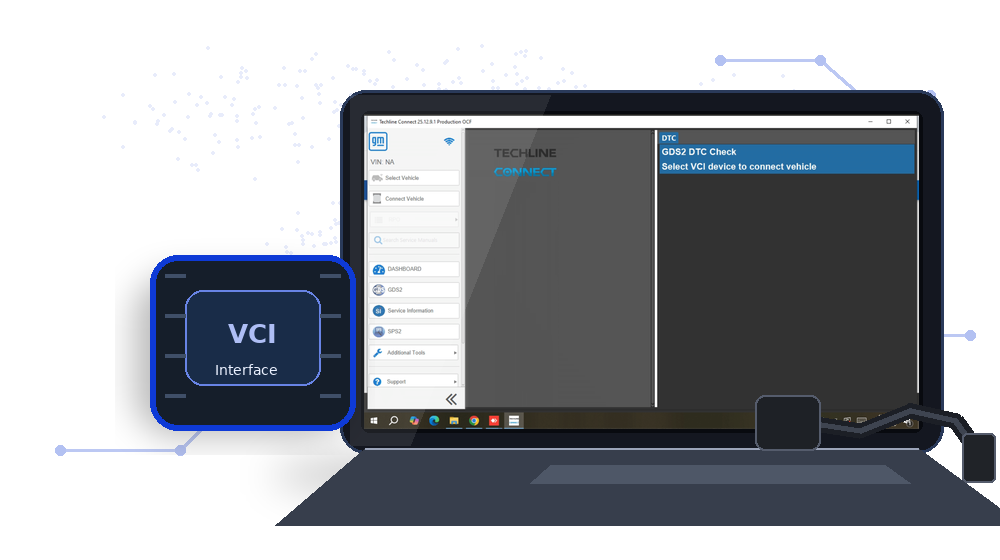
The online tools can take time to configure correctly, so having the setup handled remotely was helpful. Once everything was ready, the Techline Connect workflow was straightforward to use.
The accessory is convenient for supported airbag control-module replacement and repair workflows when the technician follows the correct safety and manufacturer procedures.
Having a designated connector for supported Tesla SRS work keeps the diagnostic setup organized and avoids relying on improvised connections.
Live data is especially useful when checking intermittent sensor and engine problems. Being able to monitor values while the vehicle is running makes the diagnostic process much more efficient.
The Autel MaxiPRO MP808S-TS is a practical multi-brand diagnostic platform with full-system scanning, active tests and integrated TPMS functions for everyday workshop use.
The M100 is a good fit for workshops that want a dedicated motorcycle scanner for supported fault-code and electronic-system checks.
The control-unit sections are useful when a fault involves several vehicle systems. The manual helps make DTC checks and module information easier to approach in a structured way.
A single access code is fine for occasional work, but the 10-code package makes more sense when several vehicles need dealer-level functions. It is useful for supported coding and module-related procedures.
I needed dealer access after a module-related repair was already completed. Having a short online session available was convenient and avoided paying for access that would not be used afterward.
The guide gives useful context for supported diagnostic and service procedures in JCB ServiceMaster. It is a good reference when moving beyond basic DTC reading into detailed system checks.
For a workshop focused on Volkswagen Group cars, the combination of fault diagnosis, basic settings, coding, and programming functions is very useful. The broad brand coverage is another big plus. [Demo/Test Review]
This feels like a proper professional diagnostic workstation rather than a simple scan tool. The rugged laptop and original VCM3 are a very good combination for workshop use.
For a workshop handling Volkswagen Group vehicles, this is a useful reference to keep near the diagnostic laptop. It helps explain the online workflow before starting a protected procedure.
Having the diagnostic and programming software available on the same laptop is convenient. The interface takes some time to learn, but once configured it is a capable setup for supported Mitsubishi vehicles.
The Launch X431 EV upgrade kit is a practical addition for a workshop already using a compatible X431 tablet. It expands the setup for electric-vehicle diagnostic work without needing a completely separate scan platform.
The CF-D1 is comfortable to use while moving between different vehicles. The touchscreen responds well and the 512GB SSD provides plenty of storage for my applications.
I already had DTS Monaco 9 configured and needed certificate support for newer models. Adding the certificates was much easier than rebuilding the diagnostic environment from the beginning.
The Mini VCI combines J2534 connectivity, a compact single-cable design and an FTDI FT232RL chip in a practical interface for supported Toyota Techstream diagnostics.
The tool includes support for authorized all-keys-lost service workflows on compatible vehicles, making it a specialized option for professional automotive locksmith use.
The multi-brand support is useful when Renault trucks are part of the workshop workload. It keeps the diagnostic station consistent across supported commercial vehicles.
The manual is a helpful introduction to the PIWIS III diagnostic workflow. It makes vehicle identification, control-unit scans and fault-memory checks easier to understand before working on a Porsche.
This was a straightforward way to extend an existing Xentry installation. The remote setup was convenient, and having certificate support for newer Mercedes diagnostic work made the software more useful.
The M200 provides a practical handheld platform for supported motorcycle diagnostics and is convenient for quick workshop checks without setting up a laptop.
The TOPDON RLink X7 for PIWIS3 combines supported Porsche maintenance, control-unit replacement, programming and coding workflows in a practical professional interface.
The multi-brand approach is useful when you work on different bikes during the week. Reading fault information and checking electronic systems is much more convenient with one dedicated motorcycle scanner.
The small form factor makes the dongle easy to move between service bays and convenient to keep with a workshop laptop.
I wanted a simple reference before using ISTA on workshop vehicles. The guide helped me understand the main menus, vehicle test process and where to find diagnostic information without feeling overwhelmed.
The tool is practical when a fault involves several Mercedes control units, allowing the technician to move through supported module checks in one environment.
Multi-language support is convenient when the same key-programming device is shared by technicians with different language preferences.
There is some setup involved, but once configured the M6 is a capable multiplexer. Vehicle communication, control-unit access and diagnostic sessions are straightforward.
The biggest advantage for me was avoiding a long manual software setup. A prepared SSD makes it easier to keep a stable JLR diagnostic laptop ready for workshop use.
The compact format and wireless capability make the VCX SE 6154 easy to keep with a dedicated diagnostic workstation for regular shop use.
The eMoto 900Pro is a practical 3-in-1 platform for professional motorcycle workshops, combining diagnostics, authorized key-service functions and supported instrument-cluster service in one device.
The software bundle is a good fit for a shop that regularly works on FCA vehicles. It provides more manufacturer-focused diagnostic access and makes complicated jobs easier to manage.
CAN FD capability makes the D1 Pro more suitable for newer supported vehicles and modern electronic architectures found in a busy multi-brand workshop.
For technicians who regularly work on Nissan vehicles, this is a useful diagnostic interface. WiFi connectivity, control-unit communication, DTC checks and live data make it a practical addition to a dedicated workshop setup.
The guided diagnostic functions are especially useful when a truck has several related faults. Instead of only showing DTCs, the software gives a more structured path for checking the affected systems.
The Xhorse VVDI Key Tool Max package combines Bluetooth operation, Mini OBD Tool V2 and a renew cable in a practical professional key-service setup.
The Bosch ECU adapter is useful when preparing supported control units for legitimate bench service. A dedicated connection method makes the workflow cleaner and easier to manage.
I use it mostly for module coding and configuration on older Mercedes vehicles. The software provides a lot of control over ECU settings, and offline operation is useful for workshop jobs.
The kit is useful when the workshop needs to move beyond standard combustion-vehicle diagnostics. It gives the compatible X431 platform a more focused workflow for supported EV systems.
The OTOFIX D1 ProS combines bi-directional diagnostics, supported ECU coding, 40 service functions, FCA AutoAuth and a two-year update period in a practical professional package.
The GODIAG GD101 is a useful professional J2534 pass-thru interface for supported diagnostics, OEM software communication and authorized programming workflows.
I keep the manual on the same laptop as MUT-III for quick reference. It is useful when I need to review a function or confirm the correct sequence before starting a diagnostic test.
I use the handbook beside Vediamo when working with supported Mercedes modules. The explanations make the main menus and control-unit functions much easier to navigate during an engineering session.
The VAS 5054A provides a straightforward communication setup for trained technicians performing supported diagnostics on compatible vehicles.
The VAS 5054A fits well into a professional diagnostic environment and provides a dedicated connection for compatible Volkswagen Group applications.
The multi-language interface is convenient in a workshop with different technicians and keeps the main diagnostic menus accessible.
Supported ECU coding adds useful depth when a repair requires configuration work beyond normal fault-code reading and live-data diagnostics.
Live values and manufacturer-specific service functions make the software useful for regular workshop diagnostics. I use them alongside fault memory and test plans to confirm problems before replacing parts.
The machine provides a practical CNC cutting workflow for supported automotive keys and fits well into a professional locksmith workstation.
The software helps keep the front desk organized when several vehicles arrive at the same time. It is easy to check customer information, open a repair job and keep the vehicle details attached to the correct order.
For authorized automotive key work, the T-Ninja Pro brings several commonly needed service functions together in one portable professional platform.
The adapter is practical for professional automotive locksmiths working on supported Toyota and Lexus vehicles with the proper authorization and compatible Xhorse tools.
The SPS2 subscription is a practical addition for workshops that already use Techline Connect. It makes supported GM Europe module programming jobs easier to handle from the same diagnostic laptop.
Good option for Chevrolet-focused work. I especially like having dedicated diagnostic functions instead of depending entirely on a universal scanner.
I keep this manual on the Mazda diagnostic laptop for quick reference. It is useful when I need to review a function or confirm the MDARS workflow before starting a more complicated job.
The three-in-one design is convenient for professional motorcycle service because common electronic, key-related and cluster service functions are available from one platform.
This is most useful for technicians already familiar with GM diagnostics. When a vehicle needs supported programming after a module replacement or repair, the SPS2 access completes the workflow.
The software is useful when a Nissan fault needs deeper investigation than a basic scan tool can provide. Module diagnostics and vehicle-specific functions make troubleshooting more structured.
The OTOFIX D1 Pro combines bi-directional diagnostics, CAN FD, supported ECU coding, 40 service functions, FCA AutoAuth, guided functions and Auto Scan 2.0 in a practical professional package.
I use the guide when I return to a Vediamo function that I have not used recently. Having the workflow documented saves time and helps keep advanced sessions organized.
What I liked most was that the solution matched our actual service workflow. It helps technicians spend less time searching for information and more time getting work done.
The GODIAG GT100 Pro combines OBDII breakout access, ECU bench connectivity, electronic current display and CANBUS protocol support in a practical professional workshop tool.
I keep this manual on the Hyundai and Kia diagnostic laptop for quick reference. It is helpful when I need to review a function or confirm the workflow before starting a more involved diagnostic job.
This package works well for recurring ODIS jobs because the workshop can keep several codes available. It is useful for dealer-level functions on supported VW Group vehicles without buying access separately for every appointment.
I keep this guide on the GM diagnostic laptop for quick reference. It is useful when I need to review the correct application or workflow before starting a more involved vehicle job.
This is a useful setup for a workshop that sees GM Europe vehicles regularly. The online SPS2 access fits well with Techline Connect when module programming is required.
Combining the ACDP 2 master hardware, license and Porsche Module 10 in one package makes it easier to keep the workshop setup ready for supported Porsche jobs.
I keep this manual on the Porsche diagnostic laptop for quick reference. It is helpful when I need to review a PIWIS function or confirm the workflow before starting a more involved diagnostic job.
For a dedicated electronics bench, the GT100 Pro is a useful accessory for supported module diagnostics, power checks and communication testing.
I use the handbook beside DTS Monaco when working through engineering-level diagnostic tasks. The explanations make projects, control-unit access and measurement functions easier to navigate.
The IM608 Pro II provides broad supported key and immobilizer capability in one professional platform, which is useful for workshops handling multiple vehicle makes.
Supported ECU programming and coding add useful depth for compatible vehicles when the correct procedures and access requirements are followed.
The range of diagnostic functions is impressive. Reading fault codes, checking live data and performing service-related functions are all useful for my daily work.
Compatibility with common professional tools such as VVDI2 and CGDI BMW makes the GT100 Pro convenient for workshops already invested in those ecosystems.
The interface is more technical than Xentry, but that is expected with this type of software. Once you understand the workflow, ECU diagnostics and offline coding are very capable.
I use the normal diagnostic tools first, then the CCF Editor when a job specifically requires configuration work. That combination works well for supported Jaguar and Land Rover vehicles.
The chips fit well into a VVDI2-based setup and are useful to keep on hand for supported transponder service jobs in a busy automotive locksmith workshop.
I use the interface on a dedicated JLR workstation for supported Pathfinder and TOPIx Cloud jobs. Having DoIP and pass-thru capability in one device makes the workshop setup more convenient.
Setting up several heavy-duty diagnostic programs can take time, so having the installation handled remotely was convenient. Once configured, the software was ready for normal Cummins diagnostic work.
Initial driver and software configuration takes some attention, but after setup the interface is straightforward. Vehicle identification, ECU access and diagnostic sessions work well in a dedicated GM environment.
The full pack is useful when you work on different Cummins applications and need more than one software tool. Having the diagnostic and service programs together keeps the workflow much simpler on one laptop.
I mainly needed it for control unit replacement and coding. Being able to read faults, reset the control box and change the previous module settings makes the process much more manageable.
The software is clearly focused on professional diagnostic and engineering work. Features such as control-unit coding, basic settings, fault management, and ECU flashing make it a practical option for a workshop handling VAG vehicles regularly. [Demo/Test Review]
The interface is useful for Volvo-focused diagnostic work and provides a more dedicated setup than relying on a generic heavy-duty adapter for manufacturer-specific sessions.
The VNCI MDI2 is a practical interface for a dedicated GM diagnostic workstation. It works well for supported vehicle scans, control-unit communication and normal diagnostic sessions with the GM software environment.
The guide is especially useful when ISTA generates a test plan after the vehicle scan. It helps explain how to move from stored faults to the recommended checks in a more organized way.
I like having estimates, invoices and job information together instead of using different programs. It takes a little time to enter everything at the beginning, but after that the workflow is much cleaner.
I was looking for a dedicated JLR system that could handle both older and newer vehicles. This package gives me a lot of flexibility without needing several different computers.
The VVDI Key Tool Max package is a practical setup for professional automotive key service work, especially when paired with the Mini OBD Tool V2 and compatible Xhorse accessories.
I keep the VCM3 with the Ford workstation so the diagnostic station is always ready. It is convenient for routine scans, module-level diagnostics and supported service functions.
I like having the calibration files already available instead of waiting for large downloads. The setup has been convenient for my day-to-day diagnostic work.
The diagnostic functions are useful for checking engine faults, monitoring operating data and working through Cummins-related service issues. It is a much more focused setup than relying only on universal truck software.
The included Nano VCX makes the package easier to get started with because the interface and software are intended to work together. Once configured, vehicle communication was stable for normal diagnostic work.
There is a lot of functionality for daily workshop use, and the combination of wireless operation and newer communication protocols makes the tool practical for trained technicians.
The manuals are helpful when learning the Tech2Win workflow for GM diagnostics. They make the menus and common diagnostic functions easier to understand before working through a vehicle fault.
Being able to update the tool over WiFi is useful because I can keep the scanner ready without connecting it to the workshop computer every time an update is needed.
The dedicated adapter makes supported M35080 and D80 bench procedures more convenient when used by experienced automotive electronics technicians.
For a workshop that regularly services Fiat vehicles, having ePER access is very convenient. It saves time at the parts desk and makes it easier to prepare accurate repair estimates.
I mainly work on Chevrolet vehicles, so having dedicated software makes a noticeable difference. The interface is easy to navigate once you get familiar with it.
The STAR MotoMaster is a practical professional scanner for motorcycle workshops that need modern communication support and a dedicated handheld diagnostic workflow.
The compact reader is easy to organize near the cutting machine and does not take much space on a professional locksmith workstation.
The dealer account is a useful part of the package when a job needs supported online functions beyond basic diagnostics. It makes the kit more complete for a workshop that regularly handles Ford vehicles.
The system is straightforward to work with and the SSD makes the laptop responsive. The large collection of calibration files is especially useful.
The guide is useful when a repair needs the correct factory sequence instead of generic instructions. It makes WIS navigation easier and helps me reach the relevant technical documents faster.
This is a practical online resource for anyone working regularly with Fiat parts. Searching the catalogue, checking diagrams and confirming part information is much quicker than using scattered aftermarket sources.
The scanner provides a straightforward communication setup for trained technicians performing supported diagnostics on modern Ford and Mazda systems.
Supported ECU coding gives the D1 ProS useful depth for compatible vehicles and makes it more versatile than a basic diagnostic scanner.
Supported ECU coding adds useful depth for compatible vehicles and makes the scanner more capable than a basic fault-code and live-data tool.
There is a learning curve for new users, but the combination of the XP005 cutter and Key Tool Max provides a capable setup for trained locksmiths.
The Mongoose Plus is a practical pass-thru interface for professional workshops that need a compact connection between supported vehicles and compatible diagnostic software.
ODIS-S gives a very complete workflow for VW and Audi diagnostics. Reading faults, checking live data and running guided functions are all organized in one place, which is useful when working across several control modules.
As electric vehicles become a larger part of our workload, having an EV-focused upgrade for the X431 platform is useful. It lets us build on equipment the workshop already owns.
Having four pieces available is useful because pressure can be distributed around the ECU cover instead of relying on a single point during dismantling.
The Type-C connection keeps the hardware setup modern and convenient for charging, data transfer and general workshop use.
For technicians working with newer Ford factory-style diagnostics, this is a practical quick reference. DTCs, module communication, network tests and software navigation are easier to manage with the handbook available.
I keep this set beside the ECU programming equipment. It is a straightforward accessory that helps with opening compatible housings during repair and programming preparation.
For a multi-brand workshop, adding the required supported license is a convenient way to adapt the VCX SE setup as diagnostic needs grow.
Techroute66
The guide gives useful context for supported diagnostic tests and service functions in CAT ET. It is a good reference when moving beyond basic fault-code reading into more detailed electronic system checks.
I wanted something more specific to GM vehicles than my usual scan tool. The software has been helpful for getting deeper diagnostic information.
There is a lot of functionality to learn, but the interface is well suited to trained technicians and the EV-focused tools make complex electronic faults easier to approach systematically.
Support for equipment such as FGTECH, BDM100, CMD and Dimsport makes the frame flexible for a workshop that uses more than one ECU programming platform.
For regular automotive locksmith work, the XP-005 provides a straightforward cutting platform with useful clamp flexibility and support for several key styles.
The CCF Editor is useful for supported Jaguar and Land Rover configuration work on newer vehicles. It gives a more focused way to review and edit vehicle configuration data than relying on standard diagnostics alone.
The manual is a helpful introduction to the Hino Diagnostic Explorer workflow. It makes vehicle connection, system scans and fault-code checks easier to understand before starting diagnostic work on a Hino truck.
The handbook is useful when a fault involves several modules. It helps explain how FDRS presents DTCs, control-unit information and vehicle-specific diagnostic functions.
FDRS has a different workflow from older Ford IDS software, so the quick handbook is useful when making the transition. It gives a practical overview of the main diagnostic process.
The access worked well for a scheduled SVM-related job. A one-hour window is a good option when the vehicle is already diagnosed and the online task is clearly defined.
The MaxiSYS MS909EV combines EV-focused diagnostics with full-system vehicle scanning, making it a useful platform for workshops that handle both electric and conventional vehicles.
I use the VCX Nano for supported JLR diagnostic work. Vehicle identification, control-unit access and fault-code checks are straightforward once the software and drivers are configured correctly.
I wanted one laptop dedicated to VW Group diagnostics and this package made the setup much easier. Fault scanning, live data and coding functions cover most of the jobs I see in the workshop.
The Key Master 5 platform is useful for workshops that service different vehicle makes and want a consistent workflow across supported applications.
CONSULT-III has more manufacturer-specific functions than a basic scanner, so the manual is useful when getting familiar with the software and its normal diagnostic process.
The upgrade requires a compatible X431 device, but for the right setup it is practical. It adds EV-oriented diagnostic capability while keeping the familiar Launch interface and workflow.
The online TOPIx access is probably the feature I value most for newer vehicles. Combined with SDD for older models, it gives the system a wide range of coverage.
The CF-D1 is sturdy and the screen is easy to read. The VCX Nano is compact and doesn't take up much space when connected to the laptop. Overall a practical setup.
The Autel MaxiPRO MP808S-TS combines bi-directional diagnostics, full-system scanning, live data, TPMS service and common maintenance functions in a practical professional workshop package.
For regular Mercedes-Benz diagnostics, this is a practical interface. DoIP communication, dealer diagnostic software compatibility, module access and supported service functions make it useful for professional workshop work.
The guide gives useful context for supported diagnostic and service procedures in G-IDSS. It is a good reference when moving beyond basic code reading into more detailed system checks.
Configuring factory diagnostic software can take time, so having the installation handled remotely was helpful. Once everything was set up, the main IDS and MDARS functions were ready to use.
The large touchscreen makes navigating diagnostic menus and live data much easier. The wireless M6 interface is also convenient when moving around the vehicle.
For a professional electronics bench, having a dedicated RH850 and V850 adapter is more convenient than relying on improvised connections for supported service work.
MDARS is especially useful on newer Mazda vehicles where a basic scanner does not provide enough module information. The diagnostic workflow feels much more complete for manufacturer-specific jobs.
For a workshop that regularly services Ford vehicles, the VCM3 is a convenient VCI to keep available. The connection is consistent and the hardware is well suited to repeated daily diagnostic use.
Having D-PDU and J2534 pass-thru support makes the device useful beyond simple scanning. It fits well into a professional JLR setup where different diagnostic and service workflows may be required.
For documented control-unit replacement work, the interface fits well into a compatible PIWIS3 setup and helps keep the service process organized.
The combination of the Toughbook and M6 interface makes this a very convenient setup for Mercedes diagnostics. Everything feels organized and ready for workshop use.
The VCM3 is a practical interface for a dedicated Ford diagnostic workstation. Vehicle communication is stable and it works well for supported factory diagnostic sessions, module scans and workshop procedures.
Buying the JLR software as a bundle makes more sense than setting up each application separately. The combination provides useful coverage for diagnostics and service work across a wide range of JLR vehicles.
There is a short learning curve for technicians new to automatic cutters, but the interface is clear and the machine is well suited to professional use.
The Lonsdor K518 Pro FCV is a multi-brand key-programming platform intended for supported vehicle key and immobilizer workflows.
Built-in GM CAN FD support adds useful capability for newer supported vehicles and makes the package more suitable for modern workshop environments.
I use the handbook when I need a quick reminder about the ODIS Engineering workflow. The explanations make advanced diagnostic and control-unit functions easier to navigate.
The LED BDM Frame provides a stable and organized platform for professional ECU bench work, making it easier to position probes accurately during supported programming jobs.
The M6 wireless connection is one of my favorite features. It keeps the workspace less cluttered while I work through diagnostics and testing procedures.
The whole experience was professional. The team understood our goals, delivered on time, and gave us a system our technicians can use every day.
I keep the handbook available on the diagnostic laptop for quick reference. It is useful when working through Jaguar or Land Rover faults and I need a reminder of the correct SDD workflow.
Online update support is convenient for keeping the diagnostic platform current and maintaining supported motorcycle coverage over time.
I keep the flash package on a dedicated ODIS Engineering laptop. It is useful when a job involves ECU software updates or module programming and I want the required files prepared in advance.
Automatic operation helps maintain consistency across supported cutting jobs and makes the machine practical for repeated workshop use.
I use the VCM3 with our Ford diagnostic laptop for regular workshop jobs. Vehicle identification, control-unit access and fault checks are straightforward, and the interface feels well suited to professional use.
The backup and restore information is useful before making supported coding changes. Having a reference for CAFD-related steps makes it easier to keep the original configuration organized.
For a workshop already using the VVDI Mini Key Tool, keeping a pack of Super Chips nearby makes supported key service work easier to organize.
The software kit gives a much more complete Renault diagnostic workflow than a generic scan tool. Fault reading, live data and control unit checks are all easier when using manufacturer-focused software.
The GD101 works well in a professional diagnostic setup and is convenient when compatible OEM applications require a J2534 pass-thru connection.
The machine is convenient for routine professional key cutting and helps keep supported automotive key jobs consistent throughout the day.
I use the guide when I need to review the CCF workflow before a configuration job. Having the process documented is much easier than trying to remember every step from previous sessions.
The manual design gives experienced locksmiths direct control over the cutting process and fits well into a professional key-service environment.
The cables are convenient for workshops that regularly service supported Tesla Model S and Model X vehicles and want a dedicated connection setup.
The stainless-steel frame fits well on a dedicated electronics bench and provides a repeatable setup for supported ECU reading and writing procedures.
The guided fault finding function is one of the best parts of the software. It gives a more structured diagnostic process and makes it easier to follow a fault through the related systems and components.
The software communicates well with my compatible SD Connect interface. The layout is older, but the diagnostic depth is excellent and it still handles many Mercedes systems very well.
Everything has been working smoothly so far. The SSD makes starting Windows and opening applications quick, and the tablet is comfortable to use around the workshop.
The full pack is practical for a workshop that works on different Caterpillar machines and engines. Being able to choose the software needed for the job makes the diagnostic setup more flexible.
Having the VCI configured as a service saved time compared with working through the full setup process during a busy workshop day.
This is a much more complete solution than a basic BMW scan tool. Having the ICOM interface, Toughbook and multiple BMW applications together makes the workflow considerably easier.
For compatible JLR procedures, the package provides two useful functions in one setup. I mainly use it for CCF-related changes and keep the seed-key function available when supported security access is requested.
For technicians working with Chrysler diagnostic software, this is a practical guide. Software navigation, ECU communication, module diagnostics and the overall CDA workflow are easier to manage with the manual available.
The interface fits well into a workstation that already has the required GM diagnostic applications. Switching between supported software tools is easier when the same VCI can remain connected to the vehicle.
Pathfinder is very useful for Land Rover service and diagnostics. Reading and clearing faults, monitoring vehicle data and running special functions such as suspension height adjustments can all be handled from the same software.
Whenever we had a question, TechRoute66 responded quickly and helped us solve it. That kind of support matters when technicians are working on tight schedules.
The section on the programming workflow is useful when ISTA-P creates a measures plan for the vehicle. It helps explain what the software is preparing before any supported control-unit work begins.
The interface is useful when a fault involves several electronic control units and the technician needs a consistent connection across supported JLR modules.
Having the ACDP 2 master package together with Module 10 makes the setup more convenient for workshops that regularly handle supported Porsche electronic service jobs.
For a Honda-focused diagnostic laptop, this kit covers the main functions I need. Fault scanning, live values, module diagnostics and supported service procedures are organized in one practical setup.
The interface is useful when a Porsche fault involves several electronic modules. It stays connected while moving between control units and checking stored faults or vehicle data.
ODIS gives much more information than the generic scanner I was using before. The guided diagnostics and coding functions have been particularly useful.
The offline support for earlier Pathfinder model years is useful if you work on a mix of Jaguar and Land Rover vehicles. Diagnostics and module data are easy to access, while newer vehicles may need the online TOPIx workflow.
The online access is convenient because the information is available from the same PC without maintaining a large local database. A stable internet connection is all I normally need.
Compatibility with the Dolphin XP-005 makes the reader a useful addition for workshops already using that Xhorse cutting platform.
The calibration package is convenient when replacing or updating a supported module. I like being able to keep the required files on the diagnostic laptop for workshop use.
The DA-ST512 is convenient for supported Jaguar and Land Rover CAN-based vehicles when a quick service function is needed without setting up a full diagnostic laptop. The handheld format works well for routine workshop use.
This is a serious diagnostic package for Ford vehicles. The rugged laptop, compact interface and one-year software access make it a convenient solution for regular professional use.
The package is useful for technicians working with Caterpillar electronic systems. Fault information, live parameters and supported service functions give much more detail than a generic heavy-duty scanner.
I use it alongside my diagnostic interface for Opel vehicles. Having the service information and programming-related functions available in the same environment makes workshop jobs easier to manage.
The Xhorse Condor XC-002 PRO is a practical mechanical key cutting machine for professional locksmith work, with a straightforward bench setup for supported key profiles.
Garage360 keeps customer details, vehicle information and repair jobs organized in one place. It is much easier to follow what is happening in the workshop without relying on separate spreadsheets and notes.
WDS is a useful resource for the BMW generations it covers. Circuit diagrams, component locations and connector information make it easier to investigate electrical problems systematically.
The interface is useful during longer diagnostic sessions where several control units need to be checked without losing vehicle communication.
Pathfinder is useful for newer JLR platforms while SDD remains important for many earlier vehicles. Having both available on the same workshop setup is a practical solution for mixed model years.
The VCX Nano provides a straightforward communication setup for trained technicians performing supported diagnostics on compatible Toyota and Lexus vehicles.
Keeping the VCX Nano with the appropriate Toyota and Lexus diagnostic workstation creates a simple setup that is ready for regular supported jobs.
The guide is practical when working through transmission faults because it explains how ServiceRanger is used to review codes, monitor vehicle data and continue with the correct troubleshooting steps.
Keeping the interface with a dedicated Mercedes diagnostic laptop makes the workstation easier to organize and ready for regular supported service jobs.
The one-VIN limit is fine if you already know which vehicle needs the online work. I used it for coding and adaptation on an Audi, and the one-hour window was enough because I had the car prepared in advance.
The one-year subscription is convenient for a workshop because the software stays available for regular Mazda jobs instead of arranging access every time a vehicle comes in.
The guide is a helpful introduction to the ISTA-P programming workflow. It explains the general process clearly and is useful for technicians preparing to work with supported BMW and MINI control units.
MUT-III can feel technical at first, especially if you are coming from a basic scan tool. The manual gives a clearer overview of the normal diagnostic process and module access.
The DoIP capability is the main reason I added this interface to the workshop. It gives us a practical option for supported newer Mercedes vehicles while still fitting into the existing diagnostic setup.
For technicians working with Opel factory-style service information, this is a practical reference. Vehicle data, technical information, service procedures and platform navigation are easier to manage with the guide available.
For technicians learning the platform, this is a practical reference. Vehicle connection, DTCs, module information, diagnostic functions and general software navigation are easier to manage with the guide available.
For technicians already using VVDI PROG, the M35080/D80 adapter is a useful addition to the existing professional electronics toolkit.
For a busy diagnostic bay, the wireless design reduces cable clutter and makes it easier to position the laptop safely away from the vehicle.
The adapter integrates neatly into a professional VVDI PROG setup and provides a focused option for compatible memory-chip applications.
The VCI configuration service is a practical option for workshops that want technical help preparing a compatible interface and diagnostic workstation.
The XC-Mini Plus provides a straightforward cutting workflow for trained locksmiths and is useful for routine professional automotive key work.
The software kit gives a much more complete workflow for Honda diagnostics than a generic scan tool. Reading faults, checking live data and running supported service functions are all much easier from one setup.
The SSD works well as the basis of a dedicated Jaguar and Land Rover workstation. Once the compatible laptop and diagnostic interface are ready, the software environment is much easier to manage.
The Launch X431 Tesla LAN network diagnostic connector is a practical professional accessory for supported Tesla diagnostics and authorized service-mode workflows.
The Yanhua Mini ACDP 2 full package combines multiple BMW modules and licenses in one setup, making it a practical option for authorized key programming, module work and cluster-related service tasks.
The multiplexer works well as part of a Mercedes dealer-style diagnostic environment. Vehicle communication, control-unit access and diagnostic sessions are straightforward once the workstation is configured.
Being able to activate additional supported brand coverage helps technicians get more value from an existing VCX SE interface.
TechRoute66 gave us a solid system that improved tracking and communication. It has made our technician workflow easier to manage.
Having the Ford account and software access included saves a lot of preparation. The VCX Nano is compact and convenient to keep with the Toughbook.
There is plenty of functionality for daily workshop use, and the combination of modern protocol support and bi-directional testing makes troubleshooting more efficient.
I like having the JLR diagnostic tools organized as one package. It is convenient for full-system scans, live data and service procedures, and it avoids having to build separate setups for different generations of vehicles.
The rugged Toughbook feels like it belongs in a garage, and the diagnostic software gives me a lot more information than my previous scanner. Overall, a very useful package.
The pack is easy to store with the rest of the Xhorse key equipment and provides a practical supply for routine professional key-related service work.
For a workshop starting to see more EVs, this is a useful way to expand a compatible Launch scanner. The activation and upgrade concept keeps the EV functions integrated with the existing diagnostic equipment.
Bi-directional active tests add useful diagnostic depth by helping technicians verify supported components during troubleshooting instead of relying only on fault codes.
I use the kit mainly for Honda service and diagnostic work. Module scanning, live values and system checks are straightforward, and it is convenient having the main software tools together on one laptop.
I mainly work with Volkswagen and Audi vehicles, so having ODIS ready to use is a big advantage. The setup has been practical for my workshop.
For technicians working with BMW factory-style diagnostics, this is a practical reference. Fault memory, control-unit diagnostics, test plans and service information are easier to manage with the manual available.
The interface is useful when technicians need to communicate with supported vehicle control units during system scans and module-level troubleshooting.
The Xentry C6 MB Star is a practical diagnostic interface for a dedicated Mercedes-Benz workshop setup, providing stable communication for supported diagnostic sessions.
This setup has been very useful for my VW and Audi work. Having ODIS and the additional software on the same laptop makes the whole package feel well organized.
The Dolphin XP005 provides a straightforward automatic cutting workflow for trained locksmiths handling supported automotive key jobs.
The brand license option helps a workshop extend the usefulness of its existing VXDIAG interface while keeping the same diagnostic workstation.
The dedicated reader provides a straightforward way to add supported blade-reading capability to an existing professional key cutting station.
The interface is useful for technicians working with modern JLR vehicles. D-PDU and J2534 support make it more versatile than a basic diagnostic adapter when manufacturer-specific software is required.
The guide is useful when reviewing live machine parameters and system information. It helps connect the displayed data with the troubleshooting process instead of relying only on stored fault codes.
I use the guide when I return to an SDT-II function that I have not used recently. Having the workflow documented saves time and keeps diagnostic sessions more organized.
Compatibility should be confirmed before use, but the adapter is a practical specialist accessory for trained technicians working on supported devices.
The guide is easy to keep available as a quick reference during workshop jobs. It is most useful for understanding the GDS2 workflow, module screens and the diagnostic information shown by the software.
The VNCI DoIP interface works well as the vehicle communication layer in a compatible Jaguar and Land Rover diagnostic software environment.
The guide is useful when preparing a supported retrofit that requires vehicle configuration changes afterward. It helps explain which part of the workflow relates to the CCF.
This works well as a companion while learning E-Sys. Custom coding, vehicle-order changes, CAFD handling and ECU-related functions are easier to understand with the handbook available.
The VCX SE 6154 is a practical OBD2 diagnostic interface for workshops that prefer a wireless connection between the vehicle and diagnostic laptop.
The five-piece package is convenient for a busy specialist workshop and provides several units for supported service use without ordering them individually.
The TOPDON T-Ninja Pro combines WiFi operation, supported key and remote service functions, CAN FD, DoIP and offline updates in a professional workshop-oriented package.
The manual is a helpful introduction to the SDP3 diagnostic workflow. It makes vehicle connection, system scans and fault-code checks easier to understand before starting diagnostic work on a Scania truck.
Having ICOM Next with the Toughbook gives me a dedicated BMW workstation. The range of software included is also useful when working on different generations of vehicles.
The quick test and ECU identification functions make it easy to get an overview of the vehicle modules. From there, the engineering tools provide much more control over coding and diagnostics.
I added the EV kit to our existing X431 setup so we could handle more electric-vehicle jobs. The upgrade approach is convenient because the technicians can keep using a diagnostic platform they already know.
I keep this manual on a laptop dedicated to older BMW diagnostics. It is helpful when I need to review the correct INPA menu or module selection before starting a test.
I preferred having the installation handled remotely because configuring automotive diagnostic software can take time. After setup, the main Renault diagnostic functions were ready to use.
The program is useful for supported Jaguar and Land Rover engineering work where a seed-key calculation is required. It fits well into an advanced diagnostic setup for technicians already familiar with JLR procedures.
I use the handbook beside wiTECH when working through FCA vehicle faults. The explanations make the main diagnostic screens, module information and service functions easier to navigate.
DAVIE XDC has more manufacturer-specific functions than a generic heavy-duty scanner. The manual gives a useful overview of the normal workflow and helps new users understand how a diagnostic session is organized.
Keeping the VAS 5054A with the appropriate diagnostic workstation creates a simple setup that is ready for regular supported workshop jobs.
For a workshop that regularly services Mitsubishi vehicles, MUT-III is a useful factory-style diagnostic tool. It gives access to more systems and functions than the generic scanners we use for quick checks.
The Nano VCX is compact and easy to keep with the Toughbook. I like having IDS and FDRS available on the same machine for different Ford vehicles.
Autodata makes day-to-day repair work much faster. The wiring diagrams and step-by-step procedures are especially useful when a job needs more than basic diagnostic information.
Mazda IDS has manufacturer-specific functions that are different from a generic scanner. The manual gives a useful overview of the normal workflow and helps explain how a diagnostic session is organized.
Installation is not something I wanted to configure manually, so the remote setup was helpful. After installation, the software worked well alongside my existing Xentry environment.
The guide is useful when preparing an ECU for offline flashing. It explains the workflow in a way that is much easier to follow than trying to learn every step directly from the software.
The upgrade kit is best suited to workshops that already handle advanced diagnostics and want to add more EV-focused capability without changing to a completely separate tool ecosystem.
Software and driver compatibility require attention during setup, but the interface itself is practical for supported professional diagnostic work.
Software and driver compatibility require attention during setup, but the interface itself is practical for supported professional diagnostic work.
Initial installation takes some attention, but after setup the interface is straightforward to use. Vehicle scans, module access and diagnostic sessions have been reliable in everyday workshop use.
The interface is convenient for supported diagnostic sessions and keeps the vehicle-to-laptop connection straightforward during normal workshop checks.
I bought this mainly for deeper diagnostic work, and it has been useful for identifying faults beyond what a standard OBD scanner can show.
For authorized automotive key service work with compatible VVDI tools, the 10-piece Super Chip pack is a straightforward and practical workshop supply.
The biggest advantage is having Renault-focused diagnostic tools in one setup instead of installing separate programs for different jobs. It keeps the workshop laptop much more organized.
I keep the VCX SE with the Porsche diagnostic laptop so the workstation is always ready. It is convenient for full vehicle scans, ECU access and supported manufacturer-specific procedures.
The main benefit for me is being able to get the required FCA flash files before starting a supported programming job. It saves time and keeps the programming process more predictable.
The main advantage is the BMW-specific diagnostic workflow. Instead of only showing DTCs, ISTA-D provides control-unit details and additional information that helps narrow down the actual cause of a fault.
E-Sys needs the correct data and connection settings, so having the setup handled properly saved time. After installation, the software was ready for normal supported BMW coding work.
The MDI2 provides a more focused GM workflow than a generic adapter and is useful when deeper control-unit access is required on supported vehicles.
The handbook is a useful quick reference for the Ford FDRS workflow. It helps explain vehicle identification, network scanning and the main diagnostic steps without having to search through a large manual.
The manual cutting workflow is straightforward for trained locksmiths and works well for technicians who prefer hands-on control during key duplication.
The original Xhorse Dolphin XP-005L combines portable high-security key cutting with a professional Xhorse workflow and works well alongside the VVDI Key Tool Max Pro.
Automatic VIN identification is convenient during a busy workday because it helps technicians begin supported diagnostic sessions with less manual vehicle entry.
For technicians working with Isuzu factory-style diagnostics, this is a practical reference. DTCs, ECU communication, live data and software navigation are easier to manage with the manual available.
I use the software with a compatible VCM II interface. Vehicle communication is straightforward once everything is configured, and the dealer-level diagnostic functions are much more complete than basic scan tools.
The combination of EV diagnostics, CAN FD, DoIP and service functions makes the CRP919 EV a practical choice for a modern diagnostic bay.
I prefer to prepare the laptop, interface and vehicle first, then use the online access when everything is ready. That approach works well for a focused PATS-related job through IDS.
For workshops that prefer manufacturer-specific hardware, the genuine PT4G VCI is a useful addition to a professional Porsche diagnostic environment.
The software has a lot of advanced functions, so it took some time to become comfortable with the workflow. Once familiar with the menus, supported coding and configuration work is much easier to manage.
The manual is a helpful reference for learning the Nissan CONSULT-III diagnostic workflow. It makes vehicle selection, fault-code checks and control-unit diagnostics easier to follow.
The guide is useful when a vehicle has several stored faults and I need to work through them systematically. It helps connect diagnostic information with the relevant vehicle systems.
This is a good companion for technicians who already understand Xentry and want to work with Vediamo. The handbook makes the advanced software environment less confusing.
The Dolphin provides a useful cutting workflow for supported high-security automotive keys and fits well into a busy key-service environment.
The CF-54 feels sturdy enough for regular garage use, and the 512GB SSD gives plenty of space for the software and other files. Overall, a well put together kit.
We see enough Ford vehicles that a twelve-month subscription is more practical than buying access repeatedly. It keeps the diagnostic environment available whenever a vehicle arrives.
The clip adapter is useful for supported bench work because it provides a cleaner connection method for compatible EEPROM service procedures.
The combination of GDS2, Tech2Win and other supported GM engineering or diagnostic applications makes this interface versatile. It is a practical choice for a workshop that sees both older and newer GM platforms.
Getting older Mercedes diagnostic software configured correctly can take time, so the remote installation was convenient. After setup, the interface and vehicle communication worked as expected.
The VAS 5054A feels like a good match for the software. I particularly like not having to deal with separate software installations and compatibility issues before using it.
For workshops doing authorized ECU repair or programming work, this four-piece opening set is a useful bench accessory for preparing compatible control units.
This version works well for the older Ford platforms I see in the workshop. Fault-code reading, module checks and supported service functions are much more complete than what I get from a basic scan tool.
The tool is useful for supported key-learning and immobilizer functions when the technician follows the proper authorized vehicle-specific procedure.
The VCI is convenient for supported TOPIx Cloud work because it provides the vehicle communication layer needed for a dedicated JLR workstation. The overall setup feels organized and professional.
For an Xhorse-based key-programming workstation, this adapter is a useful accessory. It adds a focused option for supported Toyota and Lexus key service work.
I've mainly used the system for diagnostics, coding and module-related work. Having both ODIS-S and ODIS-E gives me useful flexibility depending on the job.
Including the Mini OBD Tool V2 makes the package more versatile and keeps supported vehicle communication functions within the same Xhorse ecosystem.
ODIS Engineering is more technical than normal service diagnostics, so having a dedicated handbook is useful. It gives a clearer overview of the interface and the main engineering functions.
For workshops already familiar with the MS909EV 2 platform, the Ultra EV upgrade path offers a more advanced feature set while preserving a similar professional workflow.
The module diagnostic guidance is useful when working on electrical problems across different JLR systems. It gives a more structured approach to checking faults and vehicle information in SDD.
The GODIAG GT100 Pro is a practical breakout box for a professional automotive electronics bench, making supported ECU and module testing easier to organize.
I like that the subscription is not limited to Chrysler and Jeep. Support for Fiat and Alfa Romeo makes it more practical for a workshop that sees different FCA brands.
The full-version setup is convenient for a multi-brand workshop because it keeps a broad range of supported key-service functions within one professional platform.
This is a specialized tool rather than normal diagnostic software. For the supported procedures where it is needed, the seed-key function makes the engineering workflow more straightforward.
The explanation of ISTA test plans is useful for beginners. It shows how the software can guide troubleshooting after faults are identified, which is one of the main differences from a basic scan tool.
The VVDI Key Tool Max is convenient to move around the work area while the Dolphin remains ready as the dedicated cutting machine.
The Toughbook is a good match for the diagnostic software. The touchscreen is especially helpful when going through different diagnostic menus and live data.
The guide is helpful for understanding the JLR TOPIx workflow before using the portal for workshop research. It makes it easier to find the right service information for Jaguar and Land Rover vehicles.
The SVCI is useful for trained technicians who need a focused J2534 communication interface for supported diagnostic and authorized service procedures.
The TOPDON RLink X7 is a practical professional interface for Mercedes-Benz workshops that need supported diagnostics across a broad range of model years.
For regular Ford and Lincoln diagnostic work, this is a practical package. IDS and FDRS provide fault-code retrieval, live data, module diagnostics, programming and supported service functions in one annual setup.
The manual gives useful context for Xentry guided diagnostic functions. It is a good reference when moving from the initial quick test into more detailed system checks and supported test procedures.
For a workshop that regularly works on GM vehicles, the online SI access is practical. It gives a consistent place to check service procedures, technical data and repair information for different jobs.
The adapter is compact, easy to keep with the Multi-Prog system and provides a cleaner workflow for supported MQB control-unit service jobs.
A normal OBD scanner is fine for engine codes, but MUT-III gives access to additional Mitsubishi systems. That extra module coverage is especially helpful for ABS, SRS and body-related faults.
For a workshop that regularly services Jaguar and Land Rover vehicles, the DA-ST512 is a useful addition. Its handheld design and support for CAN-based service tasks make routine jobs easier to organize.
I use the manual beside the diagnostic software when working on Nissan vehicles. The explanations make the menus and main diagnostic functions much easier to understand.
For technicians working with Volkswagen Group engineering software, this is a practical guide. ODIS-E navigation, control-unit communication and the overall engineering workflow are easier to follow with the handbook available.
For a workshop that regularly sees Ford and Lincoln vehicles, this account is a useful addition to IDS and FDRS. It helps complete the software side of the setup when online dealer functions are required.
The software has an older factory-tool style interface, but the diagnostic functions are what matter. Once familiar with the menus, fault scanning and module information are straightforward to use.
Supported ECU coding gives the D1 Pro more capability than a basic diagnostic scanner and is useful when compatible vehicles require configuration-related service work.
I keep these manuals on the same laptop as the GM diagnostic software. They are useful when I need to confirm a menu option or review the correct sequence for a diagnostic procedure.
The flash data is useful when a supported ECU needs a software update. It keeps the programming workflow focused and avoids searching for individual files during the repair.
For technicians working with Volvo factory-style diagnostics, this is a practical reference. DTCs, control-module information, fault tracing and repair data are easier to manage with the manual available.
This is a good addition for technicians who already have Xentry and need deeper access to older Mercedes modules. Offline coding, programming and ECU diagnostics are the functions I find most valuable.
The Autel MaxiSYS Ultra EV upgrade kit combines EV diagnostics, 5-in-1 VCMI, Topology Map 2.0, 40-plus service functions and supported ECU programming in one professional workshop package.
The guide is useful when a repair moves from diagnostics into supported module programming or coding. It makes the workflow easier to follow and emphasizes proper preparation before beginning.
This works well as a companion while using G-IDSS on Isuzu vehicles. System scans, fault information and live data are easier to follow with the manual available.
Automotive diagnostic software can take time to configure correctly, so the remote installation option was useful. After setup, the software and compatible interface were ready for normal diagnostic work.
The interface is straightforward for trained technicians, and the handheld format makes routine diagnostic checks easier to perform around the workshop.
A dedicated ECU cover tool set is much more convenient than using random pry tools from the toolbox. The pieces are easy to position during careful housing separation.
The Dolphin is a useful addition to a dedicated locksmith bench. Its compact format and broad supported key styles make it suitable for regular professional cutting work.
https://autovei.com/en/fault-codes/MR
The SST is practical when a fault involves several electronic modules. It stays connected while moving through control units and reviewing fault information or vehicle data.
The WiFi VXDIAG is convenient for Nissan diagnostic work because I can keep the laptop nearby without being tied to a short USB cable. Communication is stable for normal scans, fault checks and live-data sessions.
The guide works well alongside JLR diagnostic software because TOPIx covers the service-information side of the repair. It helps connect diagnostic findings with the correct workshop procedure.
I like being able to prepare the required flash files before the vehicle arrives. That makes ODIS Engineering programming jobs more efficient once the car is connected and ready.
The Toughbook is sturdy and practical, while the M6 has been easy to connect. The whole package feels much more complete than a standard aftermarket diagnostic scanner.
SDD can take some time to learn if you are coming from generic diagnostic software. The handbook makes the menus and diagnostic process easier to understand and is useful while getting familiar with the platform.
Having five simulators in the package is useful for a professional workshop that regularly handles supported Mercedes steering-lock related service jobs.
SDP3 has manufacturer-specific functions that are different from a generic heavy-duty scanner. The manual gives a useful overview of the normal workflow and helps explain how a diagnostic session is organized.
I make sure FDRS, the interface and the vehicle connection are ready before starting the access session. That approach keeps the one-time PATS workflow focused and avoids wasting time on setup.
The manual is a helpful introduction to the Xentry diagnostic workflow. It makes vehicle identification, quick tests and control-unit diagnostics easier to understand before working on a Mercedes-Benz vehicle.
The package gives me a dedicated setup for VAG diagnostics instead of relying on a general scan tool. The wireless connection and pre-installed software are the features I use most.
The wireless feature is the main advantage for me. I can position the laptop safely on the workbench while staying connected to the vehicle during live-data checks and troubleshooting.
I preferred having the software configured remotely because specialist JLR tools can take time to set up correctly. After installation, the program was ready for normal supported coding work.
FCA AutoAuth support is convenient for compatible vehicles and helps the scanner fit into modern professional diagnostic workflows.
NERS is useful for supported Nissan ECU reprogramming work. It gives the workshop a dedicated environment for calibration and module programming jobs that go beyond normal diagnostic scanning.
The simulator set is useful for professional Mercedes specialists who want a dedicated accessory for compatible ELV-related diagnostic and repair workflows.
The multiple tools make it easier to work gradually around the cover. That is useful when the goal is to separate the housing carefully rather than forcing one area.
The interface fits well into a professional diagnostic setup and is convenient for supported vehicle communication without relying on a fixed cable connection.
These chips are a convenient consumable for compatible Xhorse devices and help keep the locksmith bench prepared for supported transponder-related jobs.
Initial software setup takes some attention, but once configured the interface provides a consistent connection for supported Volvo, Renault and Mack diagnostic work.
This works well alongside JLR diagnostic and engineering software. The guide focuses on the configuration side, which is useful when a job goes beyond reading DTCs or live data.
The guide is useful when searching for vehicle-specific technical and service information. It helps organize the process instead of spending time moving through unfamiliar menus.
This is most useful when wiTECH and CDA are already installed and working correctly. Once the diagnostic environment is ready, having access to the original online flash files makes the rest of the workflow more organized.
The hardware and software complement each other well. I like being able to switch between ISTA, INPA and E-Sys depending on the diagnostic or coding job.
For technicians working with Nissan factory-style diagnostics, this is a practical guide. DTCs, live data, module diagnostics and software navigation are easier to manage with the manual available.
The system has been a good addition to my workshop. I especially like the wireless VCI and the Toughbook because I can move around the vehicle without being tied to a desk.
I use the manual as a quick reference while working with MUT-III. It helps explain the menus and main diagnostic functions without having to search through unrelated information online.
For regular GM diagnostics from older models through newer platforms, the TOPDON RLink X7 is a practical interface. J2534, CAN FD, DoIP and original-software compatibility make it useful for professional workshop work.
The guide is useful when a vehicle scan shows faults in several control units. It helps explain how to move through module information and continue troubleshooting in a more structured way.
I like having Xentry-style diagnostics alongside the supporting workshop applications. It makes the setup more complete when a repair requires fault tracing, technical information or advanced module work.
For locksmiths already using Xhorse equipment, the Condor XC-Mini Plus fits naturally into the existing professional key-service workflow.
The guide gives useful context for supported programming-related functions and vehicle preparation. It is especially helpful for technicians who are new to the TIS2Web environment.
I wanted a laptop-based GM diagnostic setup that could work with supported J2534 hardware. The package covers the functions I need most, including trouble codes, live data and component testing.
The guide is useful when reviewing live engine and vehicle parameters. It helps connect the displayed data with the troubleshooting process instead of relying only on stored fault codes.
For regular GM workshop diagnostics, the VNCI MDI2 is a useful interface. GDS2 and Tech2Win compatibility, module access, DTC checks and live-data work make it practical for professional use.
The tablet format works well in a busy workshop. It is convenient for vehicle identification, fault checks, live data and supported service procedures on heavy-duty vehicles.
Full-system diagnostics, live data, active testing and TPMS capability make the tablet a practical all-in-one option for technicians handling a wide range of vehicle jobs.
The service is practical, but I recommend having the vehicle, laptop and interface ready before starting. Since the timer cannot be paused, preparation makes a big difference during the one-hour session.
For technicians working with Volkswagen, Audi, Skoda and Seat diagnostics, this is a practical guide. ODIS online authorization, GEKO workflow and supported security procedures are easier to understand with the handbook available.
For regular GM diagnostic work, this is a practical reference set. Tech2Win navigation, diagnostic functions and TIS-related guidance are easier to manage when the manuals are available on the workshop laptop.
The Xhorse VVDI Super Chip 10-piece pack is a practical option for professional locksmiths using VVDI2 or VVDI Mini Key Tool who want a compact stock of compatible transponders.
I use the manual beside CAT ET when working on Caterpillar equipment. The explanations make diagnostic codes, ECM information and the main software functions easier to navigate.
Setup is straightforward in a properly prepared Ford diagnostic environment. Vehicle scans, ECU access and live-data sessions have been reliable during normal workshop use.
The 2025 Lonsdor K518 Pro combines universal key-programming capability, built-in GM CAN FD, a Toyota emulator and included Toyota, JLR, Nissan and Volvo licenses in one professional package.
Having the main Jaguar and Land Rover diagnostic software together is very convenient. It makes it easier to work across different model years without maintaining completely separate diagnostic laptops.
The Autel MaxiSYS Ultra EV upgrade kit is a practical way to expand a professional diagnostic setup with dedicated EV functions while keeping the familiar MaxiSYS workflow.
The Mongoose Plus Pass-Thru Dongle is a compact professional interface for supported diagnostics and compatible manufacturer-software communication workflows.
The yearly subscription works well because I can keep the catalogue available whenever a Fiat job comes in. I do not have to arrange temporary access each time I need to check a part.
The main advantage is having one compact interface for both GM and Opel work. It is more convenient than keeping separate adapters and works well for manufacturer-specific diagnostic sessions.
The step-by-step repair information is useful when working on a vehicle or system that is less familiar. It gives the technician a clearer starting point and reduces time spent searching for separate documentation.
Xentry has many manufacturer-specific functions, so a dedicated manual is useful for new users. It gives a clear overview of the normal diagnostic process and how a vehicle session is organized.
For jobs that require secure online functions on VW Group vehicles, the access code is very useful. I mainly value it for SFD-related work and other tasks that cannot be completed fully offline.
I use it as a reference on a dedicated Mitsubishi diagnostic laptop. It is especially helpful when I have not used a particular MUT-III feature recently and need to review the basic process.
The M5 clamp makes the machine more versatile for day-to-day key cutting work. It is useful to have one clamp setup that supports several common key styles.
I needed more than basic fault-code scanning for Porsche vehicles. Having diagnostics, coding and programming functions in the same platform makes PIWIS 3 a much more complete solution.
The interface is straightforward for trained technicians, and the combination of all-system access and maintenance functions covers many routine diagnostic jobs.
The package is best suited to trained automotive electronics technicians who already understand supported EEPROM and module programming workflows.
The machine fits well into a dedicated locksmith workstation and provides a solid platform for routine automotive key cutting work.
Support for RH850 and V850 applications makes the adapter a useful addition to a dedicated automotive electronics bench handling compatible control units.
The configuration process was clear and practical, with the supported interface prepared for use with the intended diagnostic setup.
The tool is specialized rather than universal, which is exactly why it is useful in a JLR-focused workshop. It provides a convenient option for supported functions on CAN-based vehicles.
The biggest advantage is having the main FCA tools available in one setup. It is useful when moving between Chrysler and Fiat vehicles without changing to completely different diagnostic software.
The setup is useful when working with supported FA and VO coding procedures. It keeps the main E-Sys functions accessible and makes repeated coding sessions easier to organize.
The combination of broad key-service capability and no token limitation makes the VP996 a practical platform for workshops with regular authorized automotive key work.
The TIS material complements the diagnostic side well because it provides another reference when a job needs service-related information. It is convenient to have both resources together.
The Mini ELV Simulator fits well into a trained automotive locksmith or electronics technician's setup for authorized work on compatible Mercedes vehicles.
Support for both Mercedes-Benz and BMW makes the unit convenient for specialist workshops that regularly handle instrument-cluster and CAN-related service work.
Combining motorcycle diagnostics with battery testing makes the M200 a practical all-in-one tool for everyday service work in a multi-brand bike workshop.
For a workshop handling European vehicles, ALLDATA Europe is a practical reference. Repair procedures, DTC information, wiring diagrams, TSBs and specifications are all available from the same browser-based platform.
I mostly work on Chevrolet vehicles and having both programs available is convenient. Tech2Win is useful on the older models and GDS2 gives a more modern workflow for newer modules, including VIN detection and data logging.
The combination of the original VCM3 and Toughbook makes this a very complete setup. IDS and FDRS running on the dedicated laptop is exactly what I was looking for.
The 5+5 car-series package is a convenient starting configuration for technicians who need supported key-programming functions across several vehicle groups.
Basic diagnostics can be done without much extra setup, but some advanced procedures depend on online access. This account makes those jobs easier to handle from the same Ford diagnostic environment.
Techline Connect brings several GM tools into one environment, so a dedicated guide is useful for new users. It helped me understand where GDS2 and SPS2 fit into the overall process.
I keep this handbook on the FDRS laptop for quick reference. It is helpful when I need to confirm a menu or workflow before starting a diagnostic or supported module-related job.
The universal MB CAN Filter 18-in-1 offers a compact professional solution for supported Mercedes-Benz and BMW CAN-related electronics service applications.
We make sure the vehicle, diagnostic interface and ODIS installation are ready before using a code. That makes the dealer-access session more efficient for supported SVM, coding and security-related work.
Hino Diagnostic Explorer has manufacturer-specific functions that are not obvious to a new user. The manual gives a useful overview of the normal workflow and how a diagnostic session is organized.
The interface works well in a Porsche-focused workshop where technicians need a consistent connection for supported diagnostic and maintenance procedures.
The adapter fits well into a workshop already using VVDI Key Tool Plus. It keeps supported Toyota and Lexus key-related service jobs organized on one dedicated platform.
The control-unit configuration sections are useful when learning how Vediamo handles ECU-level work. It provides a better reference than trying to figure out every engineering option directly from the software.
This looks like a well-rounded option for technicians working across Volkswagen Group vehicles. The support for diagnostics, adaptations, coding, and control-unit programming makes it useful for more than just basic fault scanning. [Demo/Test Review]
DoIP capability makes the RLink X7 a good fit for newer supported Mercedes-Benz vehicles and modern diagnostic communication workflows.
The handbook is useful for understanding how online GEKO access fits into the ODIS workflow. It gives a clearer picture of the steps involved when a supported VW Group job requires security-related online functions.
This is useful when a Volkswagen or Audi programming job requires dealer-level online access. Having SFD and SVM options makes it more practical than relying only on offline ODIS functions.
The Xhorse MVCI PRO is a practical pass-thru interface for workshops that work across several supported vehicle brands and need one compact J2534 communication device.
For technicians working with Jaguar and Land Rover vehicle configuration, this is a practical reference. CCF concepts, module-related settings and supported configuration workflows are easier to understand with the guide available.
I keep this interface ready for Jaguar and Land Rover jobs in the workshop. It is useful for full vehicle scans, ECU communication and supported diagnostic functions on compatible models.
The bundle is useful when a workshop sees a mix of older and newer Jaguar and Land Rover models. The different software platforms give much better coverage than relying on one diagnostic program alone.
The CF-54 is a good choice for this type of setup. It feels sturdy without being too difficult to carry, and having the software pre-configured saves a lot of preparation time.
The software covers the functions I was looking for and has been easy to use during routine diagnostics. It saves me time compared with checking everything through multiple tools.
Xentry gives a much deeper diagnostic workflow than a standard scan tool. Guided tests, control unit checks and fault-code information are especially useful when troubleshooting Mercedes systems.
Support for CAN FD and DoIP makes the scanner more suitable for newer supported motorcycles and modern electronic architectures.
The Xhorse Dolphin XP-005 is a practical key cutting machine for a professional locksmith setup. The M5 clamp adds useful flexibility for working with different supported key profiles.
This is much more than a code reader. The software gives access to live data, module functions, bi-directional controls and programming features that are needed for more advanced work on newer JLR vehicles.
Keeping a complete record of previous repair jobs is very useful when customers return. Garage360 makes it easier to see the vehicle history, review earlier work and create the next job without starting from zero.
I mainly use the manual as a reference when working with ECU communication and configuration functions. Having the steps available beside the software makes advanced sessions much easier to organize.
The guide is useful when learning the process around supported immobilizer and security functions. It makes the relationship between ODIS and online authorization much clearer.
The XC-002 PRO is a useful addition to a busy locksmith shop because it provides a dedicated and consistent cutting setup for everyday vehicle key work.
Having GDS2, Tech2Win and SPS2 available in one setup makes this much more versatile than a standard scan tool. The interface has been working well for my needs.
Initial software setup depends on the vehicle brand and application, but the GD101 itself is straightforward and practical for supported J2534 communication.
There are many functions available, but the main diagnostic workflow is easy to follow. Bi-directional testing is especially helpful when confirming electronic faults before replacing components.
The system improved our workflow and made communication easier for the service team. TechRoute66 was responsive when we needed changes.
Xentry gives access to the control systems I regularly need, including transmission, SRS, EIS and AirMatic. Guided tests are especially helpful when a fault code alone does not explain the problem.
For regular motorcycle service across multiple brands, the JDiag M100 Pro is a practical handheld scanner. Universal coverage, compact size and easy workshop use make it a useful first-line diagnostic tool.
I use the manual beside MDARS when working through Mazda faults. The explanations make the main menus, vehicle scans and diagnostic functions easier to navigate during workshop jobs.
For a single Lamborghini already in the workshop, the one-hour dealer access is convenient. It fits jobs where the technician knows exactly which online SVM function is required before the session begins.
The editor is useful when supported vehicle options or configuration settings need to be reviewed after a repair or retrofit. It gives a cleaner workflow than trying to handle everything through general diagnostic software.
The handbook is helpful when learning how Vediamo communicates with different ECUs. It makes module selection and the general engineering workflow easier to understand.
For supported Jaguar and Land Rover vehicles from 2017 to 2023, this is a practical tool for CCF-related work. Vehicle configuration, retrofit setup and module-related adjustments are easier to manage from one dedicated application.
The manual is a helpful introduction to the ISTA diagnostic workflow. It makes vehicle identification, control-unit scanning and guided troubleshooting easier to understand before working on a BMW.
The cutting platform is compact and professional, and the included clamp package makes it a useful option for a locksmith shop handling a variety of supported key profiles.
The repair order workflow is straightforward and helps keep each job organized from check-in to completion. Having the customer and vehicle history available with the job is especially useful for repeat customers.
The CF-D1 MK2 is a practical tablet for automotive diagnostics. The 13.3-inch screen gives me plenty of room to work with diagnostic software and technical information.
Live data is useful when a stored code does not explain the entire issue. The MS908CV provides the diagnostic information needed to narrow down commercial vehicle faults more efficiently.
The manual is helpful for understanding the Vediamo workflow before working with Mercedes-Benz control units. It explains the engineering environment in a way that makes the software easier to navigate.
The access is useful when one Ford vehicle needs a supported PATS function and there is no reason to purchase longer-term access. Having everything ready before starting makes the session easier.
The Pluto JLR DoIP VCI is a practical setup for Jaguar and Land Rover vehicles in the 2017 to 2023 range. The dedicated interface makes vehicle communication and module-level diagnostic work much easier to organize.
FCA AutoAuth support is a useful feature for compatible vehicles and helps the scanner fit into modern professional diagnostic workflows.
For technicians familiar with the MS80, the MotoMaster offers a more modern package with updated connectivity and protocol support.
This is useful for routine workshop work because it covers technical data, repair information and vehicle-specific procedures. I keep it available alongside the diagnostic tools for quick reference.
The scanner provides useful access to supported engine, transmission, brake and other electronic systems, which makes it suitable for day-to-day heavy-duty diagnostic work.
I like the modular approach because different BMW tasks can be handled through the same ACDP 2 platform. It keeps the bench setup cleaner and easier to manage.
The VCX Nano is useful when a fault involves several control units. Communication remains stable while moving between modules and reviewing stored faults or live vehicle information.
This is a convenient reference for everyday AGCO EDT work. Fault interpretation, live data, wiring information, ECU details and diagnostic test guidance are all useful when working through equipment problems.
Autodata is useful when I need specifications such as service information, repair procedures and technical details for different vehicles. It reduces the amount of time spent searching for reliable data.
The combination of fault-code analysis, live data and programming functions makes this a useful addition to a professional diagnostic setup.
This works well as a companion while using IDS on supported Ford vehicles. Network tests, fault information, live data and control-unit diagnostics are easier to follow with the manual available.
This works well as a companion while learning the platform. Vehicle selection, service data, programming-related menus and technical information are easier to follow with the guide available.
The device is best suited to experienced automotive electronics technicians who understand CAN communication and follow documented, lawful service procedures.
The control-unit sections are useful when a fault involves several truck systems. The manual helps organize DTC checks, module communication and diagnostic procedures in a more structured way.
I needed dedicated software for older Jaguar and Land Rover vehicles, and SDD has been a practical choice. The interface took a little time to get familiar with, but it works well.
The WiFi connection makes it easier to move around the workshop while keeping the diagnostic laptop connected to the vehicle during supported scans and service checks.
If you only need online access once, a single code is enough, but for frequent VW Group work the package is more convenient. It keeps multiple dealer-access sessions available when needed.
There is a learning curve because the package covers advanced BMW electronic functions. For experienced technicians, the modular layout makes the system easier to organize.
This works well as a companion while learning ISTA-P. Vehicle selection, measures planning, programming steps and supported coding operations are easier to understand with the guide available.
ISTA-D is much more useful than a generic scanner when working on BMW vehicles. The full vehicle test, control-unit tree and manufacturer-specific fault information make the diagnostic process more structured.
I wanted a dedicated machine for workshop diagnostics and this fits the job nicely. The 512GB SSD gives me plenty of room for the software and other files I need.
The universal 18-in-1 CAN filter is a practical electronics accessory for trained technicians working on supported Mercedes-Benz and BMW instrument-cluster service jobs.
The wiring diagrams and component location information are the most useful parts for me. They make it easier to follow circuits and identify the correct sensor or connection before testing.
The lifetime setup is practical for a workshop that regularly works on Nissan vehicles. CONSULT III gives much more manufacturer-specific diagnostic information than a generic scanner and is useful for full vehicle checks.
For workshops servicing different makes, the K518 Pro provides a consistent platform for supported key programming and related service functions across several major brands.
Supported ECU programming adds useful depth for compatible vehicles and gives the upgrade package more capability than a standard diagnostic-only setup.
The module-level access is useful when the problem goes beyond a basic engine code. I can check more vehicle systems and review live values while troubleshooting electrical and communication faults.
I mainly use the guide as a reference when working with FRF and SGO flash files. It makes the process easier to follow and helps keep the flashing workflow organized from start to finish.
There is a learning curve, especially around vehicle order and ECU configuration, but the software is very capable once the workflow is understood. It is best suited to experienced BMW users.
The module-level diagnostics are the main reason I wanted this kit. Being able to read DTCs, monitor live data and perform supported tests from the same environment makes troubleshooting much more efficient.
I keep this handbook on the engineering laptop for quick reference. It is helpful when I need to review a Monaco function or confirm the sequence before starting a more involved diagnostic project.
For a shop handling different makes, having one J2534 interface for several supported brands keeps the diagnostic workstation simpler and easier to manage.
The Tech2Win environment is familiar if you have used a Tech 2 before. It is convenient having that functionality on a Windows laptop, especially for older Chevrolet and Buick diagnostic work.
The interface fits well into a JLR setup that also uses TOPIx Cloud for supported online workflows. Having a dedicated DoIP VCI keeps the diagnostic station organized.
The manual is a helpful introduction to the Ford IDS diagnostic workflow. It makes vehicle identification, network tests and fault-code checks easier to understand before starting work on a supported Ford vehicle.
MDARS is different from the older Mazda IDS workflow, so a dedicated manual is useful when moving to newer vehicles. It gives a clear overview of how a normal diagnostic session is organized.
This is useful when ODIS is already configured and the job requires online dealer functions. Preparing the vehicle and interface before starting the hour is important so the access time is used efficiently.
I use the software on a dedicated BMW diagnostic laptop. Vehicle identification, module scans, fault memory and guided troubleshooting are all available in one environment, which is convenient for workshop work.
Tech2Win can feel unfamiliar if you have only used generic scan tools. The manuals give useful guidance on the basic workflow and make the software easier to navigate.
The integrated TS functions are useful for workshops that handle regular tire and TPMS service work alongside general diagnostics.
Used it for module diagnostics and bi-directional tests on GM vehicles. The interface is more technical than a basic aftermarket scanner, but it gives you much more information once you know where everything is.
FDRS is useful on newer Ford vehicles where IDS is no longer the main diagnostic platform. The annual access works well for our workshop because we use the software several times each month.
The combination of ISTA, INPA and EDIABAS gives me plenty of options for different BMW models. The Toughbook also feels much more suitable for garage work than a normal laptop.
The combination of IMMO functions, key programming, accessories and service functions makes the bundle useful for a workshop that wants one organized professional setup.
The XP-007 is a practical addition to a locksmith bench when supported laser-style automotive keys are part of the regular workload.
This bundle is a very convenient way to get a dedicated BMW diagnostic workstation. Having the Toughbook and ICOM Next together makes the setup much easier to manage.
The interface provides a focused Mercedes-Benz workflow for trained technicians handling supported diagnostic, coding and programming service procedures.
I use the editor after certain supported module changes where the vehicle configuration needs to be checked or adjusted. Having a dedicated CCF tool makes that part of the workflow easier.
For regular Renault diagnostic work, having a dedicated VCX NANO makes the workstation easier to manage and keeps the vehicle communication setup consistent.
I needed to reinstall the INLINE 7 on another Windows laptop and the handbook was a useful reference. Following the setup steps again was much easier than trying to remember the driver and configuration process.
The package is specialized rather than universal, which makes it useful for workshops that specifically handle Porsche electronic service and authorized key-related work.
The guide is a useful introduction to the Opel TIS2Web workflow. It helps explain vehicle selection, service information and the main online functions before starting a workshop session.
I have used several diagnostic tools over the years, and this setup gives much more depth than a basic scanner. The wireless M6 connection is particularly convenient.
The unit fits well into a controlled workshop environment where technicians perform documented cluster and module service on supported vehicles.
The Autel MaxiIM IM508S bundle combines IMMO and key programming, G-BOX3, XP200, broad service functionality and flexible operation in one professional workshop package.
The Ford and Mazda focus makes the VNCI convenient for workshops that want a dedicated diagnostic connection for supported newer vehicle platforms.
The access was useful after replacing an ECU because I needed online ODIS functions to finish the setup. Having SVM and adaptation access in the same session made the job straightforward.
The VCI works well for manufacturer-specific diagnostics when paired with the correct JLR software. Module scans, DTC checks and control-unit communication are more consistent than with a basic universal adapter.
Bluetooth connectivity is useful in a busy workshop because it gives technicians more freedom to move around the motorcycle during supported diagnostic sessions.
Very good team. Fast shipping and excellent support. Thank you.
The control-unit sections are useful when a fault involves several systems. The handbook helps organize module scans, DTC checks and guided troubleshooting instead of relying only on a basic scanner.
The scanner is useful when a warning light or electronic complaint needs an initial check. It gives the technician a better starting point before moving into more detailed testing.
I use the guide when I have not accessed a certain TOPIx section for a while. Having the navigation and workflow explained saves time compared with trying to remember where every resource is located.
I mainly use XENTRY and DAS, and having both available on one machine is very convenient. The Toughbook also feels well suited to workshop conditions.
The 13.3-inch display is a big advantage for diagnostic work. There is enough space to see graphs and different parameters without making everything too small.
Supported coding capability is useful after compatible repairs or module replacement and gives the workshop a more complete Porsche service setup.
The 10-piece quantity is convenient for technicians who do not need a large bulk box but still want a ready supply of compatible transponder chips in the workshop.
This is a useful package for a workshop that needs more than a basic scanner. Diagnostic functions, technical information and advanced Mercedes software are easier to manage from one prepared setup.
Support for sided, track and Tibbe-style keys makes the machine convenient for a workshop that handles different vehicle brands and key designs.
The final product works well and supports our daily technician needs. TechRoute66 handled feedback professionally and made useful improvements.
For workshops servicing both brands, having one VCM II interface helps keep the diagnostic process consistent from one vehicle to the next.
For regular Nissan diagnostic work, this is a practical software setup. DTCs, ECU communication, live parameters and vehicle-specific diagnostic functions make it useful for workshop troubleshooting.
Using a genuine Porsche VCI keeps the diagnostic workstation consistent and is convenient for workshops that regularly service supported Porsche vehicles.
I like being able to carry the tablet directly to the vehicle instead of having a laptop sitting on a workbench. The rugged design makes it feel much better suited to this kind of environment.
Compatibility should be checked before activation, but the service provides a straightforward route to supported additional brand functionality.
The guide gives useful context for the different diagnostic and engineering functions in CDA. It is especially helpful when moving beyond simple fault-code reading into control-unit work.
The compact design makes the GD101 easy to keep with a workshop laptop and useful for technicians who regularly move between different service bays.
I wanted a dedicated system for Volkswagen and Audi vehicles, and this package gives me everything I need in one place. The wireless interface is also convenient.
The M6 works well as the main Mercedes VCI in our workshop. It is convenient for vehicle scans, fault-code checks and supported module procedures without constantly changing interfaces.
TOPIx makes it easier to find manufacturer information when working through a Jaguar repair. Having the account ready to use is much better than searching through generic repair information from different sources.
The coding and adaptation functions make ODIS-S useful beyond simple fault-code reading. I like being able to diagnose a module and then handle the required settings from the same application.
For technicians working with Mercedes-Benz engineering software, this is a practical handbook. ECU communication, software navigation and supported control-unit configuration are easier to manage with the guide available.
The module-level access is the main reason I wanted this kit. It is useful for checking DTCs, monitoring values and working through system-specific faults that a universal scanner does not always show clearly.
I like having diagnostic and supported service functions available in the same package. It makes routine workshop jobs easier when a vehicle needs more than just fault-code reading and clearing.
I mainly use it for full vehicle scans and control-unit checks. Communication stays stable while moving between modules, which is useful when several systems are involved in the same fault.
The guide is useful when working with exploded diagrams and component groups. It makes it faster to identify the correct part and understand where it belongs in the vehicle.
For regular Ford and Mazda diagnostics, the VCX Nano is a practical interface. IDS compatibility, module access, DTC checks and live-data functions make it useful for a dedicated workshop laptop.
Initial configuration takes some attention, but after setup the interface is straightforward to use. Vehicle identification, ECU communication and diagnostic sessions have been reliable.
The manual is a helpful introduction to the MDARS diagnostic workflow. It makes vehicle identification, module scanning and guided diagnostic functions easier to understand before working on a newer Mazda.
I use the software when a supported Nissan repair requires ECU reprogramming after the diagnostic stage. The workflow is more focused on programming than the normal CONSULT diagnostic process.
I use the package for supported BMW configuration and coding jobs. Having Launcher Pro alongside E-Sys makes the overall workflow more convenient when working with vehicle-order and ECU-related functions.
The range of service functions is useful for common maintenance jobs and makes the scanner more versatile for everyday workshop use.
The manual is a helpful introduction to the Caterpillar Electronic Technician workflow. It explains equipment connection, product identification and the main diagnostic screens in a way that is easy to follow during workshop use.
The manual is a helpful introduction to the INPA diagnostic workflow. It makes vehicle selection, ECU access and fault-memory checks easier to understand when working on older BMW models.
The interface is useful when a fault involves several control units. Communication remains consistent while moving through module information, DTCs and supported diagnostic functions.
A dedicated JLR drive is practical when the workshop sees both older and newer Jaguar and Land Rover models. Having the diagnostic software in one prepared environment makes switching between jobs easier.
The scanner is helpful when a stored fault code is not enough on its own. Reviewing available vehicle information and diagnostic data gives a better starting point for troubleshooting.
The manual is a helpful introduction to BMW ETK and makes the parts-catalogue workflow easier to understand. It is useful when identifying components and checking the correct part information for BMW and MINI vehicles.
The connector is small enough to store with the diagnostic kit and helps keep the correct Tesla network accessory available when needed.
I use it when I have not worked with a particular CONSULT-III function for a while. Having the workflow documented saves time compared with searching through different sources.
This is a useful professional package for a workshop that regularly handles BMW key, module and cluster-related service jobs with proper authorization.
The complete setup is much more convenient than installing everything from scratch. The Lenovo laptop works well with the diagnostic software and the interface connects reliably.
Initial software configuration takes some attention, but after setup the interface is straightforward and reliable for supported Jaguar and Land Rover diagnostics.
The C6 works well with a properly configured Xentry workstation and is convenient for vehicle scans, module access and supported Mercedes diagnostic workflows.
I keep the guide on the same laptop as GDS2 for quick reference. It is useful when I need a reminder about a function or the correct sequence for checking a system during a diagnostic job.
I often use the platform for maintenance information and service specifications. It is convenient when a vehicle arrives and I need the correct technical details before beginning the work.
The guide is useful when reviewing live engine and vehicle data. It helps explain how the available parameters fit into the troubleshooting process instead of relying only on stored fault codes.
I use the guide when I return to a DTS Monaco function that I have not used recently. Having the engineering workflow documented saves time and helps keep diagnostic sessions organized.
The ECU sections are useful when a fault involves several vehicle systems. The manual helps organize DTC checks, module information and diagnostic procedures in a more structured way.
The interface is more convenient than using a generic adapter when working with manufacturer-specific Jaguar and Land Rover software. Module communication has been consistent during normal workshop sessions.
I like that the same software can be used across VW, Audi, Skoda and Seat. The full-system coverage and guided diagnostic functions are especially helpful when a vehicle has faults stored in multiple modules.
The D1 Lite combines full-system scanning with a straightforward interface, making it useful for routine diagnostics across supported vehicle systems.
The SD Connect C4 is useful for a dedicated Mercedes-Benz diagnostic setup, especially when working with supported DoIP vehicles. Communication with dealer-level diagnostic software is stable during normal workshop sessions.
CAN FD capability is important for newer vehicle platforms, so having it available in the same interface is convenient. It helps keep the diagnostic workstation ready for a broader range of GM vehicles.
The K518 Pro is best suited to trained technicians handling authorized vehicle key and immobilizer service work across multiple supported brands.
This works well as a companion while diagnosing Hyundai and Kia vehicles. System scans, fault information, live data and control-unit checks are easier to follow with the manual available.
For technicians working with Suzuki factory-style diagnostics, this is a practical reference. DTCs, ECU communication, live data and software navigation are easier to manage with the manual available.
I mainly use E-Sys for supported coding changes on BMW F-series vehicles. The interface takes some learning, but it becomes much easier once you understand the ECU and coding workflow.
The compact design makes the tool easy to carry between motorcycles in a busy workshop while still providing a professional diagnostic workflow for supported models.
The Toughbook feels durable and the SSD makes the system responsive. I have mainly been using XENTRY and DAS and so far the setup has been practical.
I keep this manual on the Isuzu diagnostic laptop for quick reference. It is helpful when I need to review a G-IDSS function or confirm the workflow before starting a more involved diagnostic job.
The dedicated HDD format makes it easier to keep diagnostic software, drivers and related workshop resources together in one controlled setup.
I use it as a reference on a dedicated heavy-duty diagnostic laptop. It is especially helpful when I have not used a particular ServiceRanger function for a while and need to review the basic process.
The software provides useful access to machine and engine diagnostic information when used with compatible hardware. The customizable package makes sense for workshops with specific Caterpillar service needs.
The dual-brand focus is useful for workshops that already specialize in Mercedes-Benz and BMW electrical systems and want a dedicated CAN accessory on the bench.
The installation and interface configuration can take time, so having the setup handled remotely was useful. Once configured, the software was ready for normal Daimler truck diagnostic work.
The MaxiSYS MS908CV is a practical professional platform for supported commercial and heavy-duty vehicles, offering system scans, live data, module diagnostics and workshop service functions in one tool.
The software is helpful when a repair involves more than reading fault codes. It gives access to the information needed for supported control module procedures and makes the process more organized.
I keep this guide on the workshop laptop for quick reference. It is helpful when I need to review a function or confirm the normal sequence before starting a more involved diagnostic job.
The CRP919 EV combines modern vehicle communication with a straightforward diagnostic workflow that works well for trained technicians in a multi-brand workshop.
The JDiag M300 combines handheld motorcycle diagnostics, multi-language operation, broad brand support, printable results and online updates in a practical professional package.
The VCX Nano fits well into a professional diagnostic environment and provides a dedicated connection for compatible Toyota and Lexus applications.
For technicians who need a simple Toyota-focused setup, the Mini VCI offers a compact J2534 connection without requiring a larger diagnostic interface.
The handbook is helpful when using supported actuation tests because it gives more context about the system being checked. That makes component testing feel more structured instead of just running commands without a plan.
The dedicated LAN connection helps keep supported Tesla diagnostic sessions organized and fits well into a professional Launch X431 workstation.
Xentry and WIS work well together for Mercedes service work. I can diagnose control modules, run guided tests and then check the repair information without needing a separate workshop information program.
I like how ISTA combines diagnostics with repair information and test procedures. The manual makes it easier to understand how those sections work together during a real workshop repair.
The VXDIAG VCX SE Brand License Activation is a practical professional service for expanding supported diagnostic brand coverage on a compatible VCX SE interface.
IVECO EASY has more manufacturer-specific functions than a basic heavy-duty scanner. The manual gives a useful overview of the normal diagnostic process and helps new users become familiar with the interface.
I like having an offline option for supported flashing work. Preparing the laptop with the required files beforehand makes the process easier when a vehicle is already in the workshop.
This is useful for workshops that only occasionally need Bentley dealer functions. Checking the ODIS setup, interface and vehicle connection before activating the hour helps avoid wasting the access period.
The access worked well for SVM-related work and online coding. The main thing is to have ODIS and the interface ready before activation because the one-hour timer starts as soon as the session is used.
The MS909EV brings EV diagnostics, vehicle scanning, coding, programming and advanced service functions together in one professional diagnostic platform.
This is a specialized accessory best suited to experienced technicians who already work with MQB electronics and compatible Xhorse programming equipment.
The 2024 VNCI diagnostic scanner is a practical interface for professional workshops working with supported newer Ford and Mazda vehicles.
The T-Ninja Pro offers a useful range of professional key-service functions and is best suited to experienced technicians working on authorized customer vehicles.
The Xhorse Condor XC-Mini Plus combines automatic key cutting, a professional workshop design and a three-year warranty in a practical locksmith package.
The GODIAG GT100 Pro is a practical breakout box for a professional automotive electronics bench, making supported ECU and module testing easier to organize.
I was looking for something more durable than a normal laptop. This Toughbook feels well built and the 16GB of RAM is useful when running several applications at the same time.
For a smaller workshop working on Volkswagen, Audi, Skoda and Seat vehicles, the five-code bundle is a good middle option. It gives us dealer access for several jobs without committing to a larger package.
For technicians working with GM factory-style diagnostics and programming, this is a practical reference. Techline Connect, GDS2, SPS2 and the overall application workflow are easier to manage with the guide available.
The guide is useful when reviewing the vehicle topology and checking which modules have stored faults. It helps make the diagnostic process more structured before opening individual control units.
The one-hour access is practical for a prepared Bentley job that requires supported dealer-level SVM or immobilizer functions. I had the vehicle and diagnostic setup ready before starting, so the session was enough for the work needed.
The K518 has been a very useful addition to my locksmith setup. The interface is straightforward and I like having chip and remote detection built into the device.
The TOPDON RLink X7 combines Mercedes-Benz diagnostics, DoIP communication and supported coding and programming capabilities in a practical professional interface.
Vediamo is very useful when working on older Mercedes control units that need more than basic diagnostics. Offline coding and parameter changes give much more flexibility than a standard scan tool.
I work with several Jaguar and Land Rover models, so having SDD and Pathfinder on the same machine is extremely convenient.
The fault-code sections are useful because they go beyond simply listing an error. Having troubleshooting guidance alongside the code information makes it easier to plan the next diagnostic step.
The guide is useful when reviewing live engine and vehicle parameters. It helps connect the displayed values with the troubleshooting process instead of relying only on stored fault codes.
Their team understood the technical side and explained everything in a simple way. It felt like they knew what technicians need in real working conditions.
I keep this manual on the heavy-duty diagnostic laptop for quick reference. It is helpful when I need to review an SDP3 function or confirm the workflow before starting a more involved truck diagnostic job.
I added this program to a laptop already used for Jaguar and Land Rover diagnostics. It is convenient when a supported engineering procedure requires seed-key authorization during the session.
This is useful when you want the JLR software separated from everyday laptop use. Keeping the diagnostic environment on its own SSD makes the setup cleaner and easier to maintain.
I wanted a dedicated Mercedes diagnostic workstation and this package gives me everything in one place. The Toughbook is sturdy and the M6 interface is convenient to use.
Our workshop sees both brands, so a single interface for the IDS software is convenient. It makes the diagnostic station simpler and reduces the amount of hardware we need to keep connected.
The portable format is useful for locksmiths who sometimes need to move their equipment between a workshop and mobile service locations.
I keep this adapter with the Nissan diagnostic laptop for regular workshop use. It is convenient for full vehicle scans, module communication and supported manufacturer-specific diagnostic functions.
The broad range of service functions adds useful day-to-day value beyond EV work and makes the platform practical for a busy professional workshop.
Keeping a Mongoose Plus with the appropriate diagnostic workstation helps technicians maintain a consistent setup for supported vehicle communication.
Diagnostic software can be time-consuming to configure, so the remote installation option was helpful. Once installed, the main Honda diagnostic functions were ready to use without a complicated manual setup.
The manual works well as a companion while using BMW ETK. Part-number lookup, model selection and diagram navigation are much easier to follow with the guide beside the software.
The DA-DoIP VCI is a practical interface for newer Jaguar and Land Rover diagnostic work. It fits well with Pathfinder and gives stable vehicle communication during scans, module checks and longer diagnostic sessions.
The files are helpful when a supported control module needs its software restored or updated. Having the calibration data locally makes the process more organized.
The manual helps explain how to narrow down parts information for the correct BMW or MINI model. That is useful when several similar components appear in the catalogue.
This is a practical platform for workshops that regularly service Opel vehicles. It supports the information side of the job and helps with manufacturer-specific procedures when basic diagnostics are not enough.
The handbook gives useful context for online GM diagnostics and programming. It is a good reference when moving from a vehicle scan into module programming or calibration-related work.
The offline setup is useful when I want the diagnostic software available without relying on a constant internet connection. It is a good fit for routine work on supported older Ford vehicles.
For anyone starting with BMW factory-style diagnostics, this is a practical reference. Vehicle tests, DTCs, control-unit information, test plans and the general ISTA navigation are explained in an approachable way.
The Super Chip pack is easy to keep alongside VVDI equipment and provides a convenient supply for authorized automotive locksmith work on supported vehicles.
Being able to check TSBs and manufacturer repair notes is very helpful before starting a difficult job. It often gives useful context that is not available from a scan tool alone.
The certificate package is useful when working with DTS Monaco 9 on newer Mercedes platforms. It gives the setup the additional certificate support needed for compatible post-2021 vehicles.
The setup feels much closer to a dealer-level workstation than the basic scan tools I've used before. The Toughbook is rugged and practical for everyday garage work.
Great service, professional team.
The software makes supported coding jobs more organized because the functions are focused on JLR vehicles. It is especially useful when a vehicle needs configuration work after a module-related repair.
The combination of the Condor XC-002 key cutting machine and VVDI MB BGA Tool makes this a practical bundle for a professional automotive locksmith workstation.
This works well as a companion to CONSULT-III rather than trying to learn every function directly from the application. It makes software navigation much more comfortable.
The VCX NANO works well as the communication interface in a dedicated Renault diagnostic environment and is useful for regular manufacturer-focused workshop sessions.
I use the guide when looking up repair procedures and technical information in TOPIx. It makes the portal easier to navigate and saves time when I need factory information during a job.
I use the guide when I return to a ServiceMaster function that I have not used recently. Having the workflow documented saves time and keeps diagnostic sessions more organized.
The guided test plans are useful when a fault needs more investigation after the initial vehicle test. They help turn stored fault information into a more logical troubleshooting process.
For supported Mack truck diagnostics, the VOCOM interface is a practical addition to a professional workshop setup and helps keep electronic service work organized.
I mainly use the tool on supported JLR vehicles from the newer platform range. The version coverage is useful for configuration-related jobs where a standard scan tool does not provide enough access.
For regular GM and Opel diagnostics, the VCX Nano is a practical interface. Module communication, DTC checks, live data and manufacturer-specific software compatibility make it useful for a dedicated workshop laptop.
For technicians working with Eaton transmission diagnostics, this is a practical guide. Fault codes, data monitoring, service routines and the overall ServiceRanger workflow are easier to manage with the manual available.
Wireless connectivity makes the Key Tool Max easier to use around the workshop and helps keep the overall Xhorse setup flexible.
I wanted a dedicated Porsche diagnostic system and this package fits the job well. The interface connects conveniently and the Toughbook is easy to move around the workshop.
The VCX Nano is practical when a fault involves several control units. Communication stays consistent while moving between modules and checking stored fault information.
For a BMW-focused workshop, this is a broad programming package with useful module coverage. It is especially convenient when several supported electronic jobs need to be handled from one system.
The handbook is useful when learning the AGCO EDT workflow. The sections on fault codes, live sensor information and electrical troubleshooting make it easier to understand what to check during a diagnostic job.
Vediamo is a strong option when you need to go beyond reading and clearing fault codes. Changing ECU parameters and working with coding settings is where the software becomes especially useful.
The machine is compact enough to move when needed while still providing a practical dedicated cutting platform for a professional locksmith workstation.
The wiring and system information is especially useful when a diagnostic scan points to an electrical problem. Having the factory diagrams and repair data in the same online platform makes troubleshooting easier.
The manual is a helpful introduction to the DAVIE XDC diagnostic workflow. It makes vehicle identification, ECU checks and fault-code diagnostics easier to understand before working on a DAF truck.
For supported programming and configuration work, having the correct Opel service platform is important. TIS2Web makes those jobs easier to handle from the same workshop laptop.
The wiring information is helpful when an electrical fault needs circuit-level troubleshooting. It makes it easier to follow connections and understand how components are linked on the selected vehicle.
Having dedicated JLR software makes diagnosing these vehicles much easier. I've mainly used it for fault codes, live data and service functions so far.
The no-soldering approach is convenient for supported workshop procedures because it keeps the bench setup cleaner and reduces the amount of manual connection work required.
The device is practical for technicians who regularly see Jaguar and Land Rover vehicles. For supported service functions, the handheld workflow is simple and keeps the main diagnostic laptop free for other jobs.
The main advantage is having several Mercedes software tools organized in one environment. It is convenient for technicians who handle different types of jobs and do not want to configure each application separately.
I keep this guide on the diagnostic laptop used for construction equipment. It is helpful when I need to review a ServiceMaster function or confirm the workflow before starting a more involved JCB job.
The software has a lot of functions, so it takes some time to learn the menus. Once familiar with it, module diagnostics, guided testing and access to wiring and repair information make for a solid Mercedes workflow.
I already use JLR diagnostic software and added SX Tool for coding-related work. Having both diagnostics and a dedicated coding program on the same laptop makes the overall workflow more convenient.
The interface gives much better compatibility with Mercedes diagnostic software than a basic universal adapter. It is useful for technicians who regularly work with Xentry, Vediamo or DTS Monaco.
Automatic operation helps keep supported key cutting jobs consistent and makes the XP005 a useful dedicated machine for a busy locksmith workstation.
The automatic cutting workflow is convenient for regular supported automotive key jobs and fits well into a busy locksmith workstation.
This is a useful setup for the Jaguar and Land Rover vehicles that still use SDD. The calibration files add more capability when a diagnostic job turns into a supported ECU programming task.
The annual subscription works well for a busy workshop because the information is available whenever a job comes in. It is especially useful when a vehicle needs manufacturer-specific specs or repair notes.
A dedicated network connector is more convenient than improvised connections and helps maintain a consistent workflow for supported Tesla service work.
The guide gives useful context for supported diagnostic procedures in Hino DX. It is a good reference when moving beyond basic DTC reading into more detailed system checks.
Having the Toughbook already configured with the diagnostic software made the setup much easier. The rugged laptop is also much better suited to garage conditions than a regular notebook.
INPA is powerful but the interface can be confusing for a new user. The manual gives a useful overview of the basic workflow and helps explain how to access different control units.
The Genuine Porsche PT4G VCI is a professional manufacturer-specific interface for supported Porsche diagnostics, module communication and dedicated workshop service workflows.
I use the manual beside VIDA when working through Volvo faults. The explanations make the main menus, vehicle information and diagnostic functions easier to navigate during workshop jobs.
The ECU sections are useful when a fault involves more than one machine system. The guide helps organize fault checks and module communication in a more structured way.
I prefer using a dedicated device for certain routine JLR jobs instead of connecting the main diagnostic computer every time. The ST512 fits that role well on supported CAN vehicles.
The dual-brand focus helps a workshop maintain a consistent diagnostic workflow when moving between supported Ford and Mazda vehicles.
Having the Renault Trucks tools together in one software kit saves setup time. It works well on a dedicated workshop laptop used for diagnostics, live data and supported service procedures.
I use Autodata for a mix of diagnostics, maintenance and repair work. The large model coverage is useful because the workshop sees many different makes throughout the week.
The combination of hardware, built-in protocol support and bundled licenses keeps the key-service workstation organized for supported professional jobs.
Free lifetime upgrades add useful long-term value for a workshop that wants ongoing supported software improvements without a recurring update cost.
The handbook gives a useful overview of the online security workflow without replacing the ODIS software itself. It is a practical reference when preparing a vehicle for supported dealer-level procedures.
Keeping the GT100 Pro on the electronics bench helps make supported module checks more consistent and reduces the need for improvised test connections.
I needed a dedicated system for GM diagnostics and programming, and this package fits the job well. The J2534 interface is also convenient to use.
The certificate adds the access I needed for newer Mercedes vehicles in Xentry. Setup was handled remotely and the process was straightforward from start to finish.
The Dolphin XP005 and VVDI Key Tool Max make a practical professional combination for supported automotive key cutting and key-service workflows.
The JLR VNCI DoIP Diagnostic Interface is a practical professional VCI for supported Jaguar and Land Rover diagnostics, combining DoIP communication with a dedicated workshop workflow.
The package is useful for supported and authorized BMW key programming jobs. The modular design makes it easier to keep the required functions organized on one dedicated workstation.
I used the access for a control module replacement and component protection work. Once the session started, the ODIS online functions were available and the process was much smoother than trying to handle the job offline.
The device is a useful multi-brand option for workshops or locksmiths that handle supported key-programming tasks across different car series.
The guide gives useful context for supported diagnostic and service procedures. It is a good reference when moving beyond basic code reading into more detailed Hyundai or Kia system checks.
I keep this manual on the Mercedes diagnostic laptop for quick reference. It is useful when I need to review a function or confirm the workflow before starting a complicated diagnostic session.
Using IDS for older Ford vehicles and FDRS for newer ones covers most of the workshop jobs I see. The dealer account adds the online side of the workflow, which is useful for supported service and programming tasks.
For supported Jaguar and Land Rover engineering jobs, this is a practical combined toolkit. Vehicle configuration editing, retrofit-related adjustments and seed-key support fit well into an advanced diagnostic setup.
The Toughbook is a good match for the diagnostic software. I like having the different Mercedes programs available on one dedicated machine instead of switching between computers.
I needed a proper Mercedes diagnostic tool for a W211 and DAS gave me access to much more than a universal scanner. Module faults and system information were easy to check once the vehicle was connected.
For a workshop that regularly services Cummins engines, this is a practical software package. It brings the main diagnostic tools together and makes it easier to handle fault finding, live data and service-related work.
The Xhorse Dolphin XP005 is a practical automatic key cutting machine for professional locksmith workshops, with a portable design that works well for both bench and mobile service use.
I use IDS for more than fault-code reading. Supported resets, calibrations, injector-related functions and other service procedures make it a much more capable workshop tool.
I like the symptom-driven approach because it gives me a structured way to investigate problems. The software has been especially useful for electrical troubleshooting.
The small size makes the VCX Nano easy to keep with the diagnostic laptop. It is convenient for routine IDS sessions and does not take up much space in the workshop kit.
The Xhorse XD8ASKGL is a practical adapter for authorized Toyota and Lexus key-programming work on supported vehicles, especially when used with compatible Xhorse equipment.
The main benefit is having access to the GM online ecosystem instead of relying only on standalone diagnostic software. It is useful for module checks, vehicle data and supported programming work.
I mainly use the tool for vehicle configuration jobs on supported JLR models. It is convenient to have coding functions in a dedicated program instead of relying only on the normal diagnostic software.
The eMoto 900Pro combines motorcycle diagnostics, authorized key-service functions, supported instrument-cluster service and included token support in a practical professional workshop package.
Having the Bosch ECU adapter included with VVDI PROG makes the package more convenient for technicians who regularly work with supported Bosch control units on the bench.
For workshops that regularly service Tesla vehicles, adding the LAN connector to a compatible Launch setup makes the diagnostic station more complete.
I use the manual beside Hino DX when working through truck faults. The explanations make the main menus, ECU information and diagnostic functions easier to navigate during workshop jobs.
Having the cutter and Key Tool Max together creates a useful workflow for supported key preparation and related professional locksmith tasks.
Pathfinder is a strong diagnostic option for 2017+ Jaguar and Land Rover vehicles. Fault-code reading, live data and module programming are all available in one platform, which makes it much more useful than a basic scanner.
The interface is useful when a fault involves multiple control units, allowing the technician to move through supported module checks in one consistent environment.
DoIP capability is useful for newer supported JLR vehicles and makes the interface a practical addition to a modern Jaguar and Land Rover diagnostic setup.
The service is useful when a compatible interface needs the correct supported brand authorization before it can be used with the intended diagnostic setup.
Having the flash files available offline is useful when the workshop connection is not reliable. It keeps the programming workflow more predictable and avoids depending on an online download during the job.
The JDiag M300 is a practical handheld diagnostic scanner for motorcycle workshops that need broad supported brand coverage in a portable device.
When a scan tool points to an electrical problem, ALLDATA helps with the next step. The diagrams and repair information make it easier to understand the circuit before testing components or wiring.
The interface is useful when technicians need consistent communication with supported control units during scans and module-level troubleshooting.
The software makes the most sense if you already understand BMW diagnostics and basic E-Sys concepts. For supported coding tasks, it provides a focused environment for working with vehicle configuration data.
The module coverage and live data are useful when troubleshooting newer Ford electronics. FDRS is more appropriate for these platforms than relying only on older diagnostic software.
I bought this for work that involves moving between the office and different job sites. The Full HD screen is clear and the laptop feels well suited to working outside the office.
The D1 offers a practical mix of vehicle scans, live data, active tests and service functions for a multi-brand workshop. The interface is straightforward once the main workflow becomes familiar.
This is a good addition to a Mercedes-focused diagnostic laptop, especially for older vehicle generations. The manufacturer-level module access makes troubleshooting much easier than using a universal scan tool.
The VCX SE fits well into a dedicated Porsche software setup. It is useful for diagnostic sessions that require reliable ECU communication and access to manufacturer-specific functions.
The guide is useful when a vehicle has several DTCs and I need to work through them in a structured way. It helps connect the fault information with module data and supported diagnostic tests.
The package is useful when ODIS jobs include supported immobilizer or security procedures. I like being able to keep codes available for upcoming vehicles instead of purchasing access separately each time.
Having the interface and supporting setup together is convenient when preparing a dedicated JLR workstation. It reduces setup time and keeps the hardware ready for modern DoIP-based diagnostic jobs.
The breakout-box design is useful when a technician needs a clear and repeatable bench setup for supported ECU or module diagnostics and service work.
A 50-piece pack is convenient for keeping the locksmith bench stocked. It reduces the need to reorder small quantities frequently when working on authorized customer vehicles.
The TOPDON T-Ninja Pro is a practical platform for professional automotive key service work, combining a wireless setup with broad supported key-related functions in one device.
The CF-D1 is easy to move around the workshop and the touchscreen is convenient when working next to the vehicle. Overall, a useful Mercedes diagnostic solution.
I use the guide when I return to a TIS2Web function that I have not used recently. Having the main workflow documented saves time and keeps workshop sessions more organized.
The electrical documentation is detailed enough to be useful when a fault is more complicated than a simple code scan. Wiring diagrams, connector information and system documentation help make diagnostics more structured.
GEKO-related work can be confusing if you only see the prompts inside ODIS. The handbook provides useful context and makes the sequence of an online session easier to follow.
Having repair data, service information and technical specifications in one online platform is convenient. It reduces the amount of time spent searching through different manuals and websites.
The main benefit is being able to use the existing Monaco environment with supported post-2021 Mercedes vehicles. It keeps the workflow familiar while adding the certificate access required by newer platforms.
For workshops servicing many car brands, this is a practical technical-information solution. Repair procedures, wiring data, maintenance information and vehicle specifications are useful for day-to-day jobs.
For a workshop that sees different Jaguar and Land Rover generations, having one dedicated VCI helps keep the diagnostic process consistent between vehicles.
The kit is designed for specialized automotive electronics work and is most useful in the hands of experienced technicians following authorized vehicle-specific procedures.
Support for BMW, Ducati, Harley and Honda makes the tool useful for workshops that regularly handle several major motorcycle brands with one dedicated service platform.
This is a practical package for regular Mazda service work. IDS and MDARS together provide good coverage for diagnostics, control module checks and supported service procedures across different vehicle generations.
This is a practical package for a dedicated FCA diagnostic laptop. Jeep, Chrysler and Fiat coverage, module diagnostics, live data and supported service functions make it useful for everyday workshop work.
I use the guide when working with TIS2Web on Opel vehicles. The explanations make the interface, vehicle information and available service functions easier to navigate.
The offline flash programming capability is one of the most useful features for me. Once the setup is configured correctly, it is a practical tool for supported ECU software work.
Combining motorcycle diagnostics with authorized key programming helps keep the workshop setup simpler and reduces the need to switch between separate tools.
The STIC SVCI J2534 is a practical pass-thru interface for professional workshops that need a compact vehicle communication device for supported diagnostic software.
Using a dedicated adapter is cleaner and easier to manage than relying on improvised connections during authorized key-programming service jobs.
The control-unit coverage is the main reason I use Xentry on Daimler trucks. It is more technical than a universal scanner, but the extra diagnostic depth is worth it for workshop use.
The five-code bundle is useful for recurring dealer-level ODIS jobs on VW Group vehicles. Keeping multiple codes available makes scheduling easier and avoids purchasing access separately for every vehicle.
Tested the setup with an MDI2 interface and communication was stable. Tech2Win is especially handy for the older GM models I work on. The software takes some learning at first, but the diagnostic functions are solid.
The biggest advantage is having Opel-focused technical information available when diagnosing and repairing the vehicle. It fits well into a workshop that already uses professional diagnostic hardware.
The EV-focused workflow is useful when checking battery, high-voltage and related electronic systems on supported electric vehicles.
The connector is best suited to trained technicians performing documented airbag-module repair and replacement service on supported Tesla vehicles.
The GM MDI2 is a practical professional interface for supported GM diagnostics, offering stable module communication and a dedicated factory-style workshop workflow.
The topology view makes it much easier to understand the vehicle network before opening individual modules. I find it especially useful when several control units have faults at the same time.
I use the manual when I return to an E-Sys function that I have not used recently. Having the coding workflow documented saves time and helps keep the process more organized.
The small size is useful because I can leave the VCX Nano with the diagnostic laptop. It is convenient for routine scans, live-data checks and module-level troubleshooting on supported vehicles.
This adapter is a good fit for workshops that handle advanced automotive electronics and want dedicated hardware for supported RH850 and V850 applications.
The small adapter is easy to store with the programmer and convenient to keep ready for supported chip-level service jobs.
The RLink X7 fits well into documented professional programming workflows when technicians use compatible software and follow the correct vehicle-specific procedures.
For technicians already working with Xhorse VVDI MB equipment, the Mini ELV Simulator set fits naturally into the existing professional workflow.
The manual makes the live-data and fault-code screens easier to understand. That is especially useful when diagnosing an intermittent transmission issue and trying to connect the stored fault with current operating data.
I like having a dedicated adapter ready for compatible Toyota and Lexus jobs. It keeps the key-programming setup more organized and reduces bench preparation time.
The tool is helpful when investigating communication issues between control units. Having engineering access to CAN-related information makes complicated electrical faults easier to approach.
This is a good option for someone working regularly on supported BMW models. It gives deeper access than a universal scanner and is especially useful for fault diagnosis across multiple control modules.
I mainly purchased this for module programming, and the setup has been very useful. The Toughbook is also a good fit for the workshop environment.
The Toughbook is well suited for garage use and the screen is easy to work with. Having Techline Connect already included saves a lot of setup time.
The interface fits well into a GM-focused software setup. Vehicle identification, module communication and diagnostic work are straightforward once the drivers and original software environment are configured correctly.
Garage360 gives a clear way to manage customers, vehicles and active jobs. For a busy repair shop, having the important information in one system makes it easier for the office and technicians to stay on the same page.
Having the programmer and adapter together keeps the bench setup simple and reduces the need to source a separate compatible clip accessory.
Communication remains consistent during full vehicle scans and longer diagnostic sessions, which is useful when several control units need to be checked.
The OTOFIX D1 combines bi-directional diagnostics, supported ECU coding, key-related service functions and a broad range of maintenance functions with two years of included updates.
I needed a Mercedes diagnostic setup that could work with a compatible J2534 interface. The OpenShell package gives good control-module coverage and the included WIS information is helpful for repair procedures.
This is a practical reference for technicians who regularly use Mercedes service information. Repair procedures, technical data and ASRA labor information are easier to find once the workflow is familiar.
For supported Ford programming and configuration jobs, having the correct dealer access is important. This account is a useful addition if IDS, FDRS or FJDS are already part of your normal workshop setup.
The frame is a practical addition to an automotive electronics workstation and helps reduce improvised probe positioning during legitimate ECU repair and programming work.
The machine is useful for technicians who want an automatic cutting platform while still retaining manual control for supported jobs when needed.
This is more specialized than a basic JLR scanner. It is useful when working with supported modules and vehicle communication where standard diagnostic functions do not provide enough detail.
Communication with supported FCA modules has been consistent during workshop use. It is convenient for topology scans, DTC checks and vehicle-specific diagnostic functions.
I keep this manual on the BMW diagnostic laptop for quick reference. It is useful when I need to review a function or confirm the workflow before starting a more complicated diagnostic session.
Having Toyota, JLR, Nissan and Volvo licenses included gives the package broader workshop value without requiring every supported brand option to be purchased separately.
Having the G-BOX3 included makes the package more complete for supported professional key-service workflows and keeps the main accessories together in one setup.
For technicians already invested in compatible Xhorse tools, the bulk Super Chip package is a straightforward way to maintain workshop stock for authorized key-related service work.
The SI access is very useful when a GM repair needs factory service information instead of generic instructions. I use it for repair procedures, specifications and technical references during workshop jobs.
The certificates are a useful extension for DTS Monaco 9 when working with newer Mercedes chassis. Keeping the same engineering software while expanding supported vehicle access is the biggest advantage for me.
The VCI is useful when working with modern JLR electronic systems. It provides a more suitable manufacturer-focused connection than a generic scanner when deeper diagnostic functions are required.
The tablet is compact enough to carry around and the menus are fairly easy to navigate. I especially like having the different adapters included in the package.
The XDNPM3GL set is straightforward to keep on a dedicated bench and provides a cleaner connection workflow for supported MQB48 applications with compatible Xhorse programmers.
The guide is especially useful for understanding the difference between diagnostics and programming. It makes the relationship between Techline Connect, GDS2 and SPS2 much easier to understand.
I like having SDD, Pathfinder and the other JLR tools on one dedicated machine. It saves a lot of time when switching between different vehicles.
There is a lot of technical information inside WIS, so a dedicated manual is useful for new users. It helped me understand how to search for repair instructions and vehicle-specific workshop documents.
Initial setup takes some attention, but after configuration the interface is straightforward. Vehicle scans, ECU access and live-data sessions have been reliable in normal workshop use.
For workshops already using Xhorse programming tools, this package provides a useful dedicated option for supported chip and module service tasks.
The module sections are useful when a fault involves several vehicle systems. The manual helps organize DTC checks, ECU information and diagnostic procedures instead of relying only on a basic scan report.
I mainly needed a setup for more advanced diagnostics and module programming. The Nano VCX has been convenient, and the Toughbook feels durable enough for everyday use.
Having the Toughbook, VCX SE and both ODIS versions in one package makes the setup much more convenient. It has been a useful addition to my workshop.
Lifetime free updates are useful for keeping supported vehicle coverage and software functions current over time.
The ECM sections are useful when a fault involves electronic engine or machine controls. The manual helps organize diagnostic-code checks and module information in a more structured way.
I used the access for a specific supported online procedure after completing the normal diagnostics first. The short session makes sense when you already know what needs to be done on the vehicle.
The cable is compact enough to carry between service bays and provides a practical USB-to-vehicle connection for compatible Toyota diagnostic work.
The software is practical for technicians who already understand Nissan diagnostics and need a dedicated reprogramming solution. Preparing the vehicle and maintaining stable battery voltage are important during programming jobs.
Live parameters are helpful when a stored fault code does not explain the whole problem. The Renault truck software makes it easier to review engine data and compare system behavior during diagnosis.
The TOPDON ArtiDiag 800 BT combines all-system diagnostics, 28 service functions, Bluetooth communication, multi-language operation and free lifetime upgrades in a practical workshop package.
The guide is especially useful when ODIS creates a guided diagnostic plan after the vehicle scan. It helps explain how to move from stored faults to the recommended checks in a structured way.
Coverage spanning supported vehicles from 2005 through 2022 is convenient for workshops that regularly see different generations of Jaguar and Land Rover models.
I liked that the software was already installed on the laptop. Once the VAS interface was connected, I could get into the diagnostic software without spending hours on installation.
This works well as a companion while using VIDA on Volvo vehicles. Vehicle profiles, fault information, technical data and diagnostic functions are easier to follow with the manual available.
This works well as a companion while using ServiceRanger on Eaton and Eaton Cummins automated transmissions. The guide helps with software navigation and makes supported diagnostic routines easier to follow.
The device has a good selection of functions for immobilizer and key work. Having the KPROG adapter and other accessories included makes the package more convenient.
The VCX Nano is a practical interface for a dedicated Toyota and Lexus diagnostic workstation and supported vehicle communication tasks.
The Xhorse Condor XC-Mini Plus is a practical automatic key cutting machine for professional locksmith workshops that need a dedicated and consistent cutting platform.
wiTECH has many manufacturer-specific functions that are different from a generic scanner. The handbook gives a useful overview of the normal workflow and helps explain how a diagnostic session is organized.
For a shop that sees Range Rover and Land Rover vehicles every week, the 12-month subscription makes sense. It gives consistent access to the JLR platform instead of having to arrange access for individual jobs.
The included FO21 clamp is a useful addition for compatible key applications and makes the bundle more complete for workshops that handle different vehicle key styles.
The VCX SE 6154 combines compact hardware, OBD2 connectivity and WiFi communication in a practical interface for professional workshop diagnostics.
The step-by-step service and repair procedures are clear and easy to follow. I use them regularly for maintenance jobs, component replacement and checking the correct repair sequence.
This is a very comprehensive setup for Mercedes work. Having the Toughbook and M6 interface together makes it much easier to keep everything dedicated to diagnostics.
For workshops already using Xhorse equipment, this bundle fits naturally into the existing setup and helps keep related key-service tools together.
For a shop that regularly sees Mitsubishi vehicles, having the manufacturer-focused software together is convenient. It keeps diagnostics organized and gives more detail than basic OBD software.
The guide helps explain when to use GDS2 for diagnostics and when SPS2 is needed for supported programming. That makes the Techline Connect environment much easier to manage.
I wanted a dedicated BMW setup instead of relying on a generic scanner. The ICOM connection has been convenient and the software gives me much more information for troubleshooting.
The VCM II provides a focused diagnostic workflow for trained technicians working on supported Ford and Mazda electronic systems.
Our technicians spend less time handling manual updates now. TechRoute66 delivered a solution that saves time and keeps jobs easier to track.
I use the software with compatible pass-through hardware for Chrysler work. Communication is stable once everything is configured, and the advanced module functions are useful for more complicated jobs.
I needed a proper setup for programming replacement modules and this package has been a big improvement over generic diagnostic equipment. Everything is conveniently combined in one kit.
The combination of VVDI PROG and a dedicated clip adapter makes the setup practical for repeatable supported electronics service work.
The guide is helpful for understanding how Car Configuration Files are used on Jaguar and Land Rover vehicles. It gives a clearer overview of the configuration workflow before making supported changes.
GDS2 is useful for module diagnostics and live data, while SPS2 handles the programming side of supported GM vehicles. Having both through the same subscription is convenient for regular workshop work.
The VXDIAG VCX SE is a practical interface for a dedicated Porsche diagnostic workstation. DoIP communication is useful on supported vehicles, and the connection stays stable during scans and module-level diagnostic sessions.
The catalogue is a useful reference when a repair requires several related parts. The diagrams help show how components fit together and make it easier to build a complete parts list for the job.
For a workshop that works on Ford vehicles every week, the annual license makes more sense than arranging access job by job. The diagnostic laptop stays ready whenever a vehicle arrives.
The handbook is helpful when learning how ODIS Engineering communicates with vehicle modules. It makes the control-unit side of the software easier to understand than learning only by trial and error.
I keep the manual on the same laptop as ServiceRanger for quick reference. It is useful when I need to review a service routine or confirm the correct process before starting a test.
The Dolphin XP005 provides a consistent cutting platform and pairs naturally with the VVDI Key Tool Max in a professional key-service workstation.
This works well as a companion while learning Monaco v8. ECU communication, measurements, diagnostic services and engineering workflows are easier to follow with the handbook available.
I keep this interface on a laptop set up for GM and Opel diagnostics. It is useful for full-system scans, ECU communication and supported service functions during day-to-day workshop use.
The adapter provides a convenient dedicated connection for compatible M35080 and D80 applications and keeps the programming bench organized.
For workshops already invested in Xhorse equipment, the blade skimmer is a practical accessory that complements compatible cutting machines.
A single code can be limiting if several VW Group jobs arrive close together. Five codes give more flexibility while still being a sensible package for a workshop that only needs online access occasionally.
I like having the software already organized on the Toughbook. The larger touchscreen makes navigating diagnostic menus and viewing information much easier.
I found the handbook useful for understanding the main SDD diagnostic process. The explanations make it easier to move from a fault code to live data and system checks without guessing the next step.
The XC-Mini Plus is convenient to keep as the main automatic cutter in a professional key workshop where supported automotive jobs are handled regularly.
Vediamo is more technical than normal diagnostic software, so a dedicated manual is useful. It helped me understand the basic structure, connection process and engineering functions before trying more advanced work.
The package covers a wide range of Mercedes diagnostic needs. I also find the STAR Finder and service information useful when troubleshooting more complicated issues.
The Xhorse VVDI PROG Programmer with EEPROM Clip Adapter is a practical professional package for supported EEPROM and automotive electronics bench service work.
Keeping the VNCI with the appropriate software workstation creates a clean professional setup for regular supported Ford and Mazda service jobs.
The package is useful for supported BCM-related service work when the technician follows the correct authorized vehicle-specific procedures and workshop requirements.
The cable provides a straightforward connection for supported Toyota TIS Techstream diagnostic sessions and is convenient for routine workshop use.
The five-code package is a practical option for a workshop that needs ODIS online access more than once but does not need a larger bundle. It keeps several dealer-level sessions available for upcoming VW Group jobs.
I like having DTC diagnostics together with symbolic trace recording. It helps when troubleshooting a complicated control-unit issue and I need more detail than a normal scan report provides.
The DoIP capability makes this interface useful for technicians working on newer Jaguar and Land Rover platforms. It provides a more suitable manufacturer-specific setup than relying on a generic adapter.
I keep this manual on the Caterpillar diagnostic laptop for quick reference. It is helpful when I need to review a CAT ET function or confirm the workflow before starting a more involved machine diagnostic job.
I wanted longer-term access instead of arranging a short subscription every time a JLR vehicle came in. The yearly account is much more practical when Jaguar and Land Rover jobs are part of the normal workshop schedule.
The tools are helpful when an authorized bench programming job requires access inside an ECU. They make the cover-removal stage easier to manage before the electronic work begins.
The 2024 VNCI Diagnostic Scanner for new Ford and Mazda is a compact professional interface for supported diagnostics, module communication and modern workshop workflows.
The installation and configuration can be confusing if you have never used BMW Standard Tools before. Having the setup handled remotely made it much easier to get the cable and software communicating correctly.
The software kit gives much better Mitsubishi-specific access than a basic scan tool. Fault scanning, live data and control module checks are all easier to handle from one dedicated setup.
For regular Jaguar and Land Rover diagnostics, the VCX Nano is a practical interface. Compact hardware, module communication, DTC checks and manufacturer-specific software compatibility make it useful for a dedicated workshop laptop.
These chips are a practical consumable for supported key service procedures with compatible Xhorse devices. The bulk package is especially convenient for regular workshop use.
Ducati support broadens the usefulness of the M300 for mixed-brand motorcycle workshops and helps keep diagnostic work on one dedicated tool.
We do not handle Bentley vehicles every day, so short dealer access is more practical for us than maintaining a longer subscription. It fits single-vehicle jobs well when everything is prepared in advance.
The guide is useful when a vehicle scan shows faults in several modules. It helps explain how to move through control-unit information and continue troubleshooting in a structured way.
For a workshop servicing different makes, the Thinktool Pros provides a consistent diagnostic workflow across supported vehicle systems.
I like that the account is cloud based, so the workshop information is available without maintaining a large local installation. It is a convenient addition to a JLR diagnostic laptop.
I use the guide beside ServiceMaster when working through faults on JCB machines. The explanations make the main menus, ECU information and diagnostic functions easier to navigate.
I wanted an interface that could stay dedicated to Nissan and GT-R diagnostics. The VXDIAG fits that role well and is convenient when working through vehicle-specific electronic faults.
The D9EV combines broad vehicle diagnostics with EV-oriented functions, making it useful for workshops that want one platform for both conventional and electric vehicles.
The XP-005L provides a straightforward cutting workflow for trained locksmiths and is a useful option for regular supported automotive key jobs.
The Tank 2 Pro is practical for regular automotive locksmith jobs. The CNC workflow is straightforward and the portable power option adds flexibility during the day.
ePER makes it much easier to look up Fiat parts without searching through several different websites. The catalogue layout is useful for narrowing down the correct component and checking the related part information.
The VCX Nano fits well into a GM-focused software setup and is useful for supported diagnostic workflows. It provides more manufacturer-specific access than a generic OBD adapter.
Supported functions vary by vehicle, but the broad multi-brand coverage can make the K518 Pro FCV useful in a mixed workshop.
I use the guide when I return to a PIWIS III function that I have not used recently. Having the workflow documented saves time and keeps diagnostic sessions more organized.
The interface is useful in a workshop that sees different Jaguar and Land Rover generations. Having support for the main diagnostic software environments makes the setup easier to manage.
The supported model-year range makes the adapter useful for workshops that regularly handle newer Toyota and Lexus vehicles and want a dedicated solution for compatible key-programming procedures.
The service is useful for supported online work, but the one-hour limit means preparation matters. I checked the vehicle connection and ODIS setup first, which made the actual access period straightforward.
I use the guide when I return to a wiTECH function that I have not used recently. Having the workflow documented saves time and keeps diagnostic sessions more organized.
I really like the combination of the CF-54 and wireless interface. The laptop feels durable enough for regular workshop use and the large screen is helpful when working through diagnostic information.
I wanted a dedicated computer for VAG diagnostics and this setup fits that purpose well. The Bluetooth VAS 5054A is convenient and the laptop is easy to carry around the workshop.
The Launch X431 Tesla designated connector is a practical professional accessory for supported airbag and SRS repair workflows with compatible Launch diagnostic platforms.
I keep this VCI with the Jaguar Land Rover diagnostic laptop so the workstation is always ready. It is useful for Pathfinder diagnostics and supported online service workflows.
There is a learning curve because the package covers more than standard diagnostics, but it is useful once the workflow is familiar. A dedicated laptop and compatible diagnostic hardware make the setup more practical.
The guide helped me understand which live parameters to watch when diagnosing engine, hydraulic and transmission issues. It makes the AGCO EDT screens easier to interpret during troubleshooting.
The GM MDI2 is a practical interface for a dedicated GM diagnostic workstation, providing stable vehicle communication for supported factory-style diagnostic sessions.
Battery pack detection adds useful value for EV diagnostics because it gives technicians a more focused workflow when evaluating supported high-voltage battery systems.
I keep this manual on the parts laptop for quick reference. It is helpful when I need to review the ETK workflow before searching for a less common BMW component.
For technicians working with DAF factory-style diagnostics, this is a practical reference. DTCs, ECU communication, live data and software navigation are easier to manage with the manual available.
The software has a specific purpose, which is useful when that function is required during a supported JLR procedure. Having it available on the engineering laptop keeps the workflow organized.
The broad brand support is useful for workshops that regularly see VAG vehicles along with Toyota, Honda, Mazda and Subaru models.
I keep this guide on the Opel diagnostic laptop for quick reference. It is helpful when I need to confirm a TIS2Web function or review the workflow before starting a more involved job.
The tool is convenient for workshops that regularly see BMW and Ducati motorcycles and want a dedicated platform for supported electronic service functions.
The project was handled professionally and the final result worked well for our team. There were a few small adjustments, but TechRoute66 responded quickly.
The service is useful when working on Jeep and Dodge vehicles that need software files for supported programming tasks. It keeps the required flash resources in one place instead of searching for them separately.
The JLR VNCI DoIP interface is a practical option for a dedicated Jaguar and Land Rover diagnostic workstation, especially for supported newer vehicle platforms.
The 13.3-inch touchscreen gives plenty of room for diagnostic screens and live data. It is heavier than a regular laptop, but the rugged construction makes sense for garage work.
The touchscreen Toughbook is easy to use while working next to the vehicle. The different JLR applications give me plenty of options depending on the job.
HDMI connectivity is a practical addition for workshops that want to display diagnostic information on a larger screen during training or more detailed service work.
The combination of compact CNC cutting and a built-in battery makes the Tank 2 Pro convenient for technicians who occasionally need to work outside the main workshop bench.
The Xhorse Dolphin XP-007 combines manual key cutting with support for laser, dimple and flat keys in a practical professional locksmith package.
The topology view makes it easier to see how vehicle modules are connected and identify which control units are reporting faults before moving into detailed testing.
The cutter is easy to keep ready for routine professional key work, and the battery-powered option adds flexibility when the workstation layout changes.
This is a useful addition to a JLR engineering laptop. It is more specialized than normal diagnostics, but for configuration work on supported vehicles it provides the level of access I need.
The control-unit sections are useful when a fault involves several vehicle systems. The manual helps organize module checks and makes the diagnostic process more structured.
J2534 support is useful for a professional workshop that needs pass-thru capability in addition to advanced scanning, module diagnostics and service functions.
The interface provides a much better Mercedes-specific workflow than a generic adapter. Module communication is consistent and the DoIP support is useful when working with compatible newer vehicles.
A very useful diagnostic workstation. The display is large enough to comfortably view data and diagrams, and the rugged design gives it a professional feel.
The interface provides a straightforward way to connect supported vehicles to compatible software for diagnostic and authorized programming-related service work.
The XP-005L is well suited to trained locksmiths who need a compact automatic cutting machine for regular supported high-security automotive key work.
This works well as a companion to MUT-III rather than trying to learn everything directly from the application. It makes the software interface and diagnostic workflow much easier to follow.
I often use it to confirm torque values, repair procedures and other factory specifications before completing a job. Having that information online is much more convenient than searching through old manuals.
For regular Caterpillar diagnostics, this is a convenient way to build a dedicated software setup. Fault codes, live parameters, electronic system checks and supported service functions are easier to manage from one prepared laptop.
I wanted one dedicated laptop setup for Ford diagnostics without sourcing the interface and software separately. This package covers the main tools needed for scanning, live data and supported service functions.
The 5-in-1 VCMI makes the package more versatile by combining several workshop measurement and vehicle communication functions in one unit.
The broad range of service functions makes the tool practical for everyday maintenance jobs and reduces the need to switch between several different workshop tools.
This works well beside the software during the first few diagnostic sessions. Vehicle identification, control-unit scans, fault information and test plans are easier to follow with the handbook available.
GDS2 is the part I use most on newer vehicles. Live data and module scanning are easy to navigate once you get familiar with the interface. Remote installation also makes the initial setup less complicated.
The ECU sections are useful when a fault involves more than the engine module. The manual helps organize fault-memory checks and module communication instead of relying only on a generic scanner.
Excellent job
Having both English and Spanish language options makes the device easier to share between technicians in a multilingual workshop environment.
The annual subscription is useful for a professional workshop because access is available throughout the year. It is especially convenient when several Jaguar and Land Rover vehicles are being serviced each month.
GDS2 helps identify the fault, and the SI access is useful for the repair side of the job. Moving from diagnostics to the correct service procedure makes the workflow much more organized.
The VCM II is a practical diagnostic interface for workshops that regularly service supported Ford and Mazda vehicles with manufacturer-focused diagnostic software.
Support for popular EV brands such as Tesla and BYD makes the scanner useful for workshops that are expanding into modern electric-vehicle diagnostics.
The handbook gives useful context for supported service functions in wiTECH. It is a good reference when moving beyond simple fault-code reading into factory-style diagnostic procedures.
For a workshop handling different vehicle brands, the D1 provides a consistent diagnostic workflow for scans, live values, active tests and supported service procedures.
The software is especially useful when a Mercedes job goes beyond fault-code reading. Supported programming, coding and module initialization functions make it a serious engineering tool.
For workshops servicing recent Ford and Mazda models, the VNCI provides a useful dedicated interface for supported electronic-system troubleshooting.
I needed something more advanced than a generic scan tool for Porsche vehicles. This kit gives me a dedicated setup with a rugged laptop and wireless diagnostic interface.
VVDI PROG is a useful addition to an electronics bench because it supports a range of programming tasks, while the included ECU adapter makes this package more focused on automotive control-unit work.
The accessory integrates neatly with a compatible Dolphin XP-005L setup and helps keep supported key-reading and cutting tasks within the same ecosystem.
The GD101 is useful when supported OEM diagnostic or service applications need a compatible pass-thru device for vehicle communication.
The package is helpful when supported ECU configuration changes are required after a retrofit or repair. It gives a more specialized workflow than trying to handle configuration through general diagnostic software.
For technicians working on AGCO agricultural equipment, this is a useful companion to the diagnostic software. It covers the main areas I need for offline fault analysis and electrical troubleshooting.
The one-hour access is practical when a Lamborghini job only needs a specific supported online SVM procedure. It avoids paying for longer access when the vehicle is already prepared and ready for the session.
The access worked well for a planned online procedure. I would recommend having the battery support, interface and software ready beforehand because the value comes from using the limited session efficiently.
I mainly wanted something capable of handling more advanced Ford diagnostics. The combination of IDS, FDRS and PTS access makes this much more useful than a basic diagnostic scanner.
The system has been useful for both regular diagnostics and more involved programming tasks. I also appreciate having technical support available when setting things up.
I've used the software on several different Chevrolet vehicles and have had a good experience so far. The overall workflow is simple and practical.
The XTOOL D8W is a strong workshop scanner for multi-brand diagnostics. WiFi connectivity makes vehicle work more convenient, and the combination of full-system scans, active tests and service functions covers most daily jobs well.
I keep this handbook on a dedicated Mercedes diagnostic laptop. It is useful when I need to review the workflow before starting a control-unit session or configuration job.
This is not a replacement for Tech2Win or TIS, but it works well as a companion reference. The instructions help make diagnostic sessions more organized when using the software.
I use the manual beside Mazda IDS when working through vehicle faults. The explanations make the main menus, module information and diagnostic functions easier to navigate during workshop jobs.
The Autel MaxiIM IM508S package is a practical setup for professional automotive locksmith work, combining immobilizer and key programming functions with useful workshop service features.
I keep WDS available on the workshop laptop for older BMW electrical jobs. It is a practical reference when fault codes point to a system but the actual problem needs circuit-level diagnosis.
I work on both Jaguar and Land Rover models, so having one SDD-focused handbook is convenient. It provides a consistent reference for fault diagnosis and supported system checks across the vehicles I see.
The interface is a practical addition to a multi-brand diagnostic workstation and helps reduce the need to switch between several different communication adapters.
A universal scanner is fine for simple DTCs, but this setup provides more Mitsubishi-specific information. That extra access is helpful when diagnosing ABS, SRS and other control systems.
These tools are convenient when preparing an ECU for authorized programming or repair work. The set gives better control than trying to open a housing with improvised workshop tools.
The Perfect Version LED BDM Frame combines four adjustable probes, a mesh work platform and compatibility with common ECU programming tools in a practical professional bench setup.
For workshops that regularly service Tesla vehicles, keeping this connector with the Launch workstation makes supported SRS jobs easier to prepare for.
Dimple key support adds useful versatility and helps the machine cover more everyday professional locksmith cutting tasks.
For a workshop that sees Nissan vehicles frequently, keeping CONSULT available on a dedicated laptop is convenient. The manufacturer-specific diagnostic functions are the main advantage for me.
Our technicians picked up the system fast because the layout is straightforward. It saves time during busy days and helps everyone stay organized.
I keep this manual on the Volvo diagnostic laptop for quick reference. It is helpful when I need to review a VIDA function or confirm the workflow before starting a more involved repair.
The internal battery is useful when the machine needs to be moved around the workshop or used in a mobile setup without staying connected to mains power.
The Xhorse XDKP00GL Key Reader Blade Skimmer is a compact professional accessory for compatible Condor XC-Mini Plus II, Dolphin XP-005 and XP-005L key cutting setups.
The adapter is useful for legitimate module service procedures on compatible vehicles when the technician follows the proper authorized workflow.
I use the package on vehicles within the SDD generation. Fault diagnosis, live data and supported ECU programming can all be handled from the same workshop setup.
The scanner provides a useful mix of system scans, live data, active tests and service functions in a straightforward workshop workflow.
I wanted one setup that could handle older IDS vehicles as well as newer Ford platforms through FDRS. The twelve-month license is convenient for regular workshop use.
The Condor II provides a straightforward workflow for trained locksmiths and works well as a dedicated machine for regular supported key cutting jobs.
For regular Jaguar and Land Rover diagnostics, this is a practical interface. DoIP, D-PDU, J2534 pass-thru, Pathfinder compatibility and TOPIx Cloud workflows make it useful for professional workshop work.
SX Tool is a practical choice for a dedicated JLR coding laptop. Jaguar and Land Rover support, module configuration and supported programming functions make it useful for advanced workshop jobs.
The interface is convenient for supported vehicle scans, fault-code checks and other normal diagnostic workflows available through compatible Techstream software.
I still work on vehicles that use the SDD workflow, so keeping a compatible VCI is important. This interface is convenient for system scans, fault information and supported service functions.
The no-IP-restriction setup is useful for workshops that need flexibility in where the tool is operated, especially when working across different service locations.
The manual gives useful context for supported service and diagnostic functions in PIWIS III. It is a good reference when moving beyond simple fault-code reading into factory-style Porsche procedures.
I use the guide beside Techline Connect when working on GM vehicles. The explanations make the launcher, application access and general workflow much easier to follow in the workshop.
The Xhorse Condor XC-Mini Plus II combines professional key cutting, M3 and M5 clamps and manual cutting support in a practical workshop package.
The SSD makes the system feel responsive, and I like not having to install everything from scratch. The complete package is much more convenient than buying each component separately.
The interface provides a focused JLR diagnostic workflow and is convenient for supported vehicle scans, module communication and workshop service sessions.
Vehicle compatibility and the correct service procedure still need to be confirmed, but the simulator set is a practical addition for trained technicians.
The laptop arrived ready for the software setup, which made getting started much easier. The system feels professional and is well suited to more advanced diagnostic work.
I keep this manual on the heavy-duty diagnostic laptop for quick reference. It is helpful when I need to review a Hino DX function or confirm the workflow before starting a more involved diagnostic job.
I use the manual beside SDT-II when working through Suzuki faults. The explanations make the main menus, ECU information and diagnostic functions easier to navigate during workshop jobs.
For modern Jaguar and Land Rover vehicles, the DoIP workflow is important. The SST provides a convenient connection for Pathfinder diagnostics and manufacturer-specific electronic system checks.
This is a good option for a dedicated Renault diagnostic laptop. Fault scanning, module diagnostics, live information and supported service functions cover the main tasks I need for workshop work.
Compatibility with SDD and Pathfinder makes the interface useful for workshops that service both earlier and newer supported Jaguar and Land Rover vehicles.
The VCX Nano is a practical interface for a dedicated GM and Opel diagnostic laptop. It is compact, easy to keep with the workstation and useful for vehicle scans, module communication and normal workshop diagnostics.
Driver and software compatibility require attention during setup, but once configured the cable is straightforward for supported Toyota diagnostic sessions.
Auto Scan 2.0 is convenient for getting a quick overview of supported vehicle systems before moving into deeper module-level diagnostics.
The interface is useful for supported control-unit diagnostics, fault-code checks and live vehicle information when working through Renault electronic problems.
The K518 Pro FCV is a practical workshop tool for authorized key-learning and immobilizer-related procedures on supported vehicles.
The machine is straightforward to integrate into an existing Xhorse workstation and provides a reliable mechanical cutting option for supported keys.
The Yanhua Mini ACDP 2 Porsche package is a practical setup for authorized key and BCM-related service work on supported Porsche vehicles from the listed model-year range.
The XDNPR8GL adds a focused MQB connection option to an existing Xhorse setup and is convenient for technicians who regularly service supported electronics.
The interface works well as part of a dedicated Porsche service setup and helps keep vehicle communication organized during supported diagnostic procedures.
The guide is useful when searching for workshop procedures, specifications and vehicle information. It helps narrow down the correct sections instead of spending too much time browsing the portal.
The main advantage is having a Ford-focused interface instead of relying on a universal adapter. Module communication is consistent and the VCM3 fits well into the factory-style diagnostic workflow.
The product is straightforward for experienced technicians and is best used as part of a properly equipped automotive electronics workstation.
The package combines two useful workshop tools in one bundle. It is best suited to experienced automotive locksmiths handling authorized key service work.
For technicians working with JCB factory-style diagnostics, this is a practical reference. DTCs, ECU communication, live data and software navigation are easier to manage with the guide available.
There is a learning curve if you are used to basic scan tools, but the manufacturer-specific workflow is useful. Fault codes, ECU communication and live values are easier to approach systematically.
The drive is a useful starting point for an independent workshop diagnostic setup. It still requires compatible hardware and proper vehicle procedures, but having the software prepared saves a lot of configuration work.
Having the software license and hardware together makes the whole setup much easier. The laptop has enough performance for the applications I use regularly.
The exploded diagrams make parts identification much easier than working from a text list. I can see where the component fits and then check the corresponding part information directly in the catalogue.
I needed my Xentry setup to cover newer Mercedes vehicles, particularly 2022 and 2023 models. The add-on certificate provided the extra access without changing the rest of my diagnostic setup.
I would recommend TechRoute66 to any service business that needs a professional digital solution. They understand operations, technicians, and customer service.
There is a learning curve because the tool covers specialized immobilizer functions, but the package is well suited to trained technicians who need a capable professional setup.
The full-version configuration is useful for professional workshops that want a broader supported feature set in one portable handheld device.
The included G-BOX3 is a useful part of the bundle and helps make the workstation more versatile for supported advanced key-service procedures.
Having the M6, Toughbook and Mercedes software together saves a lot of preparation time. The system has been a useful addition to my regular diagnostic workflow.
The subscription is useful when a repair goes beyond normal diagnostics and a control module needs supported programming. Having the access ready saves time during workshop jobs.
Automatic operation helps keep supported cutting jobs consistent, while the compact design makes the machine easy to integrate into an existing workstation.
Activating an additional supported brand makes the VCX SE more flexible for a workshop that wants to expand its diagnostic coverage without changing hardware.
The multi-language interface is useful in a professional workshop and makes the main diagnostic menus easier for different technicians to navigate.
I keep the kit on a separate heavy-duty diagnostic laptop. It is useful for regular Renault Trucks workshop work and keeps the diagnostic applications ready when a vehicle arrives with an electronic fault.
The interface fits well into a dedicated JLR software environment. It is practical for manufacturer-specific diagnostic sessions that require reliable access to electronic control units.
CANBUS protocol support makes the breakout box more useful for professional diagnostics and helps technicians confirm communication during supported bench testing.
Having key-service and vehicle diagnostic functions available from the same platform helps keep a professional locksmith workstation organized.
I wanted one dedicated laptop for Jaguar and Land Rover work. The combination of the software, DoIP interface and preloaded files makes the workflow much easier.
This is a practical setup for a workshop that sees both Honda and Acura vehicles. The coverage is much more useful than relying on a universal scan tool for every job.
The JLR VCI is a practical interface for a dedicated Jaguar and Land Rover diagnostic workstation, providing stable vehicle communication for supported diagnostic sessions.
The control-unit access is the main reason I use this tool. It provides a more technical view of supported JLR systems and helps when a repair involves communication or configuration-related issues.
The package is useful for trained technicians who want a dedicated software environment for compatible WiTECH diagnostic hardware and supported vehicles.
The dual-system setup is useful for workshops working across different motorcycle electronic systems and helps keep the diagnostic workflow consistent from one bike to another.
The combination of wireless operation, modern vehicle protocol support and key-service capability makes the T-Ninja Pro a useful addition to a professional locksmith setup.
The XD8ASKGL is straightforward to keep with a dedicated key-programming kit and provides a focused connection option for supported vehicle applications.
For a professional workshop, having wiring diagrams, technical data and hundreds of thousands of repair procedures in one place is very useful. The one-year term also makes it easy to keep the setup consistent.
The software package gives good access to control modules and vehicle-specific functions. There is a learning curve with some of the advanced tools, but the diagnostic and coding capabilities are very useful.
The platform is useful for an independent shop because we work on many different makes. It keeps repair procedures and wiring information organized in one place instead of using a different resource for every brand.
Having a dedicated key cutter together with a compatible Mercedes-focused programming tool is convenient for workshops that want an organized Xhorse-based setup.
The guide is a helpful introduction to the JCB ServiceMaster diagnostic workflow. It makes machine connection, system checks and fault-code diagnostics easier to understand before starting work on JCB equipment.
Multi-language support is useful for workshops with different technicians and keeps the main diagnostic and service menus accessible.
The OTOFIX D1 ProS is a practical professional diagnostic tool with bi-directional active tests that help technicians verify supported components during troubleshooting.
SX CAN is useful when working with CAN-bus based Jaguar and Land Rover vehicles. It gives access to engineering-level information that goes beyond the normal fault-code workflow in standard diagnostic software.
The handbook is useful when a supported VW Group job involves immobilizer or component-security functions. Having the process explained beforehand makes the online session more organized.
TechRoute66 was professional, patient, and focused on the details. They helped us create a better process for our technicians and customers.
TIS2Web includes several manufacturer-specific functions, so having a dedicated user guide is useful. It gives a clear overview of the normal workflow and where to find the main technical information.
I use the system when I need to confirm a wiring path or connector during a repair. Having the diagrams available on the laptop saves time compared with searching through separate manuals.
PIWIS III has many Porsche-specific functions that are different from a generic scanner. The manual gives a useful overview of the normal workflow and helps explain how a diagnostic session is organized.
This is a practical handbook to keep available when working away from the workshop. The offline diagnostic information is useful for checking faults and understanding system data without depending on server access.
The full package is useful for technicians who want a more complete setup from the start, with broad brand licensing and modern vehicle communication support included.
The scanner provides a useful mix of vehicle scans, live data, active tests and service functions for a multi-brand workshop. The workflow is straightforward once the main menus are familiar.
The package is useful when the shop works on more than one type of Cummins-powered vehicle or equipment. Having manufacturer-focused software available gives better information for engine diagnostics and service procedures.
ODIS Service has many manufacturer-specific functions, so a dedicated handbook is useful for new users. It gives a clear overview of the normal diagnostic process and how a session is organized.
I use the guide when I have not worked with a certain ETK section for a while. Having the catalogue workflow documented saves time and makes parts searches more consistent.
The breakout box fits well into a professional setup that already uses tools such as IM508 or IM608, helping keep supported bench workflows organized.
The handheld format makes the M200 Pro easy to carry between bikes. It is useful for routine scans and electronic troubleshooting without setting up a laptop beside every motorcycle.
The K518 gives me several useful key programming and detection functions in one device. It has saved me from needing to carry multiple separate tools.
For a workshop servicing multiple motorcycle brands, the JDiag M200 Pro is a practical tool. Multi-brand diagnostics, handheld operation, multi-language support and WiFi updates make it useful for day-to-day work.
I mainly work on Chevrolet and Cadillac vehicles, so having GM-specific diagnostic software is a big advantage. The complete package has made my daily diagnostic work much easier.
I already use Xentry for normal Mercedes diagnostics and added Vediamo for deeper coding work. The two programs complement each other well, especially when a job requires offline programming or parameter changes.
The 12-month subscription is practical for a workshop that regularly sees newer Ford vehicles. Keeping FDRS available throughout the year makes diagnostics and supported module work easier to schedule.
The VAPON VP996 is a practical key-programming platform for professional workshops handling authorized key service work on supported vehicles.
I use the guide when I return to a Mazda IDS function that I have not used recently. Having the workflow documented saves time and keeps diagnostic sessions more organized.
The system feels professional and the MDI2 connection has been reliable. The Toughbook also handles the software comfortably while being durable enough for everyday workshop use.
Having compatibility with PW2 and PW3 workflows makes the interface convenient for a workshop that sees both older and newer Porsche vehicles. It reduces the need to keep multiple VCIs ready.
The live data is useful when a stored code does not tell the whole story. Watching system values while testing the vehicle helps narrow down faults before replacing components.
I like not having to switch between different machines for different JLR models. The combination of SDD, TOPIx and the DoIP interface makes this a very practical workshop setup.
Harley and Honda support broadens the value of the 900Pro for mixed-brand motorcycle service centers that want one consistent diagnostic workflow.
The interface works well in a JLR-focused workshop and is convenient for vehicle identification, control-unit access and manufacturer-specific diagnostic workflows.
I use the M6 with Xentry on a dedicated Mercedes diagnostic laptop. The communication is reliable and the setup is convenient for everyday fault diagnosis and module-level work.
Having a complete set of dedicated adapters makes supported MQB48 work easier to organize. The package is best suited to technicians already familiar with automotive electronics and authorized programming procedures.
I like having the option to expand the storage later. The laptop already works well with the current configuration, but knowing I can upgrade it makes it a more useful long-term purchase.
Hardware and software compatibility should be checked carefully, but the dedicated drive approach is practical for supported professional diagnostic work.
A universal scanner is fine for basic DTCs, but CDA is designed for more advanced Chrysler diagnostic work. The module-level access and engineering functions are the main reasons I use it.
CDA is more technical than a basic scan tool, so having a dedicated manual is useful. It helped me become familiar with the main screens and the normal diagnostic workflow.
I use it as a quick reference rather than trying to remember every ODIS Engineering menu. It is especially helpful when returning to a function that I have not used recently.
The device feels well designed and the touchscreen makes navigating the functions simple. I also appreciate the online update capability.
I did not want to rebuild my diagnostic laptop from scratch. The dealer account works alongside the Ford software I already use and gives access to additional supported online functions when needed.
There are many functions available, but the overall interface is well suited to trained technicians. Active tests and module-level diagnostics are especially useful for troubleshooting electronic faults.
This works well as a companion while using Caterpillar Electronic Technician. Diagnostic codes, ECM information, status parameters and service functions are easier to follow with the manual available.
I prefer having the diagnostic software available without worrying about a short subscription period. It keeps the Nissan workstation ready whenever a vehicle arrives at the workshop.
Wireless communication is useful when the laptop needs to stay on a workbench while the technician moves around the vehicle during diagnostic work.
The team was knowledgeable and easy to work with. They helped us improve our technician workflow without making things complicated.
For a workshop that sees Volkswagen, Audi, Skoda and Seat vehicles every week, ten codes are much more practical than buying access one job at a time. It fits well into our existing ODIS workflow.
I use CONSULT for diagnosis and NERS when the repair moves into supported ECU reprogramming. Keeping the diagnostic and programming roles separate makes the Nissan workflow easier to manage.
I was looking for a complete solution rather than buying each part separately. The CF-D1 and VCX Nano work well together, and the large touchscreen is very useful during diagnostics.
I use it for fluid capacities, torque settings, maintenance intervals and repair information. Having those details in the same online system saves time when preparing and completing service jobs.
The STIC SVCI J2534 Diagnostic Interface is a compact professional pass-thru device for supported diagnostics and compatible manufacturer-software communication workflows.
The files are most useful when ODIS Engineering is already configured correctly. Together they provide a practical setup for supported offline programming and control-unit software work.
The condition was better than I expected for a used Toughbook. It feels solid and has enough performance for the diagnostic applications I normally use.
For a fleet workshop, having one commercial vehicle scanner for multiple supported makes is convenient and helps keep the diagnostic process consistent between vehicles.
The chips fit naturally into an Xhorse-based setup with compatible VVDI equipment. Keeping a bulk pack on hand is useful when the workshop handles regular supported key jobs.
FDRS works well when a job starts with diagnostics and later requires supported programming. Having continuous annual access keeps the workflow much simpler for technicians working on Ford vehicles.
The Xhorse VVDI MB Mini ELV Simulator is a practical workshop accessory for supported Mercedes-Benz 204, 207 and 212 service and diagnostic workflows.
The service is practical for a specific SVM or supported immobilizer task. I made sure battery support and the diagnostic interface were ready first, which made better use of the limited session.
The VOCOM interface fits well into a dedicated truck diagnostic workstation. Vehicle communication and module-level checks are straightforward once the software environment is configured correctly.
The X300 Pro4 is best suited to trained technicians handling authorized key and immobilizer work on supported vehicles.
I use the manual when I return to a WIS or ASRA function that I have not used recently. Having the navigation documented saves time and keeps the repair-information search more organized.
The VP996 provides a dedicated platform for supported automotive key service procedures and is best suited to technicians familiar with vehicle immobilizer systems.
The Xhorse M35080/D80 Adapter V1.0 is a practical bench accessory for trained electronics technicians using VVDI PROG on supported memory-chip service work.
The handbook is a helpful reference for learning the ODIS Engineering environment. It makes the software structure and engineering workflow easier to understand before working with vehicle control units.
The D1 ProS provides a straightforward diagnostic workflow with full-system access, active testing and service functions for supported vehicles.
The software is a useful reference when I need to follow a circuit from a control module to sensors, actuators or connectors. It is much easier than working from scattered wiring documents.
I keep this guide on the BMW coding laptop for quick reference. It is helpful when I need to review the E-Sys sequence before starting coding or other supported offline work.
For regular GM diagnostic work, this is a practical reference. Vehicle identification, DTCs, module diagnostics, live data and supported tests are easier to manage when the guide is available alongside the software.
Initial software configuration takes some attention, but once set up the interface provides a practical connection for supported JLR diagnostic work.
For Mercedes diagnostics, having Xentry together with WIS, ASRA and EWA is convenient. It covers both the diagnostic side of the job and the technical information needed when it is time to carry out the repair.
The tablet-style design is easy to integrate into a busy diagnostic bay and provides a practical interface for supported multi-brand service work.
A sturdy machine with a good display and plenty of useful connectivity. It is heavier than a regular laptop, but the rugged design makes sense for this type of work.
The four probe pens are useful for controlled bench connections, and the adjustable design helps technicians line up contact points on supported ECU boards.
I use the guide as a quick reference while working with the diagnostic software. The explanations make the menus, vehicle information and common diagnostic functions easier to understand.
Once ODIS Service and the interface were ready, using the access code was straightforward. It is best to prepare the vehicle and internet connection first so the active session time is used efficiently.
The adapter fits naturally into a Multi-Prog workstation and helps keep supported MQB service jobs organized with dedicated hardware.
Having ASRA and EWA alongside Xentry is useful when a diagnostic job turns into a repair. The instructions, diagrams and specification information make it easier to continue the job without searching through separate resources.
The interface works well as part of a professional GM setup and is convenient for vehicle identification, module scans and supported manufacturer-specific diagnostics.
There is a short learning curve for technicians new to automatic cutters, but the XP-005L is a capable platform for trained professional use.
The manual is a helpful introduction to the G-IDSS diagnostic workflow. It makes vehicle connection, system scans and fault-code checks easier to understand before starting work on an Isuzu vehicle.
The combination of M3 and M5 clamps helps keep the workstation ready for a broader range of supported automotive key applications.
I use the manual when working through Hyundai and Kia faults. The explanations make the main diagnostic menus, ECU information and vehicle-specific functions easier to navigate.
IDS handles the older vehicles we see while FDRS covers the newer generation. Having both under the same license makes the workshop setup much more practical.
There are a lot of functions available, so it takes some time to get familiar with the interface. Once set up, the live values, control unit diagnostics and test functions are very useful for workshop work.
Having both SDD and Pathfinder gives me good flexibility when working with different JLR models. The DoIP interface is also a useful addition.
I use the manual beside Xentry when working through Mercedes faults. The explanations make the main menus, diagnostic tests and guided procedures much easier to navigate during workshop jobs.
The platform is straightforward for experienced technicians and is a useful addition to a bench dedicated to automotive electronics and supported control-unit testing.
The software gives me access to much more than basic fault-code reading. Being able to work with programming and other service functions makes this a much more capable setup.
The device is easy to integrate into an existing workshop and provides a practical vehicle-to-laptop connection for supported diagnostic sessions.
TechRoute66 delivered a professional solution that helped our service team track jobs, updates, and customer details more efficiently. The experience was smooth from start to finish.
The NGI files are useful for supported ECU updates on older JLR vehicles. The workflow is technical, but it fits well with SDD once the diagnostic interface and laptop are configured correctly.
Support for brands such as Harley and BMW makes the M300 useful for workshops that regularly service different motorcycle platforms.
I use ODIS for Volkswagen and Audi work, and the package is practical when several jobs need SVM or online coding. Having multiple codes available keeps the workflow moving when the workshop is busy.
I wanted one interface for a wide range of GM model years. The 2000 to 2024 coverage is convenient for a workshop that sees both older vehicles and newer platforms.
The software covers a good range of Jaguar and Land Rover models. I also appreciate the included installation files and user guide.
The software is useful for full vehicle scans, bi-directional tests and supported calibrations. It takes some experience to use everything properly, but the coverage is strong for Ford diagnostics.
The XTOOL D9EV combines electric-vehicle diagnostics, battery pack detection, active tests, topology mapping and supported ECU coding in a professional workshop-oriented package.
This is a practical option for regular Ford service work. A full year of FDRS access supports diagnostics, module checks and supported programming tasks without needing to renew access for each individual job.
For workshops using compatible manufacturer diagnostic applications, the Mongoose Plus provides a clean and dedicated pass-thru connection.
The GT100 Pro is best suited to trained technicians who need a dedicated bench interface for supported ECU and control-module service work.
The manual gives useful context for supported service and diagnostic functions in Mazda IDS. It is a good reference when moving beyond simple fault-code reading into factory-style procedures.
The software gives good access to Mazda control modules, fault codes and live information. It takes a little time to learn the factory workflow, but the diagnostic depth is much better than a universal tool.
Including the IMKPA accessories makes the package more complete for supported professional key and immobilizer workflows without having to source the main add-ons separately.
The built-in battery and compact design make the machine practical for technicians who occasionally need to perform supported key cutting away from the main bench.
The package is practical when a replacement control unit needs the correct software afterward. It works well as part of an ODIS-E setup for supported VAG programming tasks.
This package makes sense when multiple vehicles are scheduled for dealer-level work. We prepare the laptop and interface first, then use a code when the vehicle is ready for the supported online procedure.
I keep the Caterpillar software on a separate workshop laptop with the compatible diagnostic adapter. Having the required applications prepared in one place makes field and workshop jobs easier to organize.
I often use it to confirm specifications and repair information before completing a job. Having the data available online is much quicker than looking through separate service manuals.
For regular JLR diagnostic work, this is a practical reference to keep nearby. Fault-code analysis, live information, module checks and diagnostic guidance are all useful when working through vehicle problems.
CCF editing is more specialized than basic diagnostics, so having a dedicated guide is useful. It helped me understand the configuration process and how different vehicle options are represented.
SX Tool is useful for Jaguar and Land Rover coding work when a job needs more than standard diagnostics. The interface gives a focused workflow for supported configuration and programming tasks.
The interface integrates well into a dedicated Ford software setup. It is useful for full-system diagnostics, live values and manufacturer-specific functions that require reliable vehicle communication.
This is a good choice for a dedicated Ford diagnostic setup. IDS, FDRS, dealer access and the Nano VCX interface provide a practical combination for diagnostics, module checks and supported online procedures.
A universal scanner works for simple DTCs, but GDS2 gives much more GM-specific information. When a repair also needs supported programming, having SPS2 available in the same setup is a big advantage.
The software is best suited to users who already understand JLR electronics and CAN networks. Once familiar with the workflow, the additional engineering functions are very useful.
The EV-focused feature set is convenient for workshops that are expanding their service coverage to electric and other new-energy vehicle platforms.
This is a specialized adapter for authorized all-keys-lost service work on compatible vehicles. It is best suited to technicians who already understand Toyota and Lexus key systems.
The main advantage is having advanced VAG functions in one place. It should be especially useful for workshops that regularly need coding, basic settings, and ECU-related work rather than simple code reading only. [Demo/Test Review]
The manual gives useful context for supported service and diagnostic functions in IDS. It is a good reference when moving beyond simple fault-code reading into factory-style Ford procedures.
The setup covers a lot of different BMW diagnostic needs. I particularly like having the programming data available alongside the diagnostic applications.
This is a practical upgrade for a workshop already using Xentry. The certificate extends access for newer Mercedes diagnostic work and the three-month period is useful when you only need it for a specific run of jobs.
The M300 provides a consistent diagnostic workflow across supported motorcycle brands, which is useful for a workshop that handles a varied customer base.
The included two-year update period is useful for a professional workshop that wants access to ongoing supported software and vehicle coverage improvements.
The OEM-guided diagnostic workflow is useful when a fault is not obvious from the DTC alone. Live data and system tests help narrow down the problem before replacing parts.
I keep this manual on the Nissan diagnostic laptop for quick reference. It is helpful when I need to review a function or confirm the workflow before starting a vehicle test.
The XP200 is a convenient addition to the package because it expands the tool's supported key and transponder service capabilities within the same Autel ecosystem.
The compact dongle format keeps the diagnostic setup simple and works well with a dedicated service laptop for supported manufacturer-software workflows.
The 50-piece VVDI Super Chip pack is convenient for a professional automotive locksmith workshop that regularly uses compatible Xhorse tools for authorized key service work.
The setup is straightforward and the software gives me useful information when troubleshooting Chevrolet vehicles. It has become part of my regular workshop routine.
Communication has been stable during longer diagnostic sessions. I use the interface for full vehicle scans, DTC checks and control-unit access without frequent connection interruptions.
I like having a dedicated interface for heavy-duty diagnostics. It is convenient for vehicle scans, control-unit communication and supported service workflows.
For a workshop already using the ACDP platform, Module 10 adds useful Porsche-focused capability and keeps related service functions within the same tool ecosystem.
The breakout-box layout helps keep supported ECU testing organized and makes it easier to work with power and communication connections in a controlled setup.
I use the manual beside SDP3 when working through Scania faults. The explanations make the main menus, control-unit information and diagnostic functions easier to navigate during workshop jobs.
The 13-piece Xhorse adapter set is a practical addition to a professional bench setup for supported MQB48 service work, especially when used with compatible Xhorse programming equipment.
This is a practical choice for a dedicated Volkswagen and Audi diagnostic laptop. Full-system scanning, live information, coding and supported service functions make it useful for everyday workshop work.
For workshops already using Xhorse equipment, the Dolphin II fits naturally into the existing workflow and provides a dedicated automatic cutting machine.
The XTOOL D9EV is a practical diagnostic platform for workshops working on electric vehicles, with useful support for full-system scans, active tests and EV-focused service work.
The VAPON VP996 combines professional key-programming capability, supported authorized AKL service, English and Spanish language options and a no-token-limitation model.
The key reader fits well into a Condor XC-Mini Plus II workstation and adds a convenient blade-reading step to supported key cutting workflows.
Xentry is noticeably more detailed than generic diagnostic software. Being able to scan the control units, view system information and initialize replacement components makes it a strong option for Mercedes-focused work.
The ability to communicate with different Mercedes ECUs over CAN and K-Line is useful when working across older platforms. It gives access to functions that are difficult to reach with generic diagnostic software.
For BMW-focused workshops, the GT100 Pro is a useful accessory for supported CAS4, FEM and BDC-related bench service when used with compatible equipment.
Using one interface across supported older SDD-era vehicles and newer Pathfinder-era vehicles helps keep the diagnostic workstation more organized.
The interface is useful when supported manufacturer applications require a J2534 pass-thru connection. It provides a more organized setup than switching between multiple adapters.
The PT4G is best suited to trained technicians who need a manufacturer-specific communication interface for supported Porsche diagnostic and service workflows.
I like having the GM service information available online instead of maintaining separate manuals. It is useful for checking repair instructions and specifications while the vehicle is still in the bay.
The M100 is straightforward to keep ready at the service bench and provides a practical option for supported motorcycle diagnostic sessions.
I like that I don't have to spend time finding compatible hardware separately. The Rlink X7 works well with the setup and the laptop handles the applications comfortably.
Initial software configuration takes some attention, but after setup the interface is straightforward and reliable for supported GM diagnostic work.
The compact ThinkPad is easy to carry between vehicles, and having the diagnostic applications already set up makes getting started much faster.
There is a lot of capability in the platform, but the interface is well suited to trained technicians and the additional EV and programming tools help with more complex electronic work.
The tool is practical for routine vehicle scans, fault-code checks and live-data sessions while also offering more advanced supported functions when needed.
For mixed heavy-duty work, the MS908CV provides a consistent diagnostic workflow across supported vehicles instead of relying on several separate brand-specific tools.
I mainly needed support for newer Mercedes vehicles, especially W223 and W206. The certificate package is a useful extension when using Monaco for deeper diagnostic and engineering functions on supported modules.
For a workshop that sees different motorcycle makes, one universal handheld tool is very convenient. The workflow stays familiar even when the bike brand changes.
The guide is useful when a vehicle scan shows faults in several modules. It helps explain how to move through control-unit information and continue troubleshooting in a structured way.
The combination of original VVDI PROG hardware and a Bosch ECU adapter makes this a practical package for authorized automotive electronics work involving supported BMW and Bosch control units.
Having several codes available is useful when a vehicle needs supported online functions after diagnostics. It keeps the workflow moving instead of stopping to arrange another access code at the last minute.
The four-piece tool set is useful for controlled ECU cover removal during bench work. Having several pieces makes it easier to support different points around the housing while separating the cover.
Having SDD and TOPIx available in one setup makes this a very convenient package for JLR work. The Toughbook is also a good fit for workshop use.
The tablet feels sturdy and works well for my diagnostic work. I particularly like the larger display because it makes reading live data and fault information much easier.
Connection stability is important during longer diagnostic sessions, and this interface has been practical for that. I use it for vehicle scans, live data and supported module-level procedures.
The package is specialized and most useful for technicians already familiar with automotive key systems. The two-tool combination keeps the workflow organized.
The handbook made the INLINE 7 setup much easier to follow. The driver installation and adapter connection steps are explained clearly enough to get a diagnostic laptop prepared without guessing through the process.
The combination of EV diagnostics, battery system checks, active testing and topology mapping makes the D9EV a convenient all-in-one platform for a modern workshop.
Tech2Win is useful for older GM vehicles while GDS2 covers the newer platforms. The combination makes it easy to move between a Silverado and a newer Cadillac without changing to a completely different setup.
The combination of SPS2 and GDS2 gives me much more flexibility than a standard aftermarket scanner. The whole setup feels professional and well organized.
The kit is a good option if Honda diagnostics are a regular part of the workshop. It keeps the main tools in one setup and makes it easier to move from fault scanning to deeper system checks.
The guide gives useful context for the engineering functions inside Vediamo. It is especially helpful when moving beyond normal diagnostics into supported ECU configuration work.
The wireless VCI is convenient when working around the vehicle. The overall package feels well put together and has been useful for more detailed Porsche diagnostics.
The CF-D1 is a little heavier than a normal laptop, but it feels much more appropriate for workshop conditions. Performance has been good for the diagnostic software.
Bi-directional control is helpful when troubleshooting because supported components can be commanded directly from the scanner instead of relying only on stored fault codes.
The iKeycutter setup is compact enough for a professional bench while still providing a practical cutting workflow for supported automotive keys.
ALLDATA Europe makes it easy to find OEM repair procedures, wiring diagrams and technical specifications in one place. It is much faster than searching through different manuals when working on European vehicles.
The electronic current display is useful during bench work because it gives the technician a clearer view of power behavior while checking supported control units.
This works well as a companion while using Techline Connect on supported GM vehicles. Application access, vehicle sessions and the overall diagnostic workflow are easier to follow with the guide available.
The software gives me much more information than a generic scanner. I especially like being able to view live data and work directly with different vehicle modules.
Setting up several FCA diagnostic programs can take time, so having the installation handled remotely was convenient. Once configured, the software and compatible interface worked well together.
This feels like a complete Porsche-focused diagnostic environment. Fault scanning, guided tests, live values, maintenance functions and coding are all available without having to switch between several different programs.
I keep the RLink X7 with our GM diagnostic laptop so the station is always ready. It is useful for full vehicle scans, control-unit access and supported manufacturer-specific procedures.
For supported BMW coding work, this is a practical software setup. FA and VO functions, ECU configuration, vehicle data and the Launcher Pro workflow fit well into a dedicated BMW coding environment.
I like that one subscription covers a very wide range of vehicle manufacturers and models. It is practical for an independent workshop that works on different brands every day.
I mainly use the subscription for supported ECU and control module programming jobs. It is much more convenient than trying to manage software updates through separate tools.
The guide is especially useful when reviewing a vehicle quick test and deciding which control unit to investigate next. It helps make the diagnostic workflow more structured.
Software configuration and vehicle compatibility still require attention, but the PT4G provides a strong dedicated communication platform for supported Porsche work.
The rugged Toughbook is a good choice for automotive work. The touchscreen and stylus are useful, especially when navigating through diagnostic functions while standing beside the car.
The bilingual interface is a helpful feature for teams that need English and Spanish while working through supported key-service procedures.
This works well as a companion while using ODIS on Volkswagen Group vehicles. Vehicle scans, guided diagnostics and control-unit information are easier to follow with the handbook available.
The IM508S is best suited to trained technicians handling authorized key and immobilizer service work on supported vehicles, with a workflow that is more focused than a general diagnostic tablet.
I wanted a dedicated Cummins setup for engine diagnostics and service jobs. The package gives much better manufacturer-specific access than a basic heavy-duty scanner and is practical for regular workshop use.
The guide is useful when reviewing live truck data and system information. It helps connect the displayed values with the troubleshooting process instead of relying only on stored fault codes.
The lifetime license is a useful part of the package for a workshop that wants a dedicated Renault interface without planning around short subscription periods.
The access code is convenient when an ODIS job needs online dealer functions such as SVM, SFD or DSS. It is a practical option for a single vehicle without setting up a long-term account.
For a workshop already invested in compatible Launch X431 hardware, this EV kit is a practical expansion. The activation card and upgrade package make it easier to prepare the existing scanner for supported electric-vehicle diagnostic work.
I needed online access for one VAG vehicle and this worked well for that type of job. The code arrived with instructions and the limited session format is easy to plan around if everything is prepared first.
The CF-D1 has been a really useful addition to my workshop. The large touchscreen makes diagnostic software much easier to work with, and the rugged design is a big plus.
The adjustable touchscreen is useful during daily work because it can be positioned for a comfortable viewing angle while selecting supported cutting operations.
Best service and fast response. Thanks guys!
For a shop already using Autel MaxiSYS equipment, these adapters are a useful accessory for supported Tesla diagnostic sessions without needing a separate scan platform.
The software gives good access to vehicle modules, DTCs and live information on supported Ford models. A full-year subscription is convenient when the diagnostic laptop is used regularly.
The kit works well on a laptop dedicated to Mercedes-Benz vehicles. It keeps the main diagnostic and service applications available without mixing the workshop environment with everyday computer use.
The MP808S-TS covers many common maintenance and service tasks, which makes it convenient for daily workshop use without constantly switching between different tools.
For a workshop that already handles advanced Mercedes diagnostics, this certificate package makes sense. It is focused on newer platforms, so it complements an existing DTS Monaco 9 installation rather than replacing it.
I've been using this for several Chevrolet jobs and so far it has been useful. Having the dedicated diagnostic functions in one place makes the workflow easier.
For regular work on supported Jaguar and Land Rover models, this is a practical combination. SDD covers diagnostics while the NGI calibration files add offline programming and module restoration capability.
The Toughbook feels like it can handle everyday garage conditions, and the PIWIS software provides plenty of useful functions. Overall, a very practical package for a Porsche-focused workshop.
I already had ODIS Service installed, so the access code was all I needed for the online part of the job. It is a good fit for workshops that only need temporary access from time to time.
Initial software configuration takes some attention, but once set up the interface provides a straightforward workflow for supported diagnostic work.
The main advantage for me was being able to add the certificate to an existing Xentry installation. Remote configuration was quick and I did not have to rebuild my diagnostic laptop from scratch.
I wanted a dedicated Ford setup rather than using a generic scanner. The combination of the laptop and VCX Nano has worked well for my diagnostic jobs.
The feature set is a strong fit for VW and Audi diagnostic work. Fault reading, coding, basic settings, and offline ECU flashing are all useful functions to have in one package. [Demo/Test Review]
The control-module sections are useful when a fault involves several vehicle systems. The manual helps organize DTC checks and module information instead of relying only on a generic scan report.
The included Toyota emulator makes the full package more convenient for workshops that regularly handle supported Toyota key-related service procedures.
The interface is useful for technicians who work on both Ford and Mazda vehicles. Once the drivers are configured correctly, control-unit access and DTC checks are straightforward.
There is a learning curve because the tool covers specialized motorcycle functions, but the interface is well suited to experienced technicians working on supported vehicles.
This program is aimed at experienced users rather than basic diagnostics. When used for supported JLR engineering procedures, the seed-key function is straightforward and fits naturally into the workflow.
The interface fits well into a manufacturer-focused diagnostic environment and provides a practical communication layer for supported Ford and Mazda service workflows.
I keep the Pluto package with the JLR diagnostic laptop so the workstation is always ready. It is convenient for vehicle scans, DTC checks and supported module procedures on compatible models.
The interface is useful when a job moves beyond basic code reading into supported service functions and module procedures. It works best as part of a properly configured wiTECH setup.
The machine works well as a dedicated part of a key cutting station and keeps supported cutting jobs organized throughout the day.
The interface is convenient for supported vehicle scans and module communication while keeping the vehicle-to-laptop connection simple.
Initial installation takes some attention, but after configuration the interface is straightforward to use. Vehicle scans, module access and diagnostic sessions have been reliable in workshop use.
Wireless Bluetooth communication is useful around the workshop because it gives the technician more freedom to move while checking supported vehicle systems.
I only need PATS access occasionally, so the one-time option makes sense for my workshop. I can prepare the vehicle and FDRS first, then use the online access for the supported procedure.
The service is useful when software, drivers and interface settings need to be checked together before starting supported diagnostic work.
This works well as a companion while using CDA rather than trying to learn everything directly from the program. The explanations make the menus and available functions much easier to follow.
I keep the C4 ready with the Mercedes diagnostic workstation. It is convenient for full vehicle scans, ECU communication and supported service procedures without changing interfaces between routine jobs.
The annual access is practical because it stays available for repeated FCA programming work. Coverage across Jeep, Dodge, Chrysler, Fiat and Alfa Romeo makes it useful for a mixed-brand workshop.
This works well as a companion while using BMW Standard Tools. INPA navigation, ECU communication and diagnostic data are easier to understand with the manual beside the software.
The FTDI FT232RL-based design is a useful detail for a workshop that wants a familiar USB communication setup with the appropriate compatible drivers.
ODIS Engineering offers the type of functions you would expect for deeper VW, Audi, Skoda, and Seat diagnostics. Remote installation is also a practical addition for software that can take some effort to configure correctly. [Demo/Test Review]
This is definitely more rugged than a standard computer. It has a professional feel and the touchscreen is convenient when you're working next to a vehicle.
A normal OBD scanner is fine for engine codes, but this kit gives access to many more VW and Audi systems. It is especially helpful when diagnosing faults across several control modules.
I've been using this for regular diagnostic work and it has performed well. The screen is clear and the touchscreen is convenient when working around the vehicle.
The kit is convenient if you regularly work on both Volkswagen and Audi vehicles. Having the main diagnostic and coding tools together saves time and gives much deeper access than a generic scanner.
I keep this guide on the diagnostic laptop as a quick reference. It is useful when setting up another INLINE 7 interface or checking configuration after moving the adapter to a different computer.
The bundle has been useful for both troubleshooting and more advanced coding tasks. The rugged laptop is also easy to keep in the workshop without worrying too much about normal garage conditions.
The interface stays connected well during longer sessions and while moving between different control units. That is useful when troubleshooting faults that involve several vehicle systems.
The handbook is helpful for understanding the sequence of an offline programming job. It gives useful context around control-unit selection, flash-file preparation and the overall ODIS Engineering process.
The Tank 2 Pro is a useful CNC key cutting machine for a professional locksmith setup. The built-in battery makes it easier to use away from a fixed bench when mobile work is required.
A very practical laptop for anyone who works in different environments. I like that there are upgrade options available, especially for storage and battery.
There is some variation between brands, but the overall diagnostic process is straightforward. The M100 Pro is a useful tool for routine motorcycle fault checks and workshop screening.
The Xhorse Dolphin XP005 V2.1.3 combines automatic key cutting, a built-in battery and a portable professional design in a practical locksmith workshop package.
The RLink X7 works well as the vehicle communication layer for a dedicated GM software environment. Stable ECU access is useful during fault checks, live-data sessions and supported service procedures.
Using the cutter alongside compatible Xhorse key tools keeps the workshop setup organized and gives technicians a consistent workflow across supported jobs.
Having the controls directly on the adjustable display makes it easier to navigate supported cutting tasks without relying on a separate workstation.
The CCF editor is helpful after supported retrofit work when the vehicle configuration needs adjustment. The combined package keeps the configuration and related engineering tools available on one laptop.
The WiTECH Plus Fiat software HDD is a practical option for a dedicated workshop computer used with a compatible WiTECH MicroPod 2 diagnostic interface.
The OTOFIX D1 Pro is a practical professional scanner with full-system diagnostics and bi-directional active tests that help technicians verify supported components during troubleshooting.
This package has everything I needed for my Ford diagnostic work. Having the Toughbook, VCX Nano and software access together made the whole setup much easier.
The guide is useful when reviewing live data and system information. It helps make sense of the available parameters and keeps the diagnostic process more structured.
Supported programming functions add useful depth for legitimate Porsche repair workflows when used with the correct software and service procedures.
The rugged construction is exactly what I was looking for. It feels durable enough for everyday workshop use, while still providing good performance for diagnostic applications.
I keep this manual on the same laptop as Vediamo for quick reference. It is useful when I need to review the correct workflow before connecting to a Mercedes-Benz control module.
I wanted a dedicated setup for Ford diagnostics and this package has worked well for me. The VCM3 is easy to use and the Toughbook is practical in the workshop.
Being able to pull up a customer's previous vehicles and repair history saves time at the front desk. It also makes it easier to check what work was already completed before creating a new repair order.
Support for both Toyota and Lexus makes the interface convenient for workshops that want one compact diagnostic device for supported service sessions.
The license activation fits well into a professional workshop environment where one compatible VXDIAG interface may be used for several supported vehicle brands.
Having both IDS and FDRS is useful when the workshop sees different Ford model years. IDS handles many of the older platforms while FDRS gives a better workflow for newer vehicles.
I use the guide when I return to an MDARS function that I have not used recently. Having the workflow documented saves time and keeps diagnostic sessions more organized.
I already had Xentry installed and needed additional certificate support for newer vehicles. After the remote setup, the added functions were available without having to replace my existing diagnostic installation.
The CF-D1 is sturdy and the 13.3-inch screen is easy to work with. I like having access to both newer GM diagnostics and older Tech 2 coverage from the same laptop.
Having the diagnostic software prepared on a dedicated HDD helps keep the workshop setup organized for supported Fiat service and diagnostic sessions.
I keep this manual on the workshop laptop for quick reference. It is helpful when I need to find a Mercedes repair procedure, technical document or labor operation without wasting time navigating blindly.
The software works well with a compatible diagnostic interface and gives much deeper access than a basic scanner. There is a small learning curve at first, but the diagnostic functions are very useful once everything is configured.
I use the handbook when I return to an ODIS Service function that I have not used recently. Having the workflow documented saves time and keeps diagnostic sessions more organized.
For technicians working with Hino factory-style diagnostics, this is a practical reference. DTCs, ECU communication, live data and software navigation are easier to manage with the manual available.
Instead of buying a laptop and interface separately, I decided to get the complete kit. It made the setup process much simpler and the system has been reliable so far.
For a workshop that regularly handles Jaguar and Land Rover vehicles, this is a useful specialist tool. The coding and configuration functions are the main reason I keep it on the diagnostic laptop.
For technicians handling supported Jaguar and Land Rover engineering jobs, this is a practical specialized tool. Seed-key calculation and security-access support make it useful alongside the main diagnostic setup.
The machine does not require excessive bench space and the M5 clamp helps keep the cutting setup organized when moving between supported key types.
The guide is practical when a control-module job requires supported configuration afterward. It gives useful context around the vehicle settings and helps keep the process organized.
I keep this manual on the same laptop as the Chrysler software. It is useful when I need a quick reminder about a CDA function instead of searching through unrelated information online.
Supported coding functions give the Thinktool Pros more depth for compatible vehicles and make it useful for jobs that go beyond basic fault-code reading.
The XDKP00GL is useful for trained locksmiths who want a dedicated key blade reading accessory alongside compatible Xhorse cutting equipment.
A normal scan tool is fine for basic DTCs, but this kit gives access to more FCA-specific systems and functions. That extra information is very useful for electrical and module-related diagnostics.
The interface works well as part of a Nissan-specific setup. Vehicle communication, control-unit access and diagnostic sessions are straightforward once the drivers and software environment are configured.
The MS909EV combines MaxiFlash VCI, J2534 pass-thru, supported ECU programming and coding, topology mapping and EV diagnostics in one workshop-oriented setup.
Setting up several JLR diagnostic applications can take time, so the remote installation option was useful. Once configured, switching between the software for different vehicles is straightforward.
This works well as a companion while using Diagnostic Explorer on Hino vehicles. System scans, fault information and live data are easier to follow with the manual available.
For a workshop that regularly handles Nissan electronic repairs, NERS is a useful tool to keep available. It complements standard diagnostics when a job requires module software or calibration work.
A separate diagnostic HDD is convenient for workshops that prefer to keep vehicle software isolated from the main office or personal computer environment.
The interface is useful during longer diagnostic sessions where technicians need consistent communication across several supported vehicle modules.
The model-year coverage makes this a practical package for a workshop that regularly handles recent Jaguar and Land Rover vehicles. It fits well into a dedicated manufacturer-specific diagnostic environment.
The manual is a helpful introduction to the IVECO EASY diagnostic workflow. It makes vehicle identification, fault-code checks and control-unit diagnostics easier to understand before working on a truck.
This is a good choice for a dedicated Daimler truck diagnostic laptop. Manufacturer-level module access, guided tests and live data make it useful for everyday commercial vehicle workshop jobs.
The connector integrates naturally into a compatible Launch X431 setup and is convenient for workshops already using Launch diagnostic equipment.
This package is useful because it combines diagnostics with workshop information. Reading and clearing faults is straightforward, but the guided tests and repair documentation are what make it much more useful in a workshop.
The combination of 13 adapters, no-soldering operation and compatibility with VVDI Key Tool Plus, VVDI PROG and Multi-Prog makes this a practical accessory package for authorized professional use.
The coverage is a big advantage if you work on different Porsche models. I have found the diagnostic workflow useful across 911, Cayenne and Macan jobs, especially when checking several modules on the same vehicle.
Keeping the RLink X7 with a dedicated PIWIS3 laptop creates a clean professional setup for regular supported Porsche diagnostic and maintenance jobs.
The 12-month TOPIx Cloud access is convenient for a workshop that regularly handles Jaguar and Land Rover vehicles. Having manufacturer-level information available online makes the diagnostic and repair workflow much more organized.
Keeping the VNCI DoIP interface with a dedicated JLR laptop makes the diagnostic station easier to manage and ready for regular supported jobs.
The Thinktool Pros balances general diagnostics with bi-directional testing and supported coding functions, making it useful for a wide range of electronic service jobs.
ISTA contains a lot more manufacturer-specific information than a generic scanner. The manual gives a useful overview of the normal workflow and helps new users understand how the diagnostic process is structured.
CDA is definitely more technical than regular diagnostic software, but it offers much more control. Once you understand the interface, module communication and configuration functions are very useful.
The handheld design is especially helpful when working away from the main workshop bench. It is easy to carry and practical for quick motorcycle diagnostic checks without extra equipment.
For technicians working with Mercedes-Benz engineering software, this is a practical guide. ECU communication, configuration concepts and Vediamo navigation are easier to manage with the manual available.
The 50-piece Xhorse VVDI Super Chip package is a practical workshop supply for professionals using compatible VVDI tools for legitimate automotive key service procedures.
I use the guide as a reference when a JLR job involves vehicle configuration rather than normal fault diagnosis. It makes the CCF structure and available settings easier to understand.
The X300 Pro4 offers a useful range of professional functions and fits well into a workshop that regularly handles automotive key and electronic service jobs.
Factory-style Hyundai and Kia diagnostics include functions that are not available on a basic scanner. The manual gives a useful overview of the normal process and helps explain how a diagnostic session is organized.
The Launch X431 Tesla LAN diagnostic connector is a practical accessory for professional workshops using compatible Launch equipment on supported Tesla vehicles.
The package fits well into a professional Fiat-focused diagnostic workstation and provides a practical software environment for supported service procedures.
The VP996 is a specialized professional device, and its feature set is most useful for experienced technicians following proper vehicle-specific service procedures.
Having fault-code scanning, live data and active tests available on the laptop is very convenient. I mainly use it for Chevrolet and GMC vehicles, and the two-program setup gives me much better year coverage.
This works well as a companion while using FDRS on supported Ford vehicles. Network scans, fault information, live data and module functions are easier to follow with the handbook available.
The repair procedures are useful when working on jobs that require specific disassembly or installation steps. Being able to check the information before starting helps keep the repair organized.
The online access is useful when IDS reaches a PATS procedure that requires dealer-level authorization. It fits well into an existing Ford diagnostic setup and keeps the security-related workflow in the same software.
I use the MicroPod 2 on a dedicated FCA diagnostic laptop. The interface is convenient for topology scans, control-unit access and supported workshop procedures without relying on a generic adapter.
There is a learning curve because the device covers specialized vehicle key functions, but the interface provides a structured workflow for trained technicians.
The VCM3 is useful when a Ford fault involves multiple electronic modules. Communication remains stable while moving between control units and reviewing DTCs or vehicle information.
FCA AutoAuth capability is useful on compatible vehicles and helps the scanner fit into modern professional diagnostic workflows.
Pathfinder gives much deeper access than a generic scan tool. Fault codes, current ECM and TCM data, special functions and programming options make it a practical solution for modern Jaguar diagnostic work.
This makes sense for occasional online ODIS jobs. The code can stay unused within the validity period, then the timed session starts when activated, which gives some flexibility when scheduling the vehicle.
The handheld format is convenient for quick motorcycle checks without needing to set up a laptop or larger diagnostic tablet.
I wanted to keep my current Xentry installation and extend its capabilities rather than set everything up again. The certificate was installed remotely and integrated cleanly with the software.
For a workshop servicing different makes, the MP808S-TS provides a consistent diagnostic workflow and keeps both electronic diagnostics and TPMS service functions on one device.
Having information for both Tech2Win and TIS in one package is convenient. I use the manuals as a quick reference when moving between diagnostics and service information during workshop jobs.
There is a learning curve because this is an engineering tool rather than a simple scanner. For the right JLR job, the CAN-bus and module-level functions provide useful additional diagnostic depth.
Step-by-step OEM repair procedures are a big time saver in the workshop. I can quickly check removal instructions, torque specifications and service information without switching between multiple resources.
BMW ETK contains a lot of parts information, so a dedicated manual is useful for new users. It helped me understand the search process and how the catalogue is organized.
For supported BMW coding and offline programming work, this is a practical reference. FA and VO coding, CAFD backup, ECU functions and the general E-Sys workflow are explained in a useful way.
I use the handbook when I return to a function that I have not used recently. Having the main workflow documented saves time and keeps diagnostic sessions more organized.
Creating estimates and turning them into invoices is convenient. I also like that the repair information stays connected to the vehicle record, so I do not have to search through old paperwork when a customer comes back.
The Autel MaxiSYS MS908CV is a practical tool for commercial vehicle diagnostics, combining broad heavy-duty coverage with full-system scanning and workshop-focused functions.
The offline update option is convenient for workshops where internet access at the service bay is not always reliable or available.
The software gives much more manufacturer-specific access than a generic scanner. DTCs, live data, module programming and supported service functions make it useful for professional Ford work.
The wiring diagrams are the feature I use most. They make electrical troubleshooting much easier when I need to trace circuits, connectors and related components during a diagnostic job.
I use it when I need repair information during everyday workshop jobs. The vehicle-specific data is organized well and saves time when checking service procedures or technical specifications.
The Launch CRP919 EV is a practical diagnostic scanner for workshops servicing electric and new-energy vehicles, with a useful mix of full-system diagnostics and EV-focused functions.
I use the manual beside PIWIS III when working through Porsche faults. The explanations make the main menus, ECU information and diagnostic functions easier to navigate during workshop jobs.
The tablet-style platform is convenient to keep at the locksmith bench and provides a straightforward interface for supported service workflows.
I keep this manual on the Suzuki diagnostic laptop for quick reference. It is helpful when I need to review an SDT-II function or confirm the workflow before starting a more involved diagnostic job.
The Xhorse Dolphin XP-007 is a useful manual key cutting machine for professional locksmiths who want direct control over supported automotive key cutting jobs.
The topology view makes it easier to understand how vehicle modules are connected and helps organize troubleshooting when several control units report faults at the same time.
For a laptop dedicated to older Ford diagnostics, IDS 129.06 is a practical choice. It covers the main tasks I need, including DTCs, module diagnostics, actuator tests and supported service procedures.
The TOPDON RLink X7 is a practical professional interface for a dedicated Porsche PIWIS3 workstation and supported maintenance and diagnostic workflows.
The preloaded calibration and flash files save a lot of time. I also like that the laptop comes with Windows 10 Pro and a new battery.
TIS2Web is a useful addition for Opel service work when you need manufacturer-specific information and supported programming functions. It gives a much more focused workflow than relying only on a generic scan tool.
I like the range of software included with this package. Having DTS Monaco and Vediamo available gives me additional options for more advanced Mercedes work.
This is a practical package for technicians who regularly work on CAT equipment. Keeping the diagnostic software available on a dedicated laptop saves time when a machine arrives with an electronic fault.
Very good team. Fast shipping and excellent support. Thank you.
SDD already handles the diagnostic side well, and the NGI files make the setup more useful for supported programming. It is a good combination for a dedicated older-model JLR laptop.
PIWIS 3 gives much deeper access to Porsche systems than the universal scanners I have used. Guided diagnostics, maintenance functions and control module information make it better suited to serious Porsche work.
The pre-configured laptop saved me a lot of setup time. I like having the legacy SDD software alongside online TOPIx access in the same system.
The 2025 Lonsdor K518 Pro full package is a practical platform for professional workshops that need broad supported key-service coverage in one device.
The XP-007 works well as a dedicated manual cutter or as a useful backup alongside an automatic key cutting machine.
Software configuration requires attention, but the combination of diagnostics, DoIP and supported coding functions makes the interface useful for trained professionals.
I work on Chevrolet and GMC vehicles regularly, so having access to the GM online tools is practical. Vehicle diagnostics, module information and supported programming are all easier to handle from one setup.
Supported offline coding capability is useful for compatible service jobs and gives the interface more flexibility than a basic diagnostic connection.
I mainly use INPA for module diagnostics and real-time values. It is lightweight, starts quickly and gives good access to BMW-specific systems when troubleshooting electrical or engine issues.
A universal scanner is fine for simple engine codes, but IDS gives much deeper access to Ford-specific systems. That extra module information is helpful for ABS, airbag, body and powertrain diagnostics.
The JLR DoIP SST is a practical interface for newer Jaguar and Land Rover diagnostic work. It fits well with a dedicated Pathfinder workstation and provides stable communication during vehicle scans and module checks.
The JLR DoIP VCI is a practical interface for a Jaguar and Land Rover diagnostic workstation covering supported vehicles across a wide range of model years.
CONSULT III is useful when a fault involves several modules. Being able to check DTCs, ECU information and live parameters from the same diagnostic environment saves time during workshop jobs.
The CF-54 feels dependable and well made. It handles my normal work applications without any issues, and the semi-rugged design is useful when working away from a traditional office.
For locksmiths already using Xhorse equipment, the Condor II fits naturally into the existing workflow and provides a reliable dedicated cutting platform.
There is more to learn than with a universal scanner, but the BMW-specific workflow is worth it. Vehicle tests, ECU details and guided diagnostics make complex faults easier to approach systematically.
The biggest benefit is being able to confirm part numbers before ordering. It reduces the chance of choosing the wrong component, especially when several similar versions are listed for the same model.
I wanted a Mercedes diagnostic setup that could work with a compatible J2534 interface. Xentry OpenShell provides the functions I need for module diagnostics, guided testing and service work on supported vehicles.
This is a useful companion for technicians already familiar with VAG diagnostics who want to understand ODIS Engineering better. The guide makes advanced software functions less confusing.
The combination of the Toughbook and DA-DoIP interface works well for my diagnostic work. Having the TOPIx subscription included is a major advantage for newer models.
The JDiag M100 is a practical handheld scanner for motorcycle workshops that need a compact tool for routine supported diagnostic checks.
The interface is easy to navigate for trained technicians and the handheld design works well for everyday motorcycle service inspections.
The combination of CCF editing and seed-key functions is useful for supported Jaguar and Land Rover engineering work. Keeping both utilities together makes configuration-related workshop jobs easier to organize.
This works well as a companion while using ServiceMaster on JCB equipment. System scans, fault information and machine data are easier to follow with the guide available.
The interface is useful when a fault involves multiple electronic modules, allowing the technician to move through supported control-unit checks in one consistent environment.
For a fleet workshop with supported heavy-duty vehicles, keeping a VOCOM interface ready makes routine diagnostic checks and electronic troubleshooting easier to organize.
There is a lot of functionality to learn, but the overall workflow is well suited to trained technicians. Full scans and module diagnostics make complex faults easier to approach systematically.
The control-unit tree makes it easier to see which modules are communicating and where faults are stored. This is especially helpful when several BMW systems are involved in the same complaint.
I wanted a dedicated Mercedes setup for my workshop and this has worked well. The combination of Xentry and the additional programming tools gives me plenty of options.
Our workshop sees a mix of Jeep, Chrysler and Fiat vehicles, so having one dedicated FCA setup is practical. It keeps diagnostics, live data and supported service functions organized in one place.
I use the handbook as a reference before starting an online ODIS session. It helps organize the workflow and makes the GEKO-related steps easier to understand.
The RLink X7 provides a focused workflow for trained technicians handling supported Porsche diagnostics, coding and authorized programming service jobs.
For workshops taking on more electric vehicles, the MS909EV provides a focused way to add EV diagnostic capability while keeping familiar full-system diagnostic functions available.
The guide gives useful context for supported diagnostic and service procedures in SDT-II. It is a good reference when moving beyond basic code reading into more detailed system checks.
The explanations make JLR configuration work less confusing, especially when you are already familiar with diagnostics but have limited experience with CCF-related functions.
I wanted a dedicated setup for newer Jaguar and Land Rover models, and this package fits that role well. DoIP communication is useful for full vehicle scans, control-unit access and workshop diagnostics.
I mainly wanted FDRS available for supported module programming and configuration work. Having the subscription active for twelve months means the setup is ready whenever a suitable Ford job comes in.
Coverage across supported Mercedes-Benz vehicles from 2005 through 2024 is convenient for workshops that regularly service different vehicle generations.
The Toughbook is rugged and practical for workshop use. I mainly use ISTA for diagnostics and E-Sys for coding, and having everything on one machine is very convenient.
The software kit provides more manufacturer-specific information than a generic heavy-duty scanner. DTCs, ECU details and live parameters are useful when troubleshooting engine and vehicle-system faults.
For regular Jaguar and Land Rover work, a dedicated SSD is a practical way to keep the diagnostic environment organized. It reduces installation effort and keeps the main software tools ready on the workshop laptop.
The combination of compact hardware and a lifetime license makes the package attractive for a workshop that expects to keep a Renault diagnostic station in regular use.
The added current display and CANBUS features give the GT100 Pro more practical value than a simple passive breakout connector.
The VAS 5054A Diagnostic Device is a compact professional interface for supported Volkswagen Group diagnostics, module communication and workshop service workflows.
The flashing handbook works well beside ODIS-E during advanced workshop jobs. It helps with software navigation, flash-file handling and understanding the sequence of the programming session.
I use the CCF side when a supported vehicle configuration needs to be reviewed or adjusted. Having the seed-key utility available in the same setup is convenient for compatible engineering procedures.
The Xhorse VVDI PROG M35080/D80 Adapter V1.0 is a compact professional accessory for supported memory-chip programming and electronics bench workflows.
The Autel Tesla adapter cables are a practical addition for workshops using compatible MaxiSYS tools on supported Model S and Model X vehicles.
For advanced Jaguar and Land Rover work, this is a useful utility to keep with the diagnostic software. It supports the authorization step when a compatible engineering procedure requires it.
I've been happy with the overall functionality. The device is easy to carry and having technical support available is reassuring when working with new functions.
The compact design makes the interface easy to keep with a workshop laptop and convenient to move between service bays.
The Xhorse XDKP00GL Key Reader Blade Skimmer is a practical accessory for professional locksmith workshops using compatible Xhorse key cutting machines.
The small simulator units are easy to store with other Mercedes service accessories and keep ready for supported workshop procedures.
This is a good setup for technicians who need manufacturer-focused Mitsubishi diagnostics. The combination of diagnostics, live information, module access and supported programming functions covers a wide range of workshop jobs.
The touchscreen interface and compact footprint make the machine easy to integrate into a dedicated key cutting station without taking over the entire bench.
The control-unit sections are useful when a fault involves several vehicle systems. The manual helps organize DTC checks, ECU information and diagnostic procedures instead of relying only on a basic scan report.
The scanner provides a useful mix of full-system scans, live data, active tests and service functions in a straightforward professional workflow.
I like the fact that the diagnostic laptop, interface and software come together as one system. The M6 communicates quickly and the overall setup feels professional.
The OTOFIX D1 Lite combines all-system diagnostics, 38 reset services, active tests, FCA AutoAuth, CAN FD, DoIP and Auto VIN in a practical professional scan tool.
I already had Techline Connect configured, so adding SPS2 access made the setup more complete. It is useful when a GM Europe vehicle needs supported software or calibration work.
For technicians working with Mazda factory-style diagnostics, this is a practical reference. DTCs, module communication, live data, service functions and software navigation are easier to manage with the manual available.
The certificates integrated well with the DTS Monaco 9 environment I was already using. It is a convenient option when newer vehicles require additional authorization compared with older platforms.
I use the guide when I return to an SDP3 function that I have not used recently. Having the workflow documented saves time and keeps truck diagnostic sessions more organized.
The hardware is straightforward to organize on a dedicated bench, and the included adapter adds convenience for supported Bosch ECU applications when proper service procedures are followed.
E-Sys can look complicated to a new user, so having the workflow explained in one handbook helps. It gives useful context for coding, ECU functions and working with BMW configuration data.
The handbook is a helpful introduction to the wiTECH diagnostic workflow. It makes vehicle connection, topology scans and fault-code checks easier to understand when working on supported Chrysler, Dodge, Jeep and Ram vehicles.
For regular Renault Trucks diagnostics, this is a practical software package. DTCs, electronic control-unit checks, live parameters and supported diagnostic functions are useful for day-to-day heavy-vehicle troubleshooting.
The main advantage for me is offline access to the calibration files. It is useful when preparing a programming job in advance and keeps the required JLR data available on the laptop.
The interface is useful when a Mercedes job moves from normal diagnostics into supported coding or engineering work. It fits well with a laptop that already has the Mercedes software suite installed.
The Xhorse XDNPR8GL is a practical adapter for professional workshops already using Multi-Prog for supported MQB electronic service work.
HaynesPro is useful when the workshop handles many different car brands. Repair procedures, technical specifications and service information are easier to find without switching between separate manufacturer manuals.
The control-unit sections are useful when a fault involves several vehicle systems. The manual helps organize DTC checks, module information and guided troubleshooting instead of relying on a generic scan report.
The activation process was easier than I expected because the installation was done remotely. Once configured, I could continue using the familiar Xentry environment with the additional certificate access.
Initial software configuration takes some attention, but afterward the interface is practical for regular JLR diagnostics. Communication with modules has been consistent during workshop sessions.
Initial configuration takes some attention, but once set up the interface provides a practical wireless connection for supported OBD2 diagnostic work.
I prefer having the handbook open while using Vediamo rather than relying on memory for every menu. It helps with software navigation, ECU communication and supported configuration tasks.
The biggest advantage is the model-year coverage. Having IDS and FDRS available means I can use the appropriate Ford software depending on the vehicle instead of relying on one universal tool.
This is a useful reference for anyone working with BMW parts on a regular basis. The catalogue navigation and illustrated diagrams are easier to manage with the guide available.
Bi-directional controls help technicians confirm whether supported components respond correctly before replacing parts or moving into deeper troubleshooting.
The ArtiDiag 800 BT offers a useful balance between full-system diagnostics, service functions and portability without moving into a much larger premium platform.
The GT100 Pro is straightforward for experienced technicians and provides a useful combination of OBDII breakout access, current monitoring and CANBUS support.
Initial installation takes some attention, but after configuration the interface is easy to use. ECU communication, vehicle scans and live-data sessions are reliable in normal workshop work.
I wanted one VCI for the main JLR diagnostic environments. The interface is convenient when moving between supported SDD and Pathfinder vehicles without changing the workshop hardware setup.
The Super MB Pro M6 is a solid interface for Mercedes-Benz diagnostics. Connection with Xentry is stable, and it works well for control-unit scans, live data and supported workshop procedures.
For technicians working on Mercedes-Benz vehicles, this is a useful reference. WIS repair documents, workshop information and ASRA labor operations are easier to manage with the manual available.
I use the scanner for routine motorcycle diagnostic jobs and like having the main functions in one handheld unit. The interface is straightforward and works well for quick fault checks in the workshop.
I use the manual beside INPA when checking BMW modules. The explanations make the menus, status screens and diagnostic functions easier to follow during workshop jobs.
I wanted a separate diagnostic drive for JLR work and this was a practical option. Having the software already organized on the SSD saved setup time and made it easier to keep the workshop laptop dedicated to these vehicles.
This works well as a companion while using ISTA on BMW and MINI vehicles. Vehicle scans, diagnostic test plans and technical information are easier to follow with the guide available.
Having both IDS and MDARS is useful when the workshop sees different Mazda generations. It gives a much more complete factory-level workflow than relying on a generic diagnostic scanner.
This is a practical resource for everyday repair work. Wiring diagrams, repair procedures and technical information are easy to keep available on the workshop computer whenever a vehicle needs deeper troubleshooting.
This is a useful option for workshops that need Bentley dealer-level access for an occasional prepared job. The one-hour session is suitable for clearly defined supported SVM or immobilizer procedures.
The adapter set fits naturally into a workshop already using VVDI Key Tool Plus, VVDI PROG or Multi-Prog. Keeping compatible accessories together makes the programming bench easier to manage.
Basic OBD software is fine for engine codes, but this kit gives access to more vehicle systems. That extra module information is very useful when diagnosing electrical and electronic faults.
The mesh and frame design provides a practical way to arrange the ECU and probes on the bench while keeping the working area accessible.
Keeping the C6 connected to a dedicated Mercedes diagnostic laptop makes the workstation easier to manage and ready for regular supported jobs.
The package is a good fit for a workshop that sees VW Group cars regularly. It keeps the diagnostic tools organized in one setup and provides more manufacturer-specific functions for complicated jobs.
The activation card is convenient when upgrading an existing compatible Launch unit. Once the setup is prepared, the EV functions fit naturally into the diagnostic workflow we already use.
The configuration workflow was easy to follow and helped make the supported VCI setup more consistent for everyday diagnostic use.
I keep this handbook on the BMW diagnostic laptop as a quick reference for newer technicians. It covers the core ISTA workflow without making the first steps unnecessarily complicated.
For technicians working with Scania factory-style diagnostics, this is a practical reference. DTCs, control-unit communication, live data and software navigation are easier to manage with the manual available.
I use the manual when working through Chrysler control module diagnostics. It helps explain the software layout and makes it easier to understand where to find module information and diagnostic functions.
The OTOFIX D1 Lite is a practical scanner for professional workshops that need all-system diagnostics and a broad set of everyday service functions in one device.
The X250 is compact and easy to carry, and having both SDD and Pathfinder available makes this a very practical setup for different JLR models.
I use the manual beside IDS when working through Ford faults. The explanations make the main menus, module information and diagnostic functions easier to navigate during workshop jobs.
The Xhorse Dolphin XP005 with VVDI Key Tool Max combines automatic key cutting, portable key-service capability, WiFi and Bluetooth in a practical professional package.
The user guide is a helpful introduction to the diagnostic system workflow. It explains the main navigation, vehicle connection and basic diagnostic process in a way that is easy to follow during workshop use.
The connector is best suited to trained technicians who need the proper supported network interface for legitimate Tesla diagnostic and service procedures.
A useful package for anyone who regularly works with Chevrolet vehicles. The diagnostic information is detailed enough for the jobs I normally handle.
I mainly wanted the kit for VW and Audi coding work. Having diagnostics, adaptations and other vehicle-specific functions available on the same laptop makes the workflow much more efficient.
I like having one software package for Chrysler, Jeep and Fiat work. It gives much better manufacturer-specific access than a generic scanner and keeps the diagnostic workflow more consistent.
For legitimate post-repair SRS service procedures, the dedicated connector provides a cleaner professional setup for supported Tesla applications.
The flash files are useful when preparing supported programming work in ODIS Engineering. Having the required data available locally makes ECU flashing jobs easier to plan and keeps the workshop workflow more organized.
Being able to choose the software included in the pack is helpful because not every workshop needs exactly the same tools. It makes it easier to build a setup around the Cummins equipment you actually service.
The small format is useful because the interface can stay with the JLR diagnostic laptop. It keeps the workstation tidy and is convenient for quick scans and electronic troubleshooting.
The Launch X431 Tesla designated connector is a practical workshop accessory for supported Tesla airbag and SRS service work with compatible Launch equipment.
There is a learning curve because CCF editing and seed-key procedures are advanced tasks. For experienced JLR users, having both tools together is convenient and keeps the workflow organized.
The biggest difference compared with a generic scanner is the level of Honda-specific information available. Live data, module checks and supported procedures make the software much more useful for serious diagnostic work.
The Xhorse VVDI MB Mini ELV Simulator 5-piece set provides a compact professional accessory for supported Mercedes-Benz 204, 207 and 212 workshop applications.
The K518 Pro FCV combines 5+5 car-series coverage, multi-language support and lifetime updates in one multi-brand key-programming platform.
The Xhorse VVDI PROG with EEPROM clip adapter is a practical setup for professional electronics benches handling supported memory and module service work.
Instead of changing my complete diagnostic setup, I could keep DTS Monaco 9 and add the certificate support for newer cars. That makes it a practical upgrade for a workshop that already uses Monaco.
The MDI2 integrates well into a GM-focused software setup and provides a practical communication layer for manufacturer-specific diagnostic workflows.
NERS is useful when a supported control unit needs the correct calibration or software update. Having a dedicated programming application makes these jobs easier to organize in the workshop.
Including both M3 and M5 clamps adds useful flexibility and makes the machine convenient for workshops handling different supported key profiles.
The manual is convenient when working on Chrysler and other supported FCA vehicles. It makes the CDA interface less confusing and helps keep the diagnostic process organized.
I wanted one dedicated machine for Jaguar and Land Rover diagnostics. The setup is easy to keep organized and the Toughbook is practical for moving around the workshop.
I use the kit for Mitsubishi vehicles that come into the workshop for diagnostics and service work. Having the main software tools on one laptop makes the workflow much more convenient.
The handbook is a useful reference for understanding the Vediamo workflow before connecting to Mercedes-Benz control units. It makes the engineering interface and ECU communication process easier to follow.
Initial software configuration depends on the brand, but the interface itself is straightforward and practical for supported J2534 communication in a professional workshop.
The language options make the tool easier to share between technicians in the workshop. Combined with the handheld design, it is a convenient diagnostic scanner for everyday motorcycle service work.
Live values are especially useful when checking an intermittent problem. Being able to compare sensor information while the vehicle is running makes troubleshooting much more efficient.
I mainly bought this for key programming and it has been performing well. The built-in functions make it convenient when working on different vehicles.
The broad vehicle coverage makes it useful for a multi-brand workshop. Technical specifications and repair information are easier to access than maintaining a collection of individual manuals.
There is definitely a learning curve because Vediamo is an engineering-level tool. For someone familiar with Mercedes diagnostics, the ECU testing, coding and flashing functions make it worth learning.
The ability to handle different supported automotive key profiles is the main advantage for me. It reduces the need to keep separate cutting machines ready for routine jobs.
The software covers a lot of Mercedes systems including transmission, SRS and AirMatic. There is a learning curve compared with a basic scanner, but the amount of diagnostic information available is worth it.
I like how portable the K518 is. It's easy to take between different jobs, and the chip identification function is particularly useful for my workflow.
The 2M2 Tank 2 Pro bundle combines CNC key cutting, a built-in battery and an FO21 clamp in a practical package for professional automotive locksmith work.
The scanner fits well into a professional motorcycle service environment and provides a consistent workflow for supported multi-brand diagnostic work.
Being able to work with both GDS2 and Tech2Win is one of my favorite parts of this package. It gives me a lot of flexibility when different GM vehicles come into the shop.
There is plenty of functionality for daily professional use, and the interface is well suited to technicians who need more than standard code reading.
The main advantage for me is flexibility. I could choose the software that matched the engines and equipment I see most often instead of paying for a fixed package with tools I would rarely use.
From planning to delivery, TechRoute66 kept the project organized. The result works well for our technician team and feels built for real operations.
The designated connector is compact and easy to keep with other Tesla diagnostic accessories, which helps maintain an organized service bench.
I wanted a dedicated JLR software setup for diagnostics, live data and module-related work. The bundle puts the main tools together and remote installation makes the initial configuration easier.
The XC-002 PRO is well suited to trained locksmiths who need a dedicated mechanical cutting machine for regular supported vehicle key jobs.
The connection and setup guidance is practical for workshop use. It helped confirm that the adapter, laptop and diagnostic application were configured properly before connecting to equipment.
Generic repair databases can be useful, but manufacturer-specific information is much clearer when working on an Opel. TIS2Web helps with procedures and technical details that are difficult to find elsewhere.
I wanted one system for Mercedes diagnostics instead of using several different tools. Having the diagnostic software and STAR Finder together makes troubleshooting easier.
Topology Map 2.0 makes it easier to visualize module relationships and identify where faults are concentrated before moving into deeper diagnostic testing.
A basic scanner is fine for simple DTCs, but this kit gives more Ford-specific functions and module access. The combination of factory software and a compatible interface makes troubleshooting much easier.
The VXDIAG VCX SE brand license activation service is a practical way to add supported brand functionality to a compatible diagnostic interface.
The STAR X300 Pro4 Key Master 5 Full Version combines professional key-service capability, immobilizer functions and multi-brand workshop support in a practical all-in-one platform.
The VCX is useful when a fault involves several Nissan control units. The connection remains consistent while moving between modules and reviewing DTCs or live parameters.
DTS Monaco is a strong tool for advanced Mercedes-Benz diagnostics and engineering work. Quick tests, ECU identification and module-level functions give much deeper access than a standard diagnostic scanner.
Xentry can be a little complicated to install depending on the diagnostic interface, so the remote installation option is useful. Once configured, the software provides a very complete Mercedes diagnostic environment.
The Autel MaxiIM IM608 Pro II package combines advanced IMMO and key-service capability with IMKPA accessories, G-BOX3 and APB112 in a complete professional workshop bundle.
For technicians working with Mitsubishi diagnostic software, this is a practical guide. Fault-code analysis, module diagnostics, live data and software navigation are easier to manage with the manual available.
I have been using the system mainly for diagnostics and coding. The hardware feels durable and the software setup is much more convenient than starting from scratch.
A universal scanner is fine for simple DTCs, but IDS and MDARS provide much more Mazda-specific information. That extra module access is very useful when troubleshooting electrical and communication faults.
The STAR X300 Pro4 Key Master 5 is a comprehensive platform for professional automotive locksmiths who need supported key and immobilizer service functions in one device.
The handbook helped me understand what to do after the vehicle test instead of only reading DTCs and stopping there. It gives useful context for moving from fault memory into guided diagnostic information.
We already had a compatible X431 PAD in the workshop, so adding the EV diagnostic upgrade made more sense than buying another complete scanner. It keeps the workstation simpler and easier to manage.
The online subscription is useful for newer GM platforms where basic offline diagnostics are not enough. GDS2 provides good module access, and SPS2 is helpful when supported programming is required.
The Mini VCI J2534 cable is a practical interface for a dedicated Toyota diagnostic laptop running compatible Techstream software on supported vehicles.
The range of software included is what attracted me to this package. I can use different applications depending on the vehicle and type of diagnostic work.
The VCI fits well with a dedicated JLR laptop and provides a consistent communication setup for supported manufacturer-specific diagnostic work.
There is a short learning curve for technicians new to automatic cutters, but the XP005 is a capable platform for supported professional key cutting.
The larger quantity is useful for a busy professional setup because the chips can be kept with the rest of the Xhorse key equipment and workshop consumables.
The unit is a good fit for workshops that regularly handle ECU and module diagnostics and want a dedicated bench connection platform.
The software kit is useful for technicians who work on Mercedes vehicles regularly. Keeping the main applications on a dedicated machine makes diagnostics and technical research more consistent.
I found the module diagnostic sections especially useful. The guide makes it easier to understand how to move from a vehicle scan to individual control modules and review the information available in GDS2.
Its compact format makes the adapter simple to organize alongside other VVDI PROG accessories in a dedicated workshop electronics station.
The service was useful for getting the VCI environment organized and reducing the time needed to prepare a compatible diagnostic workstation.
This is most useful for technicians who already understand Mercedes diagnostics and want to learn the engineering side. The explanations make the more advanced Vediamo functions less difficult to follow.
Initial setup takes some attention, but after configuration the interface is practical for regular Nissan diagnostics. ECU communication and live-data sessions have been reliable in my workshop use.
One of the useful parts of VIDA is having diagnostic and repair information in the same environment. The manual makes it easier to understand how to move between those resources during a job.
The VCI provides a more focused Jaguar and Land Rover workflow than a generic adapter and is useful when deeper module communication is required.
The D8W gives a useful mix of diagnostic and service functions for a busy workshop. Full scans, live data, active tests and supported ECU coding make it more capable than a basic universal scanner.
The downloader is convenient when I need original FCA flash files for supported Chrysler, Dodge and Jeep vehicles. Having the files available through one online subscription makes the programming workflow easier to prepare.
I bought this mainly for advanced diagnostics and module programming. The VCM3 connection has been reliable and the dedicated Toughbook makes the setup easy to keep organized.
This software gives me access to functions that aren't available on my usual scan tool. Module programming and system configuration are particularly useful features.
Initial configuration takes some attention, but once everything is set up the interface is straightforward. Vehicle identification, ECU access and diagnostic sessions are reliable in normal workshop use.
This is much more than a basic diagnostic scanner. The programming capabilities and access to GM service information make it a very useful setup for more advanced repair work.
The live data is useful when checking sensor values and intermittent faults. Being able to monitor Mitsubishi-specific parameters while the engine is running gives a clearer picture of what the vehicle is doing.
There is a learning curve for advanced electronics work, but the hardware package is well suited to experienced technicians working on supported applications.
The XP-005L combines automatic operation with a workshop-friendly size, making it a practical choice where bench space is limited.
The VCX Nano is convenient for a dedicated Ford and Mazda diagnostic laptop. It works well with supported IDS workflows and is useful for vehicle scans, module communication and normal workshop diagnostics.
The plug-and-play SSD is convenient for a workshop that wants a dedicated Jaguar and Land Rover diagnostic setup without building the software environment from scratch. It keeps the main JLR tools together on one drive.
I used this for a specific Ford job that required online PATS access. The one-time format was exactly what I needed because I did not want an ongoing subscription for occasional work.
PIWIS 3 provides the level of access I was looking for on Porsche vehicles. Full diagnostics, actual values and guided fault finding make troubleshooting much easier than using a generic scan tool.
I use WDS when diagnosing wiring and communication faults on older BMW vehicles. Having the circuit diagrams and component information together saves time during electrical troubleshooting.
The MicroPod 2 fits well in a workshop that regularly sees Jeep, Chrysler and Dodge vehicles. Keeping it connected to the wiTECH laptop makes the diagnostic station ready whenever one of these vehicles arrives.
ServiceMaster has manufacturer-specific functions that are different from a generic diagnostic tool. The guide gives a useful overview of the normal workflow and helps new users understand the software.
The software is practical when a BMW needs supported configuration work after a retrofit or module-related repair. It gives much more control than standard service diagnostics.
The ability to print diagnostic results is useful for workshop records and makes it easier to provide a clear service report after supported diagnostic checks.
The NGI calibration files are useful when working with JLR SDD on supported Jaguar and Land Rover vehicles. Having the files available offline makes supported ECU programming jobs easier to prepare.
I use the guide when I return to an INPA function that I have not used recently. Having the workflow documented saves time and makes diagnostic sessions more consistent.
For supported BMW F and G platform work, E-Sys is a practical coding and engineering tool. ECU configuration, vehicle coding and retrofit-related tasks are easier to manage from one dedicated setup.
I keep the guide on a dedicated VAG diagnostic laptop. It is useful when working with Volkswagen or Audi control units and I need to review the engineering workflow before starting.
I like having the JLR diagnostic tools available from one dedicated drive. It is useful for workshops that work across vehicle generations and need access to the appropriate diagnostic environment.
The biggest advantage is having one dealer account that fits into an IDS, FDRS and FJDS workflow. It is a good solution when you need more than offline diagnostics and want access to supported online functions.
Software configuration requires attention, but once set up the interface provides a practical communication platform for supported Porsche service work.
For a Jaguar and Land Rover focused workshop, this is a useful VCI option. SDD and Pathfinder compatibility, ECU communication, DTC checks and live-data work make it a practical part of a dedicated diagnostic system.
E-Sys Plus with Launcher Pro is a practical setup for supported BMW coding work. The interface makes it easier to organize vehicle configuration tasks and work with the E-Sys environment on a dedicated coding laptop.
For regular GM Europe service work, this is a practical subscription. Techline Connect and SPS2 provide a focused online workflow for supported module programming and calibration tasks.
The biggest benefit is having the main shop information centralized. Instead of switching between customer lists, invoices and job sheets, the workflow stays together and is easier to review during the day.
The combination of EV diagnostics, VCMI hardware, topology mapping and advanced service functions makes the package a strong all-in-one option for modern vehicle diagnostics.
The internal battery is one of the most useful features for me because the machine can be moved around the workshop without always depending on a nearby power outlet.
I use CONSULT III on a dedicated Nissan diagnostic laptop. Fault-code reading, control-unit information and live data are easier to work with when using the factory-style software environment.
Initial software configuration requires attention, but once set up the interface provides a practical workflow with compatible SDD and Pathfinder environments.
I use the manual as a quick reference while working with ServiceRanger. The sections on fault codes, troubleshooting and data monitoring make the software easier to navigate in the workshop.
The kit is practical for a dedicated Mercedes-Benz diagnostic laptop because it brings the main workshop software together in one setup. It is useful when a job moves between diagnostics, repair information and engineering functions.
DTS Monaco is more advanced than normal diagnostic software, so a dedicated handbook is useful. It gives a clear overview of the interface and how engineering diagnostic sessions are organized.
The Yanhua Mini ACDP 2 Porsche package with Module 10 is a practical professional setup for supported Porsche BCM and authorized key-service applications.
This works well as a companion while using IDS on supported Mazda vehicles. Vehicle scans, fault information, live data and control-unit diagnostics are easier to follow with the manual available.
I wanted one software environment for regular Mercedes workshop work instead of maintaining separate laptops. Having the diagnostic and technical applications together makes daily jobs easier to organize.
The account complements the diagnostic software I already use for JLR vehicles. When a fault requires service information or a specific repair procedure, having TOPIx access available saves time.
I keep this manual on the Mazda diagnostic laptop for quick reference. It is helpful when I need to review an IDS function or confirm the workflow before starting a more involved diagnostic job.
The guided tests are one of the strongest features for me. Instead of only showing a fault code, Xentry helps you work through the related system and check the relevant components and values.
Our workshop sees Jaguar and Land Rover vehicles regularly, so having a small dedicated interface is useful. It reduces setup time and keeps the diagnostic station ready for incoming jobs.
The Key Tool Max is easy to carry around the workshop, and the Bluetooth connection makes the overall setup convenient for mobile use within the service area.
Guided functions are helpful for supported procedures because they provide a more structured path through complex service tasks and diagnostic checks.
There is a learning curve if you are coming from simple truck scan software, but the available functions are much more advanced. Once familiar with the menus, diagnostics are straightforward.
For documented maintenance and repair work, the dedicated connector provides a cleaner setup for supported Tesla service-mode diagnostic workflows.
For a shop that sees Mazda vehicles regularly, a full year of access makes sense. The combination of IDS and MDARS helps cover different model years without maintaining separate diagnostic setups.
The compact design makes it simple to move between motorcycles during the day and keeps routine diagnostic work efficient.
The hardware feels well suited to automotive work and the software gives access to a lot of useful diagnostic information. Setup was straightforward and the system has been reliable.
Initial configuration takes some attention, but after setup the interface is reliable. It is practical for ECU access, DTC checks, live data and supported manufacturer-specific procedures.
Software and driver configuration require attention, but once prepared the interface is practical for supported professional diagnostic sessions.
The rugged laptop is a good match for automotive work. I especially like the wireless M6 connection because it keeps the workspace less cluttered.
The JDiag M200 is a useful handheld tester for motorcycle workshops that need a compact device for routine diagnostic checks and battery-related service work.
The scanner is useful in a workshop that sees different truck and commercial vehicle brands. It keeps diagnostics, live data and module-level checks together in one professional platform.
The interface fits well with the IDS environment on supported Ford and Mazda vehicles. It is useful for full-system scans, live data and manufacturer-specific diagnostic procedures.
For legitimate instrument-cluster replacement or repair work, having a dedicated CAN-related accessory can help keep the bench setup organized and repeatable.
I use ODIS regularly for Volkswagen and Audi vehicles, and having five codes ready is convenient for SVM and supported online coding jobs. It saves arranging separate access every time.
The guided fault finding is one of the most useful parts of ODIS-S. It helps narrow down problems without jumping between different tools, especially when diagnosing electrical and module-related faults on Volkswagen vehicles.
The MotoMaster provides a straightforward diagnostic platform for trained technicians who need a dedicated motorcycle tool for supported electronic-system checks.
The software connected properly with my SD Connect C4 and gives much deeper access than a generic scanner. Fault scanning, live diagnostic information and guided troubleshooting are the functions I use most.
I use the guide when I return to a VIDA function that I have not used recently. Having the workflow documented saves time and keeps diagnostic sessions more organized.
This is a useful addition if the workshop already has JLR diagnostic tools. The cloud account provides the information side of the workflow, while the diagnostic software handles communication with the vehicle.
The main benefit is having a simple way to add dealer-level online access to an existing Ford diagnostic workflow. Once the vehicle and software are prepared, the process is much easier to manage.
Different versions of the same Fiat model can use different components, so having a proper parts catalogue is important. ePER helps narrow down the correct item instead of relying on a generic parts search.
The wiring diagram application is helpful when a fault is not solved by scanning alone. Having diagrams available alongside diagnostics and live data keeps the troubleshooting process more organized.
This is a practical guide to keep with an INLINE 7 diagnostic setup. Installation, driver configuration, connection checks and basic troubleshooting are all useful when preparing the adapter for workshop work.
Communication remains consistent during full vehicle scans and longer diagnostic sessions, which is important when several modules need to be checked.
The interface fits well with a dedicated diagnostic laptop and provides a straightforward connection for compatible manufacturer-software workflows.
This kit gave me everything I needed to get started with professional Ford diagnostics. Having the Toughbook, VCX Nano and software access together makes the setup much more convenient.
There is some learning involved when moving between different motorcycle brands, but the M200 Pro keeps the overall workflow familiar and is practical for regular diagnostic use.
Having the hardware and subscriptions included in one package saves a lot of time. The system has been useful for troubleshooting and working through different Ford diagnostic procedures.
The guide gives useful context for supported diagnostic and service procedures in DAVIE XDC. It is a good reference when moving beyond basic DTC reading into more detailed system checks.
I use the manual when I have not worked with a particular ISTA function for a while. Having the workflow documented saves time and makes the software less intimidating during advanced jobs.
Setting up several automotive diagnostic programs can be time-consuming. The remote installation made the process easier, and after configuration the main tools were ready to use with my compatible interface.
For technicians working with Volkswagen Group engineering software, this is a practical reference. Offline ECU flashing, FRF and SGO file handling, and the overall programming workflow are easier to follow with the handbook available.
The VCM II for Ford and Mazda is a practical professional interface for supported diagnostics, module communication and dedicated workshop service workflows.
I preferred having the software configured remotely because the setup is more involved than installing a normal scan program. After installation, communication with the compatible diagnostic interface worked well.
This is a practical diagnostic setup for regular Mercedes work. Full control-module scanning, component initialization and access to repair information make it useful for more than just basic fault-code reading.
Having access to both offline and online diagnostic capabilities makes this much more useful than a basic scan tool. The DA-DoIP connection has also been convenient.
The 900Pro is best suited to trained technicians who need a focused motorcycle diagnostic and key-service device for supported workshop jobs.
VIDA contains a lot of Volvo-specific information, so a dedicated manual is useful for new users. It gives a clear overview of the normal workflow and how a diagnostic session is organized.
The M6 has been stable during my diagnostic sessions, and the wireless connection saves me from having cables running across the workshop. Overall, a very practical package.
I've been using this setup mainly for Chevrolet and GMC vehicles. The online programming capability is the feature that makes this package particularly useful for my work.
I mainly use the M6 for control-unit diagnostics and live data. The connection stays stable during longer sessions, which is important when troubleshooting several vehicle systems.
The handbook gives a clear overview of the flashing workflow in ODIS Engineering. It is helpful for understanding how to prepare an ECU session and work with supported flash files on VAG vehicles.
INPA is still useful on many older BMW platforms, and the manual makes the software easier to work with. Module diagnostics and status values are much clearer with a reference available.
I did not want to spend time configuring the software and access manually, so the remote setup option was useful. Once everything was ready, the workflow was straightforward for normal Opel service work.
Software and driver compatibility depend on the intended vehicle application, but the hardware format is simple and practical for supported pass-thru work.
For Jaguar and Land Rover workshop work, this is a useful guide to the TOPIx platform. Service procedures, technical information and vehicle-specific resources are easier to manage with the guide available.
I keep this handbook on the FCA diagnostic laptop for quick reference. It is helpful when I need to review a wiTECH function or confirm the workflow before starting a more involved vehicle diagnosis.
This is a good option for a dedicated Mitsubishi diagnostic setup. Full-system scanning, live information, module diagnostics and supported service procedures cover the main jobs I need in the workshop.
Using Pathfinder with a compatible DoIP interface gives fast communication with supported vehicles. Reading modules and checking live data is straightforward once the setup is complete. The interface takes a little time to learn at first.
The 30-day unused validity makes scheduling easier because you do not have to activate it immediately after purchase. Once I was ready with the vehicle and VCI, the one-hour session was enough for the required adaptation work.
Having the machine and FO21 clamp together is convenient because the setup arrives with an additional accessory for supported key cutting work.
The guide is useful for understanding the basic GDS2 workflow before working on a vehicle. It explains the diagnostic process in a way that makes the software easier to navigate during a real GM troubleshooting session.
I set it up with a compatible K+DCAN cable and communication has been reliable. The interface looks old compared with newer diagnostic software, but the actual functions are still very useful.
I keep the guide available for occasional online ODIS work. It is especially helpful when I have not used GEKO access recently and need to review the normal sequence before starting.
ServiceRanger has more functions than a basic heavy-duty scanner, so having a dedicated user guide is useful. It helped me understand the normal workflow and where to find the main diagnostic features.
The VOCOM interface is a practical professional VCI for workshops handling supported Volvo, Renault and Mack trucks, combining multi-brand commercial vehicle coverage with a dedicated diagnostic connection.
The DoIP connection is useful on supported newer vehicles and has been stable during diagnostic sessions. It is convenient for control-unit scans, fault checks and vehicle-specific procedures.
The handheld format is convenient for routine motorcycle diagnostics and keeps the technician mobile without relying on a larger diagnostic workstation.
I keep this package beside the normal Jaguar and Land Rover diagnostic applications. Standard diagnostics handle the initial checks, while these tools are useful when the job moves into supported configuration work.
I use the SST with Pathfinder on supported JLR vehicles. Vehicle identification and control-unit communication are straightforward, and the interface is convenient for regular workshop diagnostic sessions.
The guide is useful when working through fault information and vehicle systems. It helps organize the diagnostic process instead of jumping between menus without a clear workflow.
Supported configuration and personalization functions can be useful after legitimate repairs or module replacement when performed according to the proper service procedure.
CAT ET provides much more manufacturer-specific information than a generic heavy-duty scanner. The manual gives a useful overview of the normal diagnostic workflow and how to start a service session.
This adapter fits well into a VVDI PROG workstation for authorized electronics repair and supported memory programming procedures.
Used the software with a compatible VAS interface and communication with the vehicle was stable. Fault-code scanning, adaptations and basic settings worked as expected. The interface takes a little time to learn if you are new to ODIS.
This is a practical reference for technicians who use TOPIx regularly. Vehicle information, service procedures and technical documents are easier to locate once you understand the portal workflow.
I use the guide when I return to a diagnostic function that I have not used recently. Having the workflow documented saves time and keeps Hyundai and Kia diagnostic sessions more organized.
The Toughbook is a great fit for the workshop and the diagnostic software runs smoothly. I also like having IDS and FDRS available in the same setup.
This is a serious upgrade from the basic scan tools I've used before. The combination of IDS, FDRS, PTS access and the VCX Nano gives me a much more complete diagnostic setup.
The included daily token arrangement is a useful part of the VVDI MB package for workshops that regularly perform supported and authorized service procedures.
The connector and wiring information is especially useful when checking damaged harnesses or intermittent electrical faults. It helps identify the correct circuit before taking measurements.
There is a learning curve if you are coming from generic scan tools, but the Nissan-specific workflow is worth learning. The software provides useful access to control-unit and fault information.
The DoIP VCI is useful when a repair requires access to multiple electronic modules. Communication remains consistent while reviewing fault information and vehicle-specific diagnostic data.
This package is aimed more at engineering work than normal diagnostics. It is useful for technicians who already understand JLR configuration files and need the additional authorization utility for supported procedures.
For technicians already using the MaxiSYS Ultra, the Tesla cable set adds a focused connection option without changing the main diagnostic workflow.
I have used the M6 with Xentry and other Mercedes engineering tools, and the connection has been consistent. It is a practical choice for a dedicated diagnostic setup.
I use the tool when a JLR job needs a closer look at CAN communication and control-unit data. The engineering functions are useful for technicians who already understand the normal diagnostic workflow.
The guided diagnostic process is helpful when a stored fault needs more investigation. Instead of only displaying the code, DAS provides a more structured way to check the related system.
The range of supported service functions is convenient for routine workshop jobs. It reduces the need to move between different tools for common maintenance procedures.
Initial software setup takes some attention, but once configured the interface is straightforward to use. Vehicle identification, module communication and diagnostic sessions are reliable.
The pre-scan and post-scan workflow is useful when documenting vehicle condition before and after a repair. It gives the workshop a clear way to compare faults and confirm what changed during the job.
I mainly use Tech2Win on older GM vehicles, and these manuals are useful when I need a reminder about the factory-style diagnostic workflow. They are much easier than searching for scattered instructions.
I mainly use the service information to confirm repair steps, specifications and system details before starting a complicated job. It is a good reference alongside GDS2 diagnostics.
The interface is a practical choice for a dedicated Jaguar and Land Rover diagnostic setup. Communication with SDD is stable and it fits well into a workshop that regularly works on JLR vehicles.
I use the manual beside the diagnostic software when working on IVECO vehicles. The explanations make the main menus and diagnostic functions much easier to navigate during workshop jobs.
The strongest part of the bundle is the model-year coverage. Older vehicles can be handled with the legacy diagnostic software while Pathfinder covers the newer generation, which is useful in a busy workshop.
The BMW-focused ECU support makes this package useful for workshops that regularly handle supported DME service work and want a dedicated programmer on the electronics bench.
I preferred the SSD approach because I did not want to spend workshop time installing multiple JLR applications individually. The prepared drive is convenient for a laptop used mainly for diagnostics.
I keep this handbook on the same laptop as ODIS-E. It is useful when working on Volkswagen or Audi control units and I need to review the correct flashing workflow before starting.
For a workshop that regularly works on Ford vehicles, getting the software, license and interface as one package is convenient. It reduces the amount of separate setup needed before starting diagnostic jobs.
I wanted a dedicated Mercedes workstation and this package fits the job well. The combination of diagnostic software and wiring/service information is particularly useful.
This works well as a companion while using wiTECH on supported FCA vehicles. Topology scans, fault information and control-unit diagnostics are easier to follow with the handbook available.
The STAR MotoMaster Standard Version combines motorcycle diagnostics, CAN FD, DoIP, Bluetooth, HDMI and Type-C connectivity in a practical professional workshop package.
Support for compatible Mercedes 204, 207 and 212 applications makes the set a focused addition to a specialist workshop bench.
The package brings together a dedicated automatic cutter and a portable Xhorse key tool, which is convenient for trained locksmiths handling supported jobs.
The test platform is useful for supported BMW module work and helps keep bench connections more structured when working with compatible diagnostic and programming tools.
IDS is useful for many older Mazda vehicles while MDARS covers the newer platforms I work on. Having both available under a one-year setup makes the diagnostic laptop much more practical.
For a multi-brand workshop, the D8W is a practical diagnostic platform. WiFi, ECU coding, active tests, key-related functions, service resets, CAN FD, DoIP and topology mapping provide a broad set of capabilities in one tool.
The VXDIAG VCX NANO is a practical interface for a dedicated Renault diagnostic workstation. Its compact size makes it easy to keep with the workshop laptop for routine diagnostic sessions.
For regular Jaguar and Land Rover diagnostics, this is a practical interface. DoIP communication, Pathfinder compatibility, TOPIx Cloud workflows and module access make it useful for a dedicated JLR workshop setup.
The VCI configuration service made the setup process straightforward and helped get the supported diagnostic interface ready for workshop use.
Being able to monitor actual values and input signals in real time is extremely useful when diagnosing intermittent issues. The drive links and test functions also help confirm whether a component is responding correctly.
The Toughbook is practical for workshop work, and the touchscreen makes navigating the diagnostic software easier. The complete setup has been useful for my daily jobs.
Pairing the Dolphin XP-005L with the VVDI Key Tool Max Pro creates a convenient Xhorse workflow for supported professional automotive key service jobs.
For regular Ford factory-style diagnostics, the VCM3 is a practical interface. Stable module communication, vehicle scans, DTC checks and supported service procedures make it useful for a professional workshop.
Ford IDS has manufacturer-specific functions that are different from a generic scanner. The manual gives a useful overview of the normal workflow and helps explain how a diagnostic session is organized.
I wanted a complete GM setup instead of trying to source the laptop, interface and software separately. The combination works well and makes diagnostic jobs much easier to organize.
This works well alongside regular JLR diagnostic software. I use the standard tools first, then SX CAN when I need more detailed CAN-bus and engineering information from the vehicle.
The cable set fits well with compatible MS909, MS919 and Ultra diagnostic platforms and helps keep Tesla-specific diagnostic connections organized.
I work on several European makes, so having one online platform for repair information is very convenient. The combination of technical data, wiring diagrams and TSBs makes it useful for everyday workshop jobs.
For regular Volkswagen, Audi, Skoda and Seat engineering work, this is a practical file package. Offline flash data, ECU programming support and easier preparation make it useful for advanced workshop jobs.
Bi-directional active tests are useful when confirming whether supported components respond correctly before replacing parts or moving to deeper diagnostics.
The guide is useful when reviewing live engine and vehicle parameters. It helps connect the displayed data with the troubleshooting process instead of relying only on stored fault codes.
E-Sys is very useful for BMW F-series and G-series coding work. Once the connection and project files are configured correctly, the software gives much deeper vehicle configuration access than a basic diagnostic tool.
The device is easy to integrate into a workshop setup and provides a consistent connection for supported diagnostic sessions with compatible software.
The JDiag M200 Pro is convenient for a workshop that handles different motorcycle brands. It gives a more organized diagnostic workflow than using separate basic scanners for every bike that comes in.
For technicians working with newer Mazda factory diagnostics, this is a practical reference. Module scans, DTCs, diagnostic procedures and software navigation are easier to manage with the manual available.
This is a useful option for a workshop that needs supported Ford PATS access on a job-by-job basis. It keeps the cost and workflow focused on the specific vehicle instead of a longer subscription.
TechRoute66 made it easier for our technician team to manage customer requests and keep work moving without confusion. The system is clean, practical, and easy to use in the shop.
The VOCOM interface is a practical choice for a workshop working with supported Volvo, Renault and Mack trucks. It provides a dedicated connection for manufacturer-focused diagnostic sessions.
I mainly use the device for control-unit scans and live data on supported FCA vehicles. It is a useful workshop interface when several systems need to be checked during the same diagnostic session.
The Xhorse MVCI PRO combines compact hardware with support for multiple major vehicle brands, making it a practical J2534 pass-thru interface for a multi-brand diagnostic workstation.
I use the interface with GDS2 and Tech2Win depending on the vehicle. Having one VCI that fits both workflows is convenient when the workshop handles different generations of GM vehicles.
I use it mainly for truck diagnostic work where basic fault-code readers are not enough. The software provides detailed module information and guided tests that are helpful on more complicated jobs.
The OTOFIX D1 combines full-system diagnostics with bi-directional active tests, making it a useful workshop scanner for checking faults and verifying component operation on supported vehicles.
The interface definitely looks dated compared with modern software, but the functionality is what matters. Once you know the menus, diagnostics on supported Mercedes models are straightforward.
This works well as a companion while learning the diagnostic system. Vehicle selection, fault information, control-unit checks and software navigation are easier to follow with the guide available.
The used Xentry C6 MB Star Diagnostic Tool is a practical professional interface for supported Mercedes-Benz diagnostics, module communication and factory-style workshop workflows.
This works well as a companion while using SDT-II on Suzuki vehicles. System scans, fault information and live data are easier to follow with the manual available.
For technicians working with Chrysler, Dodge, Jeep and Ram factory-style diagnostics, this is a practical reference. DTCs, topology, module diagnostics and service functions are easier to manage with the handbook available.
The manual is a helpful introduction to the VIDA workflow. It makes vehicle identification, fault tracing and control-module information easier to understand before starting diagnostic work on a Volvo.
The activation process is convenient for technicians who already use a compatible VCX SE and need supported access for another vehicle brand.
I use the VCX interface on a dedicated Nissan diagnostic laptop. It is practical for supported Nissan and GT-R work, and the wireless connection makes workshop movement much easier.
The manual is a helpful introduction to the Mazda IDS diagnostic workflow. It makes vehicle identification, module scans and fault-code checks easier to understand before starting work on a supported Mazda vehicle.
This is useful when normal IDS diagnostics are not enough and the vehicle requires supported dealer authorization. It keeps the workflow familiar while adding the online access needed for the security side of the job.
The choose-your-own format was useful because I did not need every possible application. I selected the tools relevant to our Caterpillar work and ended up with a cleaner diagnostic setup.
The manual works well as a companion while using Vediamo. It helps with software navigation, ECU communication and understanding the workflow for supported engineering and configuration tasks.
The module-level access is the biggest advantage for me. Reading faults, viewing measured values and performing supported adaptations gives a much clearer picture than universal diagnostic software.
For a shop that regularly sees GM vehicles, this subscription is a practical addition. It provides the factory software environment needed for more advanced diagnostics and supported service procedures.
For an independent shop that regularly works on Range Rover, Land Rover and Jaguar vehicles, this bundle is a practical option. It gives access to more manufacturer-specific functions than a generic scan tool.
There are many functions to learn, but the overall workflow is well suited to professional use. Topology mapping, module scans and active tests make complex electronic faults easier to approach systematically.
For a Bentley already connected and ready in the workshop, the one-hour format is straightforward. It is best suited to technicians who have finished the diagnostic stage before starting the access.
I like how everything is already designed to work together. The rugged laptop, wireless interface and ODIS software make this a convenient setup for a busy workshop.
I use the guide when I return to an Xentry function that I have not used recently. Having the workflow documented saves time and keeps diagnostic sessions more organized.
I use the interface with the GM software environment on supported vehicles. Vehicle identification, control-unit access and fault-code checks are straightforward once the drivers and software are configured correctly.
For supported Nissan programming jobs, NERS is a practical dedicated application. ECU reprogramming, calibration updates and module-related software work fit well alongside a CONSULT diagnostic setup.
The dongle design reduces cable clutter around the diagnostic laptop and is practical for workshops that value a compact service setup.
DTS Monaco is not the kind of software I wanted to configure manually. The remote setup made installation easier, and the software worked well with my compatible Mercedes diagnostic interface afterward.
The sections related to control-unit communication are useful when learning how CDA interacts with vehicle modules. Having the workflow explained makes advanced diagnostic sessions easier to prepare.
This bundle covers the diagnostic functions I use most, including fault-code scanning, live values, service functions and module diagnostics. It is a good starting point for a dedicated Jaguar Land Rover laptop.
The MicroPod 2 is a practical interface for Chrysler, Dodge, Jeep and Ram diagnostics. It connects well with wiTECH and is useful for full vehicle scans, DTC checks and module-level diagnostic work.
Once the diagnostic interface was configured, communication with the vehicle was stable. The software has more depth than a basic scanner, so it takes a little time to learn all the available functions.
The Xhorse Dolphin XP-005L is a practical high-security key cutting machine for professional locksmith workshops, with a portable design that works well for both bench and mobile service use.
The MVCI PRO is also useful in workshops that handle Ford and GM vehicles, giving the technician one compact interface for supported pass-thru diagnostic workflows.
Diagnostic software can identify the affected module, while WDS helps with the wiring side of the repair. Using both together makes electrical troubleshooting much more organized.
The interface provides a more manufacturer-focused setup than a generic adapter. Vehicle identification, control-unit communication and DTC checks are straightforward once the software environment is configured.
We were tracking jobs with spreadsheets before, and Garage360 is much easier to manage. Customer records, vehicle details and repair orders are all connected, which reduces duplicate data entry.
The one-VIN format is straightforward and works well when you know exactly which vehicle needs programming. It is important to have the VIN and diagnostic setup ready before starting the session.
The MVCI PRO fits well into a multi-brand diagnostic setup and provides a straightforward J2534 connection for supported manufacturer software and service workflows.
I mainly use the software for control module diagnostics and system checks. It provides more vehicle-specific information than a basic OBD tool and makes troubleshooting Mitsubishi electronics much easier.
TOPIx contains a lot of information, so learning where everything is located takes some time. The user guide gives a clearer overview of the normal workflow and search process.
The driver setup was the part I was most concerned about. The handbook gives a straightforward reference for preparing the Windows laptop and getting the INLINE 7 recognized before opening the diagnostic software.
The account is useful for technicians who already use Ford factory software and need the online side of the system. It keeps the workflow consistent across diagnostics, service functions and supported programming tasks.
The live data sections helped me understand which values are worth checking during a diagnostic session. That is especially useful when a problem is intermittent and the stored DTC does not tell the whole story.
The small form factor makes the interface easy to store with a diagnostic laptop and convenient to move between service bays.
There is a learning curve if you are new to E-Sys, but the package is capable once the workflow is familiar. It is useful for supported vehicle-order, ECU and configuration-related coding tasks.
I use the manual beside ISTA when working through BMW faults. The explanations make the main menus, test plans and diagnostic functions much easier to navigate during workshop jobs.
This is not a replacement for the SDD software itself, but it is a useful companion while using it. The handbook helps explain the diagnostic workflow and makes more advanced sessions easier to manage.
Getting Xentry configured correctly with diagnostic hardware can take time, so the remote installation was useful. After setup, the software was ready to communicate with the vehicle and the main functions worked as expected.
I use the guide when I return to a CAT ET function that I have not used recently. Having the main workflow documented saves time and keeps heavy-equipment diagnostic sessions more organized.
The package is useful when ODIS jobs include supported immobilizer or security-related procedures. Five codes are enough for our occasional online work without buying access individually for each appointment.
The JDiag M100 combines a portable handheld design, motorcycle-focused diagnostics and multi-language operation in a practical professional workshop tool.
The Condor XC-002 provides a dedicated bench solution for supported key cutting work and fits well into a professional locksmith workspace.
I use the interface with our Porsche diagnostic setup for supported PW2 and PW3 work. Having one VCI for both environments is convenient when the workshop handles different Porsche model generations.
Very impressed with the build quality. It feels much more suitable for garage work than a standard laptop, and the SSD keeps everything running smoothly.
The package is a useful addition for technicians who already understand ODIS-E flashing. It gives convenient access to the files needed for supported control-unit programming.
I use this as a quick reference while working with AGCO diagnostic software. The information on ECU status, sensors and electrical systems is organized well enough to find what I need during a repair.
The project-related explanations are useful when setting up or opening engineering diagnostic work in DTS Monaco. The handbook makes the software layout and available functions easier to understand.
We prepare the vehicle, laptop and diagnostic interface before using a code. That makes the online session more efficient, especially for SVM, coding and supported security-related procedures.
The CF-D1 is a great machine for workshop use. The touchscreen is convenient, and having both IDS and FDRS available gives me a lot more flexibility.
The access is practical when a supported module-related repair needs a PATS procedure afterward. I like being able to arrange access specifically for the vehicle already scheduled in the workshop.
This is convenient when a Ford job needs PATS access through FDRS but I do not need a long subscription. It works well for a prepared one-time security-related procedure.
The temporary access is helpful for supported coding, adaptation and flashing procedures on VAG vehicles. It is not a replacement for ODIS itself, but it adds the online access needed for certain dealer functions.
I use the handbook beside ODIS Service when working on Volkswagen and Audi vehicles. The explanations make the main diagnostic menus and guided functions easier to navigate during workshop jobs.
Our workshop sees several types of Caterpillar equipment, so a customizable software pack is useful. It allows us to build the diagnostic laptop around the machines and engines we work on most often.
The programming package is useful when a supported Mitsubishi control module needs software-related work. I like having the programming resources available alongside the main diagnostic application.
One of the best things about this setup is the amount of diagnostic information available. The wiring diagrams and actual values are particularly useful when troubleshooting electrical issues.
The menus are not as polished as modern software, so there is a learning curve at first. Once you understand the layout, module diagnostics and real-time data are straightforward to use.
TIS2Web works well as part of a dedicated Opel diagnostic setup. It complements the scan tool by providing manufacturer information and access to supported service and programming procedures.
For regular Jaguar and Land Rover work from 2017 through 2023, this is a useful package. DoIP communication, module access, DTC checks and manufacturer-specific diagnostic workflows make it practical for professional use.
The setup assistance was useful for confirming the main VCI configuration and getting the supported diagnostic environment ready for testing.
I mainly use TOPIx when a repair needs factory technical information or wiring-related references. The guide makes the portal structure easier to understand and helps me reach the information faster.
I use it as a quick reference on a dedicated Mercedes diagnostic laptop. The manual is especially helpful when I have not used a particular Vediamo function for a while and need to review the process.
INPA is simple but effective for everyday BMW diagnostic work. Fault memory, status values and module tests cover most of what I need when working on older cars in the shop.
For regular Chrysler, Dodge, Jeep and Ram diagnostics, the MicroPod 2 is a practical VCI. wiTECH compatibility, module access, topology scans and supported service functions make it useful for professional workshop work.
There are many menus and engineering options in ODIS-E. The handbook gives useful context for the software layout and helps make the workflow more organized during advanced sessions.
The scanner covers a wide range of daily diagnostic tasks, and having active tests plus numerous maintenance functions in one device keeps the workshop setup simple.
The interface is practical when a fault involves several electronic modules. Communication remains consistent while moving between control units and reviewing DTCs or live information.
The full ACDP 2 package is a practical setup for authorized BMW key and module work because the included modules cover several common workshop functions in one system.
The dealer account is a practical addition when using Ford IDS, FDRS and FJDS for workshop diagnostics. It gives the online access needed for supported dealer-level functions without changing the rest of the diagnostic setup.
I use this as the main interface on a laptop set up for Ford IDS and Mazda IDS. Vehicle identification, module scans and supported diagnostic functions work well for regular workshop use.
The guide gives useful context for supported FDRS diagnostic and service procedures. It is a convenient reference when moving beyond basic fault-code reading into Ford-specific functions.
The guide is useful for technicians working with supported F-series and G-series BMW models. It helps explain how the E-Sys environment is organized and how coding tasks fit into the workflow.
The compact portable format makes it easier to move the machine between work areas and keeps the key cutting setup flexible throughout the day.
Support for laser, dimple and flat keys makes the XP007 flexible for a workshop handling a variety of supported key profiles.
The broad model-year range is one of the main reasons I chose this interface. It reduces the need to keep different pass-thru devices ready for older and newer GM vehicles.
The guide is a helpful introduction to the Techline Connect workflow. It makes it easier to understand how the GM applications fit together before starting diagnostics or programming work.
The biggest advantage is convenience. When a vehicle needs supported online functions, having a code ready saves time and lets us continue the job without arranging separate access at the last minute.
The interface is useful when a fault involves several Mercedes control units. It stays connected while moving between modules and reviewing fault information or live parameters.
Xentry is very useful for Mercedes-Benz and Daimler truck diagnostics. It gives much deeper control-unit access than a generic heavy-duty scanner and makes guided troubleshooting easier to follow.
I wanted a dedicated Caterpillar diagnostic laptop with the main tools required for workshop work. The package is convenient because the software selection can be matched to the equipment we actually service.
The package brings together immobilizer work, key programming and general service functions in one platform, which is convenient for a professional automotive electronics workshop.
The subscription works well on a dedicated GM diagnostic laptop. Techline Connect keeps the software environment organized, while SPS2 handles the supported programming side of the job.
I added SX CAN to a laptop already used for Jaguar and Land Rover diagnostics. It complements the normal service tools well when a job requires deeper CAN-bus or module-level investigation.
Having Techline Connect, SPS2 and GDS2 together makes the GM workflow much easier to manage. It is useful for diagnostics and supported programming tasks without switching between unrelated tools.
We use the interface for both quick scans and longer diagnostic sessions. The combination of Mercedes software compatibility and DoIP support makes it a useful part of the workshop setup.
The diagnostic tools are helpful when an engine fault needs more than basic code reading. Live data and system information make it easier to narrow down the cause before replacing components.
I use the guide when a replacement control unit needs supported flashing or parameter-related work. Having a clear step-by-step reference makes these jobs easier to prepare and less confusing.
For regular GM Europe work, having SPS2 available through Techline Connect is convenient. It keeps supported programming procedures inside the same factory-style workflow.
This works well alongside the regular JLR diagnostic environment. I diagnose the vehicle first, then use the CCF editor or authorization utility only when the supported repair procedure requires it.
I keep this manual on the IVECO diagnostic laptop for quick reference. It is helpful when I need to review a function or confirm the correct workflow before starting a diagnostic test.
This works well as a companion while using SDP3 on Scania vehicles. System scans, fault information, live data and control-unit diagnostics are easier to follow with the manual available.
I work on a mix of domestic and imported vehicles sold in the US market, so having one repair information platform is practical. It gives me a consistent place to check technical data for different jobs.
ISTA contains a lot of information, so the beginner-focused approach is useful. The handbook gives a clear overview of how to start a session, read faults and move through the diagnostic workflow.
The device provides a dedicated workflow for supported key and remote-learning service jobs, keeping the professional locksmith workstation organized.
The VCX NANO fits well into a Renault-focused diagnostic setup. Vehicle identification, module access and fault checks are straightforward once the software environment is configured.
For technicians working with Porsche factory-style diagnostics, this is a practical reference. DTCs, control-unit scans, diagnostic procedures and software navigation are easier to manage with the manual available.
The build quality is probably my favorite thing about this laptop. It feels sturdy without being unnecessarily bulky, and the 16GB RAM makes multitasking comfortable.
I wanted a dedicated software environment for Renault truck diagnostics. The package is convenient for reading faults, checking control units and working through vehicle-specific diagnostic procedures.
The troubleshooting information is useful when the adapter is installed but the diagnostic software does not communicate correctly. It gives a more structured way to check the connection instead of changing settings randomly.
The interface is useful for normal vehicle scans, module communication and supported diagnostic sessions where a stable wireless connection is preferred.
The manual is a helpful guide for understanding the MUT-III diagnostic workflow. It makes the software easier to navigate when checking fault codes, control units and live vehicle data.
The VCX SE WiFi interface is easy to work with and keeps the workspace free of unnecessary cables. ODIS has also been useful for detailed fault finding and adaptations.
The bundle is convenient because key cutting hardware and the Mercedes-focused VVDI tool can be kept together as part of one dedicated professional workstation.
The software has been a useful addition to my diagnostic setup. I like having the Chevrolet-specific tools available instead of relying only on a generic scanner.
I've been using the K518 for several programming jobs and it has been a practical tool to have in the workshop. The included accessories are also useful.
I use the manual beside G-IDSS when working through Isuzu faults. The explanations make the main menus, ECU information and diagnostic functions easier to navigate during workshop jobs.
For regular Mercedes-Benz workshop work, this is a practical software package. Diagnostics, repair information, technical data and advanced engineering tools can be kept together on one dedicated system.
The manual gives a clear introduction to the E-Sys workflow and is especially useful for understanding offline coding. The sections on vehicle configuration and ECU-related work make the software easier to approach.
I mainly use the software for supported variant coding and ECU configuration. It is much more flexible than basic diagnostic software and works well for advanced Mercedes workshop jobs.
The live-data guidance helped me understand how to use parameters more effectively instead of only reading fault codes. It is a useful reference when diagnosing intermittent GM vehicle problems.
This is a very convenient setup for a workshop working with GM vehicles. Having the Toughbook and Rlink X7 together makes the diagnostic workflow much easier.
The CF-D1 touchscreen is convenient when working beside a vehicle. The system handles the diagnostic software well and the rugged design is useful in the workshop.
For workshops already using a compatible MicroPod 2 interface, the prepared software drive provides a convenient way to maintain a dedicated diagnostic environment.
Supported ECU coding gives the D9EV more depth for compatible vehicles and makes it useful for workshop jobs that go beyond basic fault-code reading.
This kit is convenient because the software, license, dealer access and Nano VCX interface are all part of the same setup. It gives a much more complete Ford diagnostic workflow than buying each piece separately.
I like having WIS and ASRA available alongside the diagnostic software. When a fault requires more than a scan, the repair instructions, diagrams and specifications make it easier to continue the job.
For E-series BMW vehicles, INPA is one of the tools I use most often. It makes it easy to check control units, read fault memory and monitor sensor values while diagnosing a problem.
The software covers the main functions needed for modern JLR diagnostics, including DTCs, live vehicle data and module programming. It feels well suited to workshop-level work on newer Jaguar and Land Rover models.
Compatibility should be confirmed with the specific machine setup, but the XDKP00GL is a useful specialist tool for trained locksmiths.
The Autel MaxiIM IM608 Pro II package is a comprehensive setup for professional immobilizer and key-service work, with the main accessories included in one organized platform.
The one-PC subscription works well for our front workshop computer. Having repair data, specifications and diagrams in one online system keeps the information easy to access during the day.
Compatibility with tools such as KESS and K-TAG makes the frame useful for workshops already using common professional ECU programming equipment.
The Launch CRP919 EV combines electric-vehicle diagnostics, 45 service functions, CAN FD, DoIP, supported ECU coding and multi-language operation in a practical professional package.
Having a dedicated motorcycle diagnostic tool is convenient for routine service work and keeps the main workshop scanner available for other vehicles.
The WiTECH Plus Fiat 17.1 and WiTECH Diagnostic Software HDD provides a dedicated professional software setup for use with compatible WiTECH MicroPod 2 diagnostic hardware.
This is a good middle ground between a normal business laptop and a fully rugged computer. It is portable enough for daily travel but still feels built to handle demanding work conditions.
Independent shops do not always need permanent dealer access. This gives temporary access to supported ODIS online functions for coding, adaptation and programming when a specific job comes in.
The software is helpful when a supported replacement module needs programming afterward. It is best used after the fault has already been diagnosed and the vehicle is prepared for the reprogramming session.
A dedicated user guide makes it easier to learn a new diagnostic platform. The handbook gives a useful overview of starting a session, reading faults and moving through the main software functions.
The accessory integrates naturally with compatible Launch X431 diagnostic equipment and is convenient to keep with other Tesla-specific workshop adapters.
The account works well as part of a Ford diagnostic setup that uses IDS for older vehicles and FDRS for newer models. Having dealer-level online access is useful for supported programming and security-related procedures.
The 1920x1080 display is one of the things that stood out to me. Text and technical information look clear, and the laptop performs well for my everyday workload.
The Xhorse XDNPR8GL is a practical professional adapter for Multi-Prog users working on supported MQB RH850 and V850 electronic service applications.
This is a good option for a dedicated GM diagnostic laptop. Techline Connect, GDS2 and SPS2 cover the main online workflow I need for diagnostics, module-related work and supported programming procedures.
I use the handbook beside FDRS when working on newer Ford vehicles. The explanations make the interface, vehicle connection and module information easier to understand during workshop diagnostics.
I use the guide when I return to a G-IDSS function that I have not used recently. Having the workflow documented saves time and keeps diagnostic sessions more organized.
Keeping the MDI2 with a dedicated GM diagnostic laptop makes the workstation easier to manage and keeps the vehicle communication setup ready for regular jobs.
I've been using the CF-54 for work and it has been very reliable. The screen is sharp and the SSD makes booting and opening applications noticeably faster than my previous laptop.
Having SDD for older vehicles and Pathfinder for newer models makes this package much more flexible than a single-purpose diagnostic tool.
I keep this manual on the heavy-duty diagnostic laptop for quick reference. It is helpful when I need to review a DAVIE XDC function or confirm the workflow before starting a more involved truck diagnostic job.
The package includes functions that are useful for authorized cluster-related service procedures on supported BMW vehicles. It is best suited to technicians who already understand BMW electronics.
The Genuine Porsche PT4G VCI is a practical professional interface for a dedicated Porsche diagnostic workstation and provides a focused setup for supported factory-level diagnostic sessions.
The frame feels suited to regular professional use, and the adjustable probe arrangement is helpful when working with different supported ECU layouts.
The kit gives good access to control modules, fault codes and live vehicle data. It is more technical than basic scan software, but the deeper diagnostic functions are useful for workshop jobs.
I mainly use the package for Jeep vehicles. Full-system scanning and module-level diagnostics are much more useful than a universal scanner when the problem involves several control systems.
The no-disassembly design is useful for supported applications because it can simplify preparation compared with workflows that require more invasive access to electronic components.
The Xhorse Condor XC-002 and VVDI MB BGA Tool bundle is a practical professional package combining key cutting hardware with a Mercedes-focused service platform.
I needed online access for a supported module-related procedure after the normal diagnostics were complete. The short session was enough and was more economical than buying access for a longer period.
Supported ECU coding adds useful depth to the scanner when a job requires more than fault-code reading. I use it alongside full-system diagnostics and live values for more involved electronic repairs.
MUT-III gives much better Mitsubishi-specific diagnostic access than a universal scanner. Fault reading, live data and control unit checks are useful when working through more complicated vehicle problems.
The C6 fits naturally into a Mercedes software setup and provides a useful communication layer for manufacturer-specific diagnostic work.
BMW WDS is very useful when an electrical fault requires more than a basic diagnostic scan. The wiring diagrams make it easier to trace circuits, connectors and control-unit connections on supported BMW models.
The manual is especially helpful for technicians who already know Mazda IDS but are starting to work with MDARS. It makes the newer diagnostic environment easier to understand.
The final result helped our team stay organized across service requests and technician updates. It is dependable and easy to use during the workday.
Very good team. Fast shipping and excellent support. Thank you.
Having the laptop and VAS 5054A already configured made getting started much easier. The Bluetooth connection is especially convenient when working around the vehicle.
Having the APB112 included adds value for professional workshops already using the Autel ecosystem for supported key-related service work.
Our workshop sees several motorcycle brands, so a universal tool is helpful. The scanner keeps the basic diagnostic process consistent instead of changing equipment for every manufacturer.
I like having Tech2Win and GDS2 on the same laptop. Reading DTCs and checking live data feels straightforward, and GDS2 VIN recognition saves some time when working on newer GM vehicles.
The VNCI interface provides a dedicated communication option for supported JLR diagnostics and is best suited to technicians working with compatible manufacturer software.
Pairing the cutting machine with VVDI MB BGA gives the workshop a more complete Xhorse setup for supported Mercedes key service workflows.
I use the manual when I have not worked with a particular EASY function for a while. Having the workflow documented saves time compared with searching through different sources during a repair.
It is convenient to keep vehicle coverage, key-programming tools and software updates together in one handheld platform.
I already use wiTECH 17.4.27 and CDA 6.15.188, so this subscription fits well into my existing setup. It is useful when a job requires the correct flash files before starting module programming.
The D1 Lite provides a strong balance of full-system diagnostics, active testing and service functions without requiring a larger premium workshop tablet.
The step-by-step service information saves a lot of time when working on Chevrolet and GMC vehicles. It is much easier to follow the factory procedure than rely on mixed information from different websites.
The MaxiFlash VCI gives the diagnostic setup a flexible vehicle communication option and supports compatible J2534 pass-thru workflows alongside the scanner's regular diagnostic functions.
The CF-54 is a great combination of durability and portability. It is much easier to carry than some of the larger rugged laptops I've used while still feeling very solid.
There is a learning curve because CCF editing is more advanced than regular fault-code work. For supported 2017 to 2023 JLR vehicles, the tool is very capable once the workflow is understood.
The scanner is useful for technicians who need a GM-focused interface without relying on a universal VCI. Module communication and DTC checks are straightforward once the software setup is configured correctly.
I keep this interface connected to the JLR diagnostic laptop so the workstation is always ready. It is useful for regular Jaguar and Land Rover fault diagnosis and electronic system checks.
Ive used tech route a couple times now, and theyve always come thru. You just have to trust the process!!
The CF-D1 is a little heavier than a normal laptop, but that is expected with a rugged machine. The large touchscreen is very helpful when working beside a vehicle.
The installation and interface configuration can take some time, so having the setup handled remotely was convenient. Once configured, IDS was ready to use with the vehicle interface.
The package is best suited to experienced technicians working on authorized Porsche key and body-control service procedures. The modular design keeps the workstation organized.
The software has many engineering menus that can be confusing at first. The manual gives useful context for the main functions and makes it easier to understand what each part of the interface is used for.
I wanted a laptop dedicated to Mazda diagnostics and this package covers the main software I need. Fault scanning, module checks and live data are much easier to manage in the factory environment.
The Thinkcar Thinktool Pros combines OBD2 diagnostics, bi-directional active tests and supported coding functions in a practical professional workshop package.
ODIS can be more involved to set up than a basic diagnostic application, so having remote installation support is a nice benefit. Once configured, the listed engineering functions cover most of the advanced tasks a VAG technician would look for. [Demo/Test Review]
I use the files with ODIS Engineering for supported control-unit programming. The main advantage is having the flash data ready on the diagnostic laptop instead of depending on a download during the job.
The broad range of service functions is useful for common workshop maintenance jobs and helps keep everyday service procedures within one platform.
The guide is useful when running a vehicle network test and reviewing faults across several modules. It helps organize the diagnostic process before moving into individual control-unit checks.
The dealer access is useful when a supported immobilizer-related procedure requires online authorization. Preparation is important because the one-hour period should be reserved for the actual online work.
For technicians who already understand Mercedes diagnostics, DTS Monaco is a very useful next step. Quick tests, variant coding, offline flashing and ECU-level functions make it a complete advanced workshop tool.
The guide is useful when reviewing status values and live data from BMW control modules. It helps explain the diagnostic screens and makes troubleshooting more structured.
The 2025 JDiag M200 combines handheld motorcycle diagnostics, dual-system support and professional battery testing in a practical workshop-oriented package.
The guide gives useful context for supported diagnostic procedures and module-level checks. It is a good reference when moving beyond simple DTC reading into factory-style troubleshooting.
The tools are practical when a supported module replacement or retrofit requires configuration afterward. They make the engineering side of the workflow more focused than using general diagnostic software alone.
The device is easy to keep ready at the service bench and provides a practical option for supported motorcycle scans and electronic-system checks.
For a shop that regularly handles Chrysler, Dodge, Jeep and related vehicles, CDA is a useful addition. The combination of diagnostics, module configuration and offline flash files covers a lot of advanced work.
For a laptop dedicated to newer Ford diagnostics, the annual FDRS subscription makes sense. Vehicle scans, module information and supported service functions are all available in the same environment.
I do not need dealer access every day, so this works well for occasional Ford security-related jobs. It lets me use the IDS environment I already know instead of setting up a different diagnostic platform.
I use the manual beside DAVIE XDC when working through truck faults. The explanations make the main menus, control-unit information and diagnostic functions easier to navigate in the workshop.
For a workshop servicing different motorcycle makes, the M100 provides a consistent diagnostic workflow in a compact device.
One of the best parts of Pathfinder is the ability to diagnose a control module and handle programming from the same environment. It is especially useful when working on newer Land Rover vehicles with multiple electronic systems.
A 12-month account is a good fit for a busy workshop working on different Jaguar, Land Rover and Range Rover models. It keeps access available for ongoing diagnostic and service jobs without repeated short-term setup.
The manuals helped me become comfortable with the basic Tech2Win screens and diagnostic process. They are especially useful when setting up a dedicated laptop for GM workshop work.
The system has been useful for more advanced Ford work. Having IDS and FDRS together gives me more options when diagnosing different generations of vehicles.
Launcher Pro complements the E-Sys environment well for supported coding work. The combined setup is convenient when moving between vehicle configuration, ECU data and coding-related tasks.
The broad set of service functions makes the tool useful for everyday workshop jobs in addition to its electric-vehicle diagnostic capabilities.
I use standard JLR diagnostic software for normal workshop work and keep this program available for supported engineering tasks that need a seed-key calculation. It complements the main setup well.
The main advantage is better compatibility with the wiTECH environment. Vehicle communication is stable and the interface works well when a repair needs deeper module access than a universal scanner can provide.
The handbook gives useful context for supported service and diagnostic functions in ODIS Service. It is a good reference when moving beyond simple fault-code reading into factory-style procedures.
I've used plenty of regular laptops that don't feel suitable for field work. This one feels considerably more durable, while still being slim enough to carry around comfortably.
For an independent workshop that sees different makes every day, HaynesPro is a practical reference. Having repair procedures and technical data available from one system makes daily work more efficient.
This is a useful online resource for regular GM service work. Repair procedures, wiring information, specifications and technical references are all easier to manage from one factory-style information platform.
SDT-II has manufacturer-specific functions that are different from a generic scanner. The manual gives a useful overview of the normal diagnostic process and helps explain how a vehicle session is organized.
There is a learning curve if you have only used generic scan tools, but the programming workflow is straightforward once the setup is familiar. It is useful for supported ECU reprogramming tasks.
The included three-year warranty is a useful advantage for a professional workshop investing in a machine intended for regular long-term use.
I use the guide when I forget where a basic function is located in ISTA. The straightforward explanations save time and make the software less intimidating for technicians who are still learning it.
DTS Monaco is already a powerful engineering tool, and the certificate package helps extend the setup to compatible newer Mercedes platforms. It is especially useful when standard diagnostic access is not enough.
Bluetooth connectivity makes the setup easier to use around the workshop and reduces the need for extra cables during supported service procedures.
This is a focused accessory rather than a general scan tool, and it is a useful addition for experienced technicians working with compatible Launch equipment.
Keeping the SVCI with the appropriate diagnostic workstation helps maintain a consistent setup for supported vehicle communication sessions.
The tool makes the most sense for technicians already familiar with JLR diagnostics and vehicle configuration. Once you understand the CCF structure, the editing workflow is straightforward.
TechRoute66 built a clean system that helps us move faster between customer intake, job updates, and follow-up. It feels practical rather than overcomplicated.
Having DTS Monaco and Vediamo available gives the system much more flexibility. The package feels like a proper dedicated Mercedes workstation.
Initial setup takes some attention, but after configuration the interface provides a straightforward connection for supported Renault vehicle scans and module-level diagnostics.
Manual cutting capability is a useful option when the technician wants more direct control during supported key cutting procedures.
I like having the hardware and software access bundled together. The Toughbook feels durable enough for everyday garage work and handles the diagnostic applications comfortably.
I work on different generations of Volkswagen and Audi vehicles, so having multiple VAG software tools in one package is useful. It gives more flexibility when moving between older and newer models.
The range of software included is what really makes this package useful. It gives me more flexibility when dealing with different Mercedes models and diagnostic situations.
The handbook is useful for technicians moving beyond standard Mercedes diagnostics. It helps organize ECU access, diagnostic services and engineering functions in a more structured way.
The ECU sections are useful when a fault involves several vehicle systems. The manual helps organize fault checks and module communication in a more structured way.
The Xhorse Dolphin XP-005 combines a compact bench design, M5 clamp and support for sided, track and Tibbe keys in a practical professional key cutting package.
This kit is convenient for workshops that work on Jeep, Chrysler and Fiat vehicles. Having the main diagnostic software together makes it easier to handle different models without maintaining separate laptops.
This is a good companion to GDS2 when working on supported Chevrolet, GMC, Cadillac and Buick vehicles. It gives useful context for scanning modules, checking data and working through vehicle faults.
ODIS Engineering flashing can be intimidating if you have only used standard diagnostics before. The handbook explains the main steps clearly and gives a better understanding of how the process works.
Instead of searching different websites for repair information, I can keep the job inside one platform. The manufacturer-based data and diagrams make the workflow much more consistent.
The included modules make the package versatile for supported BMW electronic work. Having the licenses and hardware together saves time compared with building the setup piece by piece.
The supported range from 1997 to 2022 covers a lot of the FCA vehicles that come into the workshop. I mainly use it to prepare flash files for module-related work.
I already had IDS working with my diagnostic interface and needed online access for a supported security procedure. The access code made it possible to continue the job without changing my existing setup.
The ECU sections are useful when a fault involves more than one truck system. The manual helps organize fault checks and module communication in a more structured way.
The guide is useful when reviewing the vehicle network and faults across multiple modules. It helps organize the first diagnostic steps before moving into individual control-unit tests.
The larger Toughbook screen makes technical information and live values easier to read. Overall, it feels like a proper workstation rather than a basic scan tool.
The Thinkcar Thinktool Pros is a practical professional diagnostic scanner with full-system access and bi-directional active tests for supported vehicles.
TechRoute66 helped us improve communication between the front desk, technicians, and customers. It made the whole service process feel more connected.
The guide is useful when reviewing live vehicle data and system information. It helps explain how the diagnostic screens fit together during troubleshooting.
The interface has been useful during longer diagnostic sessions where live data and repeated module access are needed. Stable communication makes troubleshooting much easier than using a basic generic scanner.
The Condor XC-Mini Plus II is easy to keep as the main cutter in a professional workshop and provides a consistent workflow for regular automotive key work.
The interface is easy to keep ready in a diagnostic bay and is useful for routine supported Jaguar and Land Rover electronic-system checks.
The ability to initialize and configure supported replacement components is very useful. I also like being able to move from a guided diagnostic test directly to the related workshop information when needed.
The guide is useful when preparing the INLINE 7 for Cummins diagnostic software. Getting the adapter installed and communicating correctly first saves a lot of time before starting an actual vehicle diagnostic session.
I used the access after completing the diagnostic work and preparing the car first. The one-hour window was enough for the supported online procedure and worked well for a single workshop job.
The handheld format is especially convenient when working away from the main workshop bench. It is easy to carry and useful for supported Jaguar and Land Rover service procedures without a complete laptop setup.
Everything being configured around one dedicated laptop makes the workflow much simpler. The SSD and 16GB RAM also make the Toughbook comfortable for running the required applications.
The small interface is convenient because it can stay with the Renault diagnostic laptop instead of taking up extra space on the workshop bench.
Support for CAN FD and DoIP makes the scanner a good fit for newer supported vehicles and modern electronic architectures.
We do not see Lamborghini vehicles every week, so short dealer access makes sense for us. I had the diagnostic laptop and vehicle ready before starting and the session covered the job I needed.
Programming requires more preparation than a normal scan, and the guide makes that clear. Reviewing the vehicle setup, power supply and planned operations beforehand helps make the session more organized.
The handbook is a helpful introduction to the ODIS Service workflow. It makes vehicle identification, control-unit scanning and guided diagnostics easier to understand before starting work on a Volkswagen Group vehicle.
The control-unit sections are useful when a fault involves several BMW systems. The manual helps organize module checks, fault memory and live information instead of relying only on a basic scan report.
The CF-D1 feels sturdy enough for workshop use and the Core i5 handles the software comfortably. I also like having the flash files available when programming is required.
The software is practical when a supported retrofit requires changes to the vehicle configuration afterward. It helps make the CCF side of the job more structured and easier to verify.
The compact design is useful when moving between vehicles in the workshop. Connection is straightforward and the device is convenient for supported Jaguar and Land Rover service procedures.
The manual gives useful context for supported service and diagnostic functions in IVECO EASY. It is a good reference when moving beyond basic DTC reading into more detailed workshop procedures.
The instrument-cluster service capability adds useful flexibility for legitimate repair and replacement work on supported motorcycles when proper documentation and procedures are followed.
The integrated battery testing function is convenient because it allows the technician to check basic battery condition while using the same device for motorcycle diagnostics.
This is a useful addition to a professional diagnostic setup. Vehicle scans, module information and supported diagnostic procedures are easier to manage with CONSULT III than with a universal scanner.
This is a practical setup if you regularly work on Volkswagen, Audi, Skoda and Seat vehicles. Full-system scanning and guided tests are the functions I find most useful for everyday workshop diagnostics.
The system has been useful for both routine diagnostics and more advanced work. The larger Toughbook screen makes navigating the software much easier.
For workshops that regularly see newer Jaguar and Land Rover vehicles, having a dedicated DoIP interface helps simplify the diagnostic setup.
ISTA-P is more involved than normal diagnostic software, so having a dedicated guide is useful. It helped me understand the difference between diagnosis and the programming or coding workflow.
The interface is convenient when the workshop handles different Mercedes model generations. It works well as part of a broader diagnostic setup that includes Xentry and engineering software.
This feels like a serious diagnostic workstation rather than a basic scan tool. The combination of Techline Connect and the Toughbook has been very useful in the shop.
The setup is more involved than installing a normal scan program, so having remote installation was helpful. After configuration, the software was ready to communicate with the compatible diagnostic interface.
The VCX Nano for Toyota and Lexus is a compact professional interface for supported diagnostics, module communication and dedicated workshop service workflows.
The VVDI PROG package with the Bosch ECU adapter is a practical bench setup for supported automotive electronics work, especially when a dedicated programmer is needed for ECU-related service tasks.
The downloader is a useful addition to a dedicated FCA diagnostic laptop. It works best as part of the full wiTECH and CDA setup rather than as a standalone tool.
I use the kit for Renault service and diagnostic jobs in the workshop. Having the main software tools together on one laptop is convenient and saves time when moving between different vehicles.
I use the manual when looking up factory repair procedures in WIS. The explanations make the document structure and search process easier to understand, especially when working with several vehicle systems.
Pathfinder combines diagnostics, live data, special functions and programming in one package. For workshops focused on 2017+ Jaguar and Land Rover vehicles, it offers the level of access needed for more serious diagnostic jobs.
The VXDIAG VCX Nano is a practical interface for a dedicated Jaguar and Land Rover diagnostic laptop. Its compact size makes it easy to keep with the workstation for routine vehicle scans and module checks.
I like having a dedicated handheld device available for supported JLR service tasks. It is faster to prepare than a laptop-based setup and is practical when the job only needs a straightforward vehicle function.
The module-related sections are useful when diagnosing electrical or communication faults on Mitsubishi vehicles. The manual helps organize the process instead of jumping between menus without a clear plan.
The compact design makes the interface easy to store with a diagnostic laptop and convenient to move between service bays.
There is plenty of functionality to learn, but the combination of active tests, coding and modern protocol support makes the D1 Pro well suited to trained technicians.
Having both DoIP and J2534 support makes the interface more versatile for workshop use. It is a practical option when working across different generations of GM electronic systems.
The interface stays connected reliably during full vehicle scans and longer diagnostic sessions. That is especially useful when checking several modules or monitoring live data while troubleshooting.
I mainly use this setup for supported offline programming work. The combination of SDD and NGI calibration data is practical when a control unit needs the correct software without relying on an online session.
I use the handbook when I return to an FDRS function that I have not used recently. The concise format saves time and keeps diagnostic sessions more organized.
The tool set is uncomplicated and practical for bench technicians. It provides dedicated assistance for ECU shell dismantling and keeps the opening process more consistent.
IDS covers a lot of normal diagnostic work, but some security procedures need online authorization. This access is useful for those specific jobs and avoids paying for something I do not need continuously.
The 10-code package is convenient for a workshop that handles VW Group online jobs regularly. It is much easier to have several access codes ready instead of arranging a new one for every vehicle.
The Autel Tesla diagnostic adapter cable set is a practical workshop accessory for compatible MaxiSYS MS909, MS919 and Ultra users working on supported Model S and Model X vehicles.
For regular work on older Mercedes models, DAS is still a very practical diagnostic tool. Reading faults, checking control units and running supported tests covers most of the jobs I need it for.
Keeping the VCM II with a dedicated Ford and Mazda diagnostic laptop makes the workshop setup easier to manage and ready for regular jobs.
I already use Xentry for regular Mercedes diagnostics and added DTS Monaco for deeper engineering functions. The two programs complement each other well for advanced control-unit work.
For technicians working with older BMW factory-style diagnostics, this is a practical reference. Fault memory, ECU communication, live values and software navigation are easier to manage with the manual available.
I've been using the bundle for diagnostics and coding, and it has been a useful addition to my workshop. The larger Toughbook screen makes navigating the software easier.
The Key Tool Max is best suited to trained technicians handling authorized key and immobilizer service work on supported vehicles.
The wireless connection makes it easier to move around the car while testing. The package also covers several VAG brands, which is useful for a multi-brand workshop.
The module programming and software update functions are a major reason I use this setup. It works well when a Ford repair goes beyond diagnostics and requires supported ECU or module work.
For supported newer JLR vehicles, the interface works well as part of the Pathfinder setup. Vehicle identification, control-unit communication and diagnostic sessions are straightforward once everything is configured.
Full-system diagnostics, active testing and supported coding functions give the D1 a useful balance for technicians who need more capability than a basic universal scanner.
If you are moving from a generic scanner to GM factory-style diagnostics, the guide helps explain the difference in workflow. It makes control module information and diagnostic functions easier to understand.
The 50-piece quantity is useful for inventory planning in a locksmith workshop. It keeps enough compatible transponders available for routine supported jobs.
For technicians working with supported BMW and MINI programming, this is a practical reference. Measures plans, control-unit programming, coding workflow and session preparation are easier to follow with the guide available.
The handbook makes it easier to understand how technical information and vehicle-specific procedures are organized in TIS2Web. It is a useful companion during Opel workshop work.
The remote installation option makes the initial setup easier, especially if you have not installed JLR software before. Once configured, the diagnostic functions are organized well and the software covers a wide range of service tasks.
The range of reset and maintenance functions makes the scanner useful for many common workshop jobs beyond standard code reading and live data.
The combination of the handheld key tool, OBD accessory and supporting cable makes the package convenient for a professional automotive locksmith workstation.
This handbook is useful for someone opening BMW ISTA for the first time. It explains the basic layout and diagnostic workflow in a way that makes vehicle identification and initial fault checks easier to understand.
The access is a good option for a workshop that does not need a long subscription. For an occasional Lamborghini SVM task, a one-hour session is more practical than keeping dealer access active all the time.
The IDS and FDRS combination is useful for a workshop that sees both older and newer Ford vehicles. Full-system scans, live data and supported module work are all available from the same licensed setup.
This feels like a proper workshop diagnostic system. The combination of the Toughbook, M6 and multiple Mercedes software applications makes it a very practical setup for regular use.
For technicians working with Ford factory-style diagnostics, this is a practical reference. DTCs, module communication, network tests, live data and software navigation are easier to manage with the manual available.
The diagnostic tools are useful when a truck has faults across several electronic systems. Having the Renault-specific environment makes it easier to check communication and narrow down the affected control unit.
This package makes sense when you regularly see different GM model years. Tech2Win handles the older side while GDS2 is better suited to the newer cars. DTC scanning and module checks have been the most useful functions for me.
A useful addition to a professional locksmith toolkit. The remote and chip detection features are convenient, and the device feels like something I can rely on for regular work.
For Volkswagen service work, ODIS-S is very useful for reading and clearing faults, checking measured values and performing system adaptations. Installation has several steps, so having the remote setup option helps.
For a workshop that sees Renault vehicles regularly, this is a practical software setup. It provides a more focused diagnostic environment and keeps the main tools available in one place.
The Toughbook feels like it can handle everyday garage conditions, and the PIWIS software provides plenty of useful functions. Overall, a very practical package for a Porsche-focused workshop.
The 2024 Xhorse Condor XC-002 PRO combines professional mechanical key cutting, online updates and a three-year warranty in a practical locksmith workshop package.
The multi-language interface makes the M100 easier to use in a mixed workshop environment and keeps common diagnostic menus straightforward.
ODIS-S has a lot more depth than a basic scan tool. Once you get familiar with the menus, checking control units, clearing DTCs and viewing real-time values becomes straightforward. Remote setup is also convenient.
I mainly wanted a reference for electrical faults on AGCO equipment. The wiring information and sensor location guidance are useful when tracing a problem instead of relying only on the fault code.
The ECU sections are useful when a fault involves more than one vehicle system. The manual helps organize DTC checks and module communication in a more structured way.
The three-year warranty adds useful peace of mind for a workshop that expects to keep the machine in regular professional use.
The device is easy to integrate into an existing workshop environment and works well as a dedicated J2534 interface for compatible applications.
This package is much more complete than the diagnostic tools I was using before. Having the Toughbook and DoIP interface together makes it very convenient for workshop use.
The compact format is easy to keep with a diagnostic laptop and makes the interface convenient to move between service bays.
The combination of XENTRY, DAS and the additional Mercedes software makes this much more capable than a basic scanner. The setup has been very useful in my workshop.
The included renew cable is a useful accessory for supported professional service work and adds value to the overall bundle.
The guide is useful when a scan leads to an electrical or communication fault. It helps organize the diagnostic process so I can review the relevant module information and test results before replacing parts.
G-IDSS has manufacturer-specific functions that are different from a generic scan tool. The manual gives a useful overview of the normal diagnostic process and how a vehicle session is organized.
The information on service activity reports is useful for organizing diagnostic data. It makes it easier to understand what information ServiceRanger collects and how it fits into the repair workflow.
The supported 2010 to 2018 Porsche range makes this package a focused option for workshops that regularly see vehicles from those model years.
The module sections are useful when a fault involves several vehicle systems. The handbook helps organize DTC checks, ECU information and diagnostic procedures instead of relying only on a basic scan report.
I wanted something beyond basic fault-code scanning for Chrysler, Dodge and Jeep vehicles. CDA provides a more advanced environment for module diagnostics and supported programming tasks.
For occasional VW, Audi, Skoda or Seat online jobs, this is a convenient way to get temporary ODIS access. The session covered the coding and online functions I needed without committing to a longer access plan.
A dedicated adapter kit is more convenient than improvised connections and helps keep supported Tesla diagnostic work cleaner and more consistent.
This is a practical factory-style diagnostic environment for supported Ford, Lincoln and Mercury vehicles. Module scanning, live values, self tests and service functions cover the main workshop jobs I need.
The universal coverage is useful when several motorcycle brands come through the shop. It saves time compared with keeping separate basic scanners for every manufacturer.
CDA gives much deeper access to Chrysler vehicle modules than a normal scan tool. It is especially useful when working with ECU diagnostics, configuration and engineering-level functions on supported vehicles.
Techline Connect brings the GM service applications together in a way that is easier to manage on a dedicated diagnostic laptop. It is especially useful when a job moves from diagnostics into module programming.
The 10-piece Xhorse VVDI Super Chip pack is convenient for a professional locksmith workshop that uses compatible VVDI tools for regular authorized key service work.
For authorized Toyota and Lexus key service work, the Xhorse XD8ASKGL is a practical adapter that integrates well with compatible Xhorse programming tools.
The guide is useful for understanding the supported service functions in MUT-III. It gives more context around the tools and helps avoid using a function without knowing what it is intended for.
The one-time access fits well into the normal FDRS workflow when a supported security procedure is required. It is a practical option for workshops that do not handle these jobs every day.
The GODIAG GT100 Pro is a practical professional breakout box for supported ECU and BMW module bench work with tools such as IM508, IM608, VVDI2 and CGDI BMW.
I keep this guide on the diagnostic laptop for quick reference. It is useful when a module replacement or equipment change requires checking the vehicle configuration.
The wireless setup keeps the diagnostic bay tidy and makes it easy to monitor supported vehicle data from a comfortable position.
There is a learning curve because the platform covers specialized functions, but it is well suited to experienced technicians working on supported vehicles.
This works well as a companion while using MDARS on supported Mazda vehicles. Vehicle scans, fault information and control-unit diagnostics are easier to follow with the manual available.
The access is a good fit for a workshop already using Ford IDS. Basic diagnostics can be handled normally, and the online code is there for supported PTS and PATS functions when a job requires it.
The 18-in-1 design gives a specialist workshop one compact option for several supported Mercedes-Benz and BMW electronics applications.
The combination of a dedicated mechanical cutter, online updates and warranty coverage makes the package practical for long-term workshop use.
The wiring diagrams are the feature I use most. They are much more useful than generic diagrams when tracing electrical faults, especially on newer European cars with several interconnected control systems.
VVDI PROG fits well into a dedicated electronics workstation and the included clip adapter helps keep supported memory-chip work organized.
For workshops using supported manufacturer diagnostic applications, the STIC SVCI provides a clean and dedicated pass-thru connection.
The kit is practical for a workshop that regularly works on Renault Trucks. Having the main diagnostic software together on a dedicated laptop makes fault tracing and electronic system checks easier to organize.
For an Xhorse-based programming workstation, this adapter package is a useful accessory. It keeps supported MQB48 service work organized and works with several compatible Xhorse devices.
Getting the laptop, interface and software together saves a lot of preparation time. I've found the setup useful for different Volkswagen Group vehicles that come into the shop.
The interface is useful for full vehicle scans and module communication, with a workflow that fits well into a professional Jaguar and Land Rover service environment.
The device provides a practical setup for documented key replacement and immobilizer service work when technicians follow the correct vehicle-specific procedures.
Bi-directional control makes troubleshooting more efficient by allowing trained technicians to command supported components and confirm system response.
The module sections are useful when a fault involves several vehicle systems. The manual helps organize DTC checks, ECU information and diagnostic procedures instead of relying only on a basic scan report.
For technicians working with Caterpillar factory-style diagnostics, this is a practical reference. Diagnostic codes, ECM communication, live parameters and software navigation are easier to manage with the manual available.
TechRoute66 has been a reliable partner for our business. Their solution helped our technicians stay focused, organized, and more productive.
The ArtiDiag 800 BT provides a straightforward workflow for supported full-system scans, fault-code checks and live-data diagnostics.
I use the M100 Pro for everyday motorcycle diagnostic jobs. The handheld format is easy to carry between bikes and works well when I need a quick scan or fault check in the workshop.
There is a learning curve for technicians new to automatic cutters, but the machine provides a capable platform for supported professional key cutting.
The CF-D1 touchscreen is really convenient when working next to the vehicle. The whole system feels much more professional than using a basic aftermarket scanner.
The JLR DoIP VCI combines SDD and Pathfinder compatibility, DoIP communication and broad supported model-year coverage in a practical professional workshop interface.
The compact format makes the filter easy to keep on a dedicated electronics bench with other Mercedes and BMW service tools.
Driver and software compatibility require attention during setup, but the interface itself is practical for supported pass-thru diagnostic work.
I use this interface on a dedicated Mercedes diagnostic laptop. It is practical for vehicle identification, control-unit scans, DTC checks and other supported functions in the dealer diagnostic environment.
For regular BMW workshop work, this is a practical diagnostic setup. Full vehicle scans, DTCs, ECU communication, live data, test plans and supported service functions are all useful in day-to-day troubleshooting.
This is a useful option when you only need dealer-level access for one specific job. I used it for ECU-related work on a VW and did not need a longer subscription.
I keep the M100 Pro ready for routine motorcycle jobs. It is useful for checking electronic faults before deciding whether a bike needs deeper manufacturer-specific diagnostics.
Support for modern vehicle communication such as CAN FD and DoIP makes the platform more suitable for workshops that regularly see newer vehicle electronics.
I keep this guide on the BMW programming laptop for quick reference. It is helpful when I need to review the ISTA-P sequence or confirm the preparation steps before starting a session.
There is a lot of functionality to learn, but the interface is well suited to trained technicians who need more capability than a basic OBD2 scanner.
I like that everything comes together in one kit. The Toughbook is easy to move around the workshop, while the VCX Nano provides a convenient connection for diagnostic work.
There is plenty of functionality to learn, but the interface is well suited to professional use and the modern protocol support is especially useful on newer vehicles.
This works well as a companion while using DAVIE XDC on DAF vehicles. System scans, fault information and live data are easier to follow with the manual available.
The installation requirements are more specific than normal diagnostic software, so having the software installed and activated remotely was convenient. After setup, the main diagnostic functions were easy to access.
There is a learning curve because the platform covers specialized key functions, but the device is well suited to experienced technicians following proper vehicle-specific procedures.
For technicians working with IVECO diagnostics, this is a practical guide. Fault codes, live data, control-unit diagnostics and software navigation are easier to manage with the manual available.
Coverage for supported Porsche vehicles through model year 2024 makes the interface practical for workshops servicing both established and newer vehicle platforms.
The one-hour DSS session was enough to complete the online work I needed on a Volkswagen. I liked that the code could be kept unused for up to 30 days before starting the timer.
The tool is practical for supported module-level work where the diagnostic application requests seed-key authorization. It saves time compared with interrupting the session to arrange the required calculation separately.
The adapter cables are a practical companion to an MS919-based diagnostic setup when the workshop needs supported access to Tesla Model S and X systems.
Having Modules 1, 2, 3, 4, 7, 8 and 11 together makes the package convenient for a workshop that wants one dedicated BMW programming platform instead of buying functions separately.
The service is convenient when preparing a dedicated diagnostic computer and compatible VCI for regular professional vehicle diagnostics.
I wanted one compact interface that could stay with the IDS laptop for both Ford and Mazda jobs. The setup is practical and saves me from keeping separate adapters for the two brands.
I like having the Cummins software organized as one package instead of installing different programs separately. It keeps the diagnostic laptop cleaner and makes it easier to switch between different jobs.
The machine is straightforward to integrate into an existing Xhorse workshop setup. The M5 clamp is especially useful when the shop handles a varied mix of supported vehicle keys.
This is not beginner-level software, but it is a useful tool for technicians who already understand BMW electronics. The coding and control-unit functions provide a lot of flexibility.
For technicians working with Hyundai and Kia factory-style diagnostics, this is a practical reference. DTCs, ECU communication, live data and software navigation are easier to manage with the manual available.
I use ISTA for normal diagnostics and E-Sys for coding-related jobs. Keeping both on the BMW laptop gives me a better workflow when a repair moves from fault diagnosis to vehicle configuration.
For a Porsche-focused workshop, having a dedicated PT4G VCI available makes it easier to maintain a consistent diagnostic station for regular service work.
I use diagnostic software to identify the vehicle issue first and E-Sys Plus when the supported job moves into configuration or coding. Keeping those roles separate makes the workshop workflow clearer.
The DoIP capability is especially useful on supported newer Porsche vehicles. Communication remains stable while reviewing vehicle systems, live information and control-unit faults.
I use it as a quick reference rather than trying to remember every ODIS Engineering flashing step. It is especially helpful when returning to a procedure that I have not used recently.
The platform is useful for checking DTC information, service procedures and manufacturer specifications. It takes a little time to get used to the layout, but the amount of repair information available is very good.
The complete setup is very practical for Porsche work. Having the Toughbook and PIWIS already together makes it much easier to have a dedicated diagnostic workstation.
ALLDATA USA is very useful when a repair needs factory-style information instead of generic instructions. I use it regularly for repair procedures, specifications and wiring information on vehicles in the shop.
There are several parts to configure with IDS, FDRS and the diagnostic interface, so remote installation was helpful. After setup, everything was organized on the same diagnostic laptop.
A generic scanner can show basic engine codes, but INPA gives access to many more BMW modules. That extra information is especially useful when the problem involves ABS, airbag or body electronics.
The JDiag M100 Pro is practical for a workshop that services different motorcycle brands. It gives a consistent handheld diagnostic workflow and is convenient for routine fault checks without setting up a laptop.
A solid option for Audi diagnostic work. Module scans provide plenty of information and having live data, coding and adaptations in the same software makes the diagnostic process much more efficient.
This works well as a companion for technicians already familiar with ODIS Service. It helps explain when online authorization is involved and how to prepare for supported security procedures.
The ASRA sections are useful for understanding labor operations and workshop time information. Having the workflow explained makes it easier to use alongside the repair procedures in WIS.
The main advantage is having a broad range of vehicle information in one place. It is useful for checking repair data, component information and service details before starting a job.
This is the kind of software you would choose when standard fault-code reading is not enough. Coding, adaptations, basic settings, and offline ECU flashing give it much more depth for advanced service and engineering tasks. [Demo/Test Review]
The Xhorse Dolphin II XP-005L is a practical automatic key cutting machine for professional locksmith workshops, with a compact design that works well on a busy service bench.
Keeping the Tesla adapter set with the MaxiSYS workstation makes the diagnostic bay easier to manage and keeps the correct hardware ready for supported jobs.
The interface is convenient for workshops servicing supported Volkswagen Group vehicles and helps keep the diagnostic workstation focused and organized.
The software works well for everything from an initial vehicle scan to deeper fault tracing. Having technical diagnostic information and control-unit functions in the same application saves time.
I use IDS with a compatible VCM II interface and communication has been stable. The interface is older in style, but the diagnostic depth is still very useful for supported Ford vehicles.
I mainly use ePER to verify the correct component before placing an order. Having the catalogue information and diagrams available online makes the parts ordering process much more organized.
The laptop is small enough to move around easily, while still handling the diagnostic software well. Having the DoIP interface included is another nice advantage.
The software package covers a lot of the functions I need for troubleshooting and coding. Having everything organized on one laptop makes the workflow much simpler.
A universal scanner is fine for basic fault codes, but the Cummins software gives a more complete view of the engine system. Live information and manufacturer-specific functions make troubleshooting more efficient.
The compact cable format is convenient because it can stay with the workshop laptop and does not take up much space compared with larger diagnostic interfaces.
The M200 is useful for regular service inspections where fault information and battery condition need to be checked quickly before deeper troubleshooting begins.
CAN FD and DoIP support make the tool better suited to newer vehicles. It is useful to have modern communication protocols available in the same scanner we use for routine multi-brand diagnostics.
TOPIx is useful when a diagnostic job needs technical information beyond the fault codes. Having access to JLR service information and vehicle-specific procedures helps keep the repair process in one workflow.
This works well with a dedicated Nissan software setup. The WiFi connection keeps the diagnostic area tidy and makes it easier to monitor vehicle data without sitting directly beside the OBD port.
The XP-005 fits well into an automotive locksmith workstation. The machine is compact enough for the bench while still providing useful coverage for supported vehicle keys.
The cable kit is straightforward to keep with the diagnostic equipment and is useful for supported Tesla service work on compatible vehicles.
The single-cable design keeps the diagnostic workstation tidy and makes the interface easy to store with a dedicated Toyota service laptop.
The VAS 5054A is a practical diagnostic interface for a dedicated Volkswagen Group workshop setup and supported vehicle communication tasks.
The integrated LED setup improves visibility around the work area, which is helpful when aligning probes on small ECU contact points.
I use the catalogue regularly when preparing estimates for Fiat repairs. Finding the correct parts is much faster when the vehicle information and illustrated catalogue are available in the same system.
Support for CAN FD and DoIP makes the D1 Lite more suitable for newer supported vehicles and modern electronic architectures.
The guide is useful when working with control units and diagnostic communication. It helps explain the workflow before moving into more advanced engineering functions or parameter-related work.
For technicians working with Mercedes-Benz factory-style diagnostics, this is a practical reference. Quick tests, DTCs, control-unit diagnostics and guided procedures are easier to manage with the manual available.
The ECU sections are useful when a fault involves more than one vehicle system. The manual helps organize DTC checks and module communication in a more structured way.
Keeping the PT4G with a dedicated diagnostic laptop provides a clean professional setup for supported Porsche electronic-system troubleshooting.
The software is useful when a job involves an ECU or another control module rather than simple maintenance. Being able to work with module data and offline flash resources makes it a strong workshop tool.
The handbook is a helpful introduction to the DTS Monaco v8 engineering workflow. It makes diagnostic projects, ECU communication and advanced vehicle functions easier to understand before working with Mercedes-Benz systems.
I keep this on a separate BMW coding laptop beside the normal diagnostic software. E-Sys handles the configuration side well when a job requires supported coding rather than standard fault diagnosis.
I've been using SDD for several Jaguar models and the diagnostic functions have been very useful. The guided troubleshooting makes it easier to work through different faults.
I use the guide when I return to a Diagnostic Explorer function that I have not used recently. Having the workflow documented saves time and keeps truck diagnostic sessions more organized.
The package is useful for authorized BMW electronics work on supported DME applications. The dedicated adapter helps keep the bench connection organized compared with improvised wiring.
I keep this handbook on the VAG diagnostic laptop for quick reference. It is useful when I need to review a function or confirm the workflow before starting a more complicated diagnostic session.
I use the guide when I return to a Techline Connect function that I have not used recently. Having the workflow documented saves time and keeps GM diagnostic sessions more organized.
I've been using the setup for regular diagnostic jobs and it has been performing well. The touchscreen is particularly useful when moving between different vehicles in the shop.
Bidirectional active tests are useful when confirming whether a component can respond before replacing parts. The range of reset and service functions also makes the scanner practical for everyday maintenance work.
The JLR VCI is a practical professional interface for supported Jaguar and Land Rover diagnostics, offering stable module communication and a dedicated workshop workflow.
The guide gives useful context for supported diagnostic and service procedures in SDP3. It is a good reference when moving beyond basic code reading into more detailed system checks.
There is a lot of capability here, especially for coding, adaptations, controller diagnostics, and offline flashing. It feels better suited to technicians who already understand VAG systems than to someone looking for a simple plug-and-play scanner. [Demo/Test Review]
The subscription gives a much more manufacturer-focused workflow than a generic scanner. I mainly use it when a GM vehicle needs deeper module diagnostics or supported calibration and programming procedures.
Wireless connectivity makes the tool easier to use around the workshop because the technician is not tied to one fixed workstation during supported service procedures.
There is a short learning curve for new users, but the clamp options and manual cutting support make the platform practical for experienced locksmiths.
I like the level of access across Mercedes control modules. Fault diagnosis for systems such as AirBag, EIS, transmission and AirMatic is much more organized when everything is available through the same platform.
For technicians working on supported BMW electrical systems, WDS is a practical reference. Wiring diagrams, component connections and circuit information are useful for diagnosing difficult electrical faults.
For a workshop that regularly services Mercedes-Benz vehicles, the C6 provides a focused manufacturer-specific diagnostic setup compared with a generic interface.
The compatibility with several X431 PAD and PRO models is helpful for workshops with different Launch tablets. It provides a clear path to add EV diagnostic capability without changing the entire tool ecosystem.
The Xhorse Condor XC-Mini Plus II is a practical professional key cutting machine with a flexible setup for supported automotive key work.
For regular Mercedes-Benz workshop diagnostics, the Super MB Pro M6 is a practical interface. Xentry communication, live data, module access and supported programming workflows are easier to manage with one dedicated VCI.
So far I'm happy with the performance. The touchscreen is responsive, the storage is fast, and the overall construction feels strong enough for regular workshop use.
The device is easy to integrate into an existing workshop and provides a practical vehicle-to-laptop connection for supported diagnostic sessions.
For regular Mercedes-Benz truck work, this is a practical diagnostic setup. Fault scanning, live values and system tests are all available in one manufacturer-focused environment.
For a workshop that sees different generations of GM vehicles, having one dedicated MDI2 interface helps keep the diagnostic process consistent.
The machine is easy to integrate into an existing key workstation and provides a dedicated manual option for supported cutting jobs.
The full-system scan is helpful when a commercial vehicle has faults stored across several modules. It gives a quick overview before moving into deeper troubleshooting.
This kit is a great solution for a workshop that works on GM vehicles regularly. Having the MDI2 and the software already set up saves a lot of time.
It is useful that the package is not limited to just Volkswagen and Audi. Support for other VAG brands makes it more flexible for a multi-brand workshop, while still keeping the advanced ODIS Engineering functions available. [Demo/Test Review]
This is a specialized workshop accessory rather than a general scanner, and it fits well into a professional Tesla SRS service setup using compatible Launch tools.
I use the guide when I return to an ISTA-P function that I have not used recently. Having the programming sequence documented saves time and helps avoid confusion during workshop preparation.
I mainly use these codes when a control module replacement needs online ODIS functions to finish the setup. The package is practical because there are enough codes for several workshop jobs.
I mainly use ODIS online access when a replacement control module needs supported coding or setup. The five-code package is convenient because it covers several workshop jobs in one purchase.
Keeping the JLR VCI with a dedicated diagnostic laptop makes the workstation easier to manage and keeps the setup ready for regular Jaguar and Land Rover jobs.
For technicians working with Mercedes-Benz engineering diagnostics, this is a practical reference. Projects, ECU communication, diagnostic services and advanced software navigation are easier to manage with the handbook available.
Ford IDS 129.06 is useful for older Ford, Lincoln and Mercury vehicles when I need factory-style diagnostics without depending on an online session. Full module scanning and live data are the functions I use most.
The handbook covers more than basic feature coding and gives useful context for supported offline programming tasks. It is a good reference for users who already understand BMW diagnostics and want to learn E-Sys.
The service information is helpful when a fault involves wiring, connectors or module-related systems. It gives the background information needed to continue the diagnostic process in a more structured way.
I use the guide as a reference before starting ISTA-P sessions. The explanations make vehicle identification, measures planning and the overall programming sequence easier to understand.
The control-unit sections are useful when a fault involves more than the engine ECU. The manual helps organize module checks and makes the diagnostic process more structured.
We needed a better way to handle jobs and service updates. TechRoute66 gave us a reliable setup that made our technician process more organized.
The manual is a helpful introduction to the Suzuki Diagnostic Tester II workflow. It makes vehicle connection, system scans and fault-code checks easier to understand before starting diagnostic work on a Suzuki vehicle.
The technical information is one of the most useful parts for me. When a diagnostic job turns into a repair, having Opel-specific procedures and data available saves time compared with searching through different sources.
The Mongoose Plus is useful for trained technicians who need a focused vehicle communication interface without the size of a larger diagnostic VCI.
I like having Chevrolet-specific diagnostic software available when needed. It has made troubleshooting certain vehicles much easier for me.
The RLink X7 is a practical interface for a dedicated GM diagnostic workstation. J2534 support makes it useful with compatible original software, and vehicle communication has been stable during normal diagnostic sessions.
The live data and self-test functions are useful when a vehicle has an intermittent fault. I like being able to check several modules and review system information from one Ford-focused diagnostic program.
The platform is simple enough for technicians to use without a long learning curve. It made daily job tracking and customer updates much easier.
The manual is a helpful introduction to the Mercedes WIS and ASRA workflow. It makes workshop procedures, repair documents and labor-related information easier to locate during a Mercedes-Benz job.
This bundle provides a dedicated Porsche-focused option for technicians who need a structured platform for legitimate key and module service work on compatible vehicles.
The GT100 Pro provides a cleaner and more repeatable way to connect supported ECUs on the bench compared with using improvised workshop wiring.
There is a learning curve because DTS Monaco is designed for engineering-level work. Once familiar with the interface, ECU flashing, coding and data analysis become much easier to manage.
The full 13-piece set gives technicians multiple dedicated connection options for supported applications instead of relying on improvised bench connections.
Hear directly from professional workshops using TechRoute66 diagnostic tools, software access, VCI interfaces, and laptop kits.
Featured Customer Story
Share your feedback and help other professional workshops choose the right tools, software, and support.
Worldwide Shipping
Online Support
Secure & Reliable
Workshop Ready