
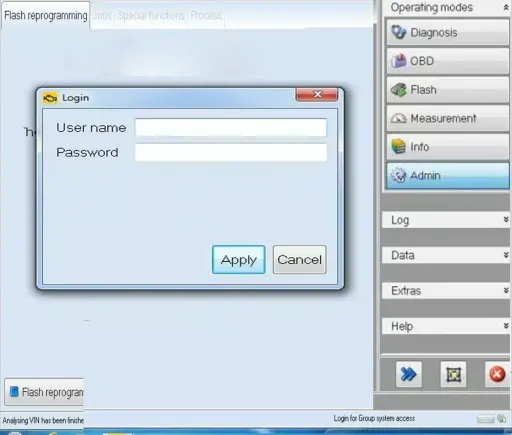
ODIS Online Access Code – SVM, DSS, and SFD
Get online dealer access code for ODIS (IMMO/CP, SVM, DSS, SFD) programming for Audi, VW, Seat, Skoda, Lambo, Bently. Instant code email delivery .

Description
The ODIS Online Access Code is for workshops and diagnostic specialists who need time-limited online access for a specific SVM, DSS or SFD-related ODIS workflow (removing component protection and immobilizer are not included with all codes).
This page is intentionally focused on ODIS online access. If you are looking for the diagnostic software itself, go to the ODIS Service product page.
ODIS Online Access for SVM, DSS and SFD
The current product catalog includes multiple brand and access-type variations. Depending on the selected variation, the catalog identifies ODIS 23 or ODIS 25 and a 1-hour access period.
Current stored variations cover:
Volkswagen
Audi
Skoda
SEAT
Bentley
Lamborghini
The exact combination of brand, ODIS version and access type is shown in the live variation selector. Review that selection before purchasing.
Choose the correct ODIS access type
“ODIS online” can describe different workflows, so choose the variation based on the job you intend to perform.
DSS + SVM + SFD
For several brands, the catalog includes combined DSS+SVM+SFD one-hour variations for ODIS 23 or ODIS 25.
SVM
For selected brands, the catalog also includes SVM-ODIS 23 one-hour variations.
If your requirement is specifically DSS-only access, use the separate ODIS DSS 1-hour access page. That keeps this page focused on the broader SVM/DSS/SFD access intent.
Check these items before you purchase
Prepare the vehicle and software environment before using time-limited online access.
Vehicle brand: select the correct brand in the variation selector.
ODIS version: make sure the selected ODIS 23 or ODIS 25 variation matches the workflow you plan to use.
Access type: choose SVM or the combined DSS+SVM+SFD option according to the job.
ODIS environment: the access code is separate from the ODIS software itself. Make sure your ODIS environment is ready before beginning.
Vehicle interface: confirm the interface required for your vehicle and task.
Internet connection: online workflows require a stable connection.
For related VAG diagnostic products, visit the VAG diagnostic category. The VCX SE diagnostic interface is also available; verify that it is suitable for the specific vehicle and operation you plan to perform.
ODIS software and ODIS online access are different products
This distinction helps avoid buying the wrong item:
ODIS Service is the software environment.
ODIS Online Access is the time-limited access selected for the relevant online workflow.
An access code does not replace preparation of the software, vehicle and diagnostic interface.
If you still need the software, see ODIS Service.
Typical workflow
Identify the vehicle and the operation you need to perform.
Select the correct brand.
Confirm the ODIS version and access type shown for the variation.
Prepare ODIS, the diagnostic interface and the internet connection.
Start the time-limited online workflow only after the setup is ready.
For a one-hour session, completing the preparation first helps avoid spending session time on basic setup.
ODIS Online Access FAQ
How long is the access session?
The currently stored product variations specify a 1-hour access period. Check the exact variation in the product selector before purchasing.
Does this product include ODIS Service software?
This page is for online access, not the ODIS Service software product. If you need the software, see the ODIS Service product page.
Which brands are available?
The current product catalog contains variations for Volkswagen, Audi, Skoda, SEAT, Bentley and Lamborghini. Live availability can differ by variation.
Which ODIS versions are listed?
The current variation catalog contains options identified as ODIS 23 and ODIS 25. Select the version that matches the workflow and environment you intend to use.
Is this the same as DSS-only ODIS access?
No. This page covers the broader SVM/DSS/SFD product family. For DSS-specific one-hour access, see the ODIS DSS access page.
Do I need a diagnostic interface?
ODIS vehicle work requires an appropriate vehicle communication setup. The correct interface depends on the vehicle and operation. Verify that requirement before beginning the session.